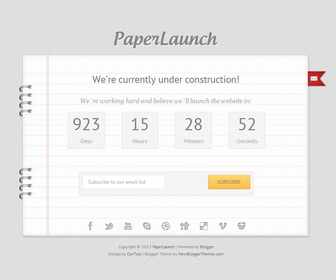
How to Configure the Counter
Go to “Edit HTML” of your blog. Find this:
var austDay = new Date("April 14, 2016 00:00:00");
Change “April 14, 2016” to the date you need.
How to configure email subscribe box
Go to “Edit HTML” of your blog. Find this:
<form action='http://feedburner.google.com/fb/a/mailverify' id='signup' method='post' onsubmit='window.open('http://feedburner.google.com/fb/a/mailverify?uri=newbthemes', 'popupwindow', 'scrollbars=yes,width=550,height=520');return true' style='' target='popupwindow'>
<input class='email' id='email' name='email' onblur='if (this.value == "") {this.value = "Subscribe to our email list";}' onfocus='if (this.value == "Subscribe to our email list") {this.value = "";}' type='email' value='Subscribe to our email list'/>
<input name='uri' type='hidden' value='newbthemes'/>
<input name='loc' type='hidden' value='en_US'/>
<input alt='Submit' class='submit orange' data-done='JOINED!' id='subscribe-submit' type='submit' value='SUBSCRIBE'/>
</form>
Replace “newbthemes” with your Feedburner ID. (you can see it 2 times)
How to Configure the Social Buttons
Go to “Edit HTML” of your blog. Find this:
<div class='bottom-page'>
   <ul class='social'>
      <!-- Change the # with the link to your social page. -->
      <li><a class='facebook tooltip' href='#' title='Facebook'/></li>
      <li><a class='twitter tooltip' href='#' title='Twitter'/></li>
      <li><a class='youtube tooltip' href='#' title='YouTube'/></li>
      <li><a class='skype tooltip' href='#' title='Skype'/></li>
      <li><a class='dribbble tooltip' href='#' title='Dribbble'/></li>
      <li><a class='digg tooltip' href='#' title='Digg'/></li>
      <li><a class='delicious tooltip' href='#' title='Delicious'/></li>
      <li><a class='vimeo tooltip' href='#' title='Vimeo'/></li>
      <li><a class='dropbox tooltip' href='#' title='DropBox'/></li>
   </ul>
</div>
Replace “#” marks with your social profile URLs.
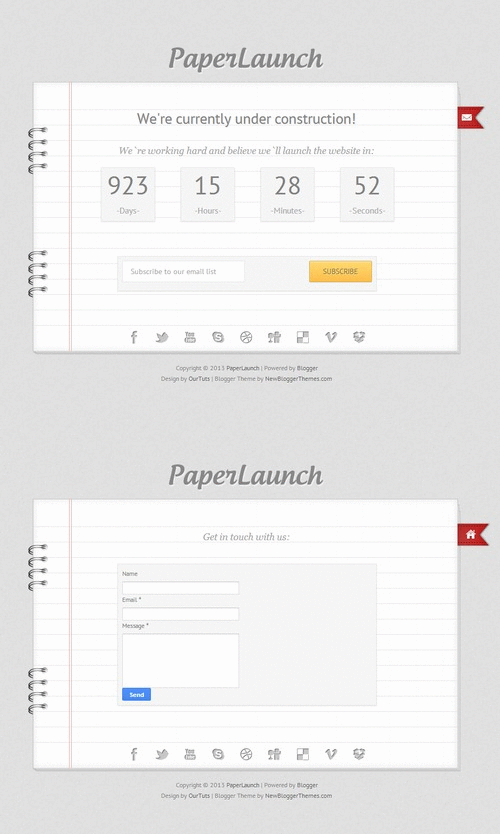
PaperLaunch Contact Form




In the zip u have provided for download, there is a “js” folder.
Uptil now whichever templates I have downloaded, I have seen only a xml file, which you have nicely explained in “Installation” page.
But what to do with “.js” file?
Where have to upload that in blogger.
Thanks for such a beautiful and useful template
js and image file has been provided as a backup.
Good themes for new blogs.