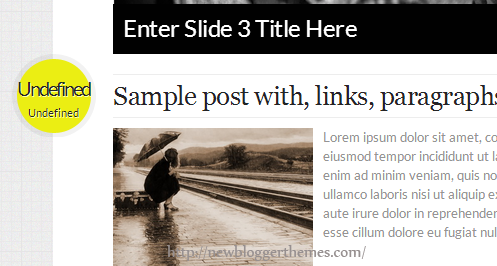
When you upload a template, sometimes you can see posted dates of blog posts showing as “undefined”. This is not a error in the template. To fix this problem you need to change “Timestamp Format” of your blog.
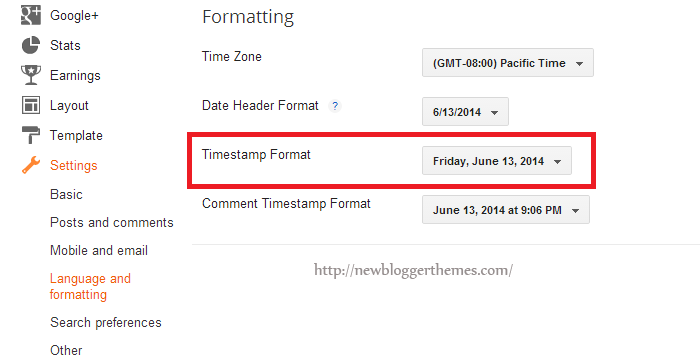
First go to your blog “Settings” –> “Language and formatting”.
Select “Timestamp Format” from drop-down menu similar to “Friday, June 13, 2014” format.
Important: You need to change “Timestamp Format”. Not “Comment Timestamp Format”.
Click on “Save settings” button and you are done.
I tried it several times, but still nothing. Tried to log out and in, but still not working.
You need to change “Timestamp Format”. Not “Comment Timestamp Format”.
thankx its working
Thank you. It solves as you said.
Thank You. Its working Now
So many tutorials out there but this one worked perfectly. Thank you!
hai, tq for the tutorial. what can i do to change the colour of font on my post body?
Thank you so much I have tried every bit of advice out there until I finally came across yours. Worked instantly.
Thank you for the information. It works for me 🙂
Great works fine
Worked perfectly. Great theme, thank you.
How do I remove the first video slide though?
This helped me sooooo much!!! thankyou!!!
horay, thank u so much <3
It's Really Help me. Thanks for Share
Thanks
I did change "Timestamp Format" and still saying undefined :/
I can see your problem is ok now.
thanks very much
Thank you
Hi i found this helpful thanks!
Thank You very Much.. It Very Helpful ….
This template is good looking and simple
Thanks. It worked.
Thanks a lot. Your this post really helped me.
It's work! Thanks a lot.
thank you very much
Thanks its working