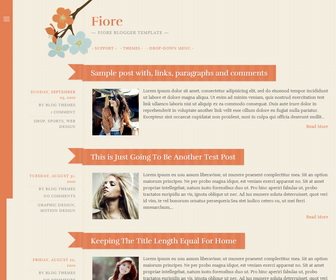
Fiore Blogger Template is a cute, flowery, feminine blogger theme in vintage colors. It has a responsive layout for small screens, 2 drop-down menus, and a slide-out sidebar for widgets.
How To Configure Sidebar Menu
Find this in “Edit HTML”:
<!-- sidebar navigation menu started -->
<div class='menu-navigation-containerwrap'>
<h1 class='widget-title'>Navigation</h1>
<div class='menu-navigation-container'>
<ul class='menu' id='menu-navigation'>
<li><a href='#'>Support</a></li>
<li><a href='#'>Themes</a></li>
<li><a href='#'>Drop-down Menu</a>
<ul class='sub-menu'>
	<li><a href='#'>Image Alignment</a></li>
	<li><a href='#'>Post Format Test: Chat</a>
	<ul class='sub-menu'>
		<li><a href='#'>Gallery: Instagram Photos</a></li>
		<li><a href='#'>An Aside</a></li>
	</ul>
</li>
</ul>
</li>
</ul>
</div>
</div>
<!-- sidebar navigation menu end -->
Replace “#” marks with real URLs and change anchor texts as you like.
How To Configure Top Navigation Menu
Find this in “Edit HTML”:
<!-- top navigation menu started -->
<nav class='navigation-main' id='site-navigation' role='navigation'>
<h1 class='menu-toggle'>Menu</h1>
<div class='screen-reader-text skip-link'><a href='#content' title='Skip to content'>Skip to content</a></div>
<div class='menu-navigation-container'>
<ul class='menu' id='menu-navigation-1'>
<li><a href='#' target='_blank' title='Visit the WordPress.org forums for theme support'>Support</a></li>
<li><a href='#' target='_blank' title='WordPress Themes'>Themes</a></li>
<li><a href='#'>Drop-down Menu</a>
<ul class='sub-menu'>
	<li><a href='#'>Image Alignment</a></li>
	<li><a href='#'>Post Format Test: Chat</a>
	<ul class='sub-menu'>
		<li><a href='#'>Gallery: Instagram Photos</a></li>
		<li><a href='#'>An Aside</a></li>
	</ul>
</li>
</ul>
</li>
</ul>
</div>
</nav>
<!-- top navigation menu end -->
Replace “#” marks with real URLs and change anchor texts as you like.
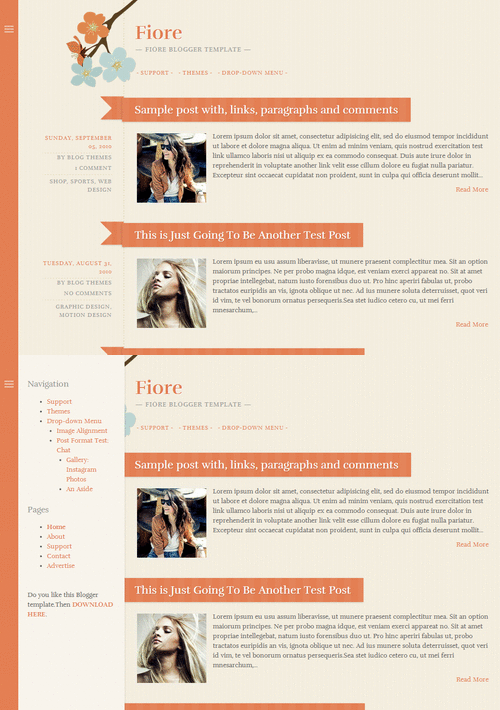
Fiore Blogger Template – Toggle Sidebar




I love it. Thank you! 🙂