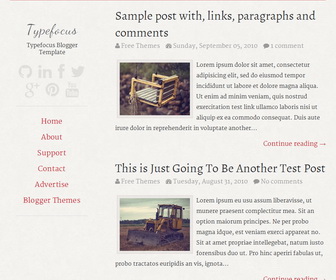
Theme Categories: 1 Column, Adapted from Wordpress, Fixed width, Grey, Magazine, Minimalist, No Sidebar, Pro Version Available, Red, Responsive, Top Navigation Bar,
Theme Name:
Typefocus
Author / URL:
NewBloggerThemes | https://newbloggerthemes.com/
Designer / URL:
Ajay Divakaran | http://www.ajaysdesk.com/
Published Date:
January 31, 2014
[purchase_link id="2242" text="Buy Now - Typefocus - PRO Version" style="button" color="blue"]
Typefocus Free vs. Pro Versions : Features Comparison
| Features | Free Version | PRO Version |
|---|---|---|
| Template Designer Compatible (Color Options / Font Options / Background Support) |
✖ | ✔ | Search Engine Optimized | ✖ | ✔ |
| Remove Footer Credits | ✖ | ✔ |
| Priority Support | ✖ | ✔ |
| No Encrypted Scripts | ✖ | ✔ |
| Lifetime Theme Updates | ✔ | ✔ |
| For Unlimited Domains | ✔ | ✔ |
Typefocus is a Minimal Elegant Blogger Theme, with Focus on Typography. Typefocus Blogger Template has a Responsive one Column Layout, Navigation Menu, Social Buttons, and More Features.
How To Add Links to Top Navigation Menu
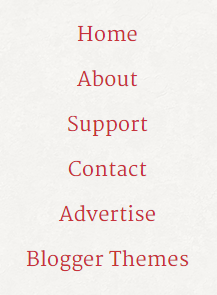
Go to "Layout". Click on "Edit" link of "Edit This Menu" widget.
Now add your links to that link list widget.
https://newbloggerthemes.com/blog/how-to-configure-linklist-menu-widget/
How To Configure Social Buttons
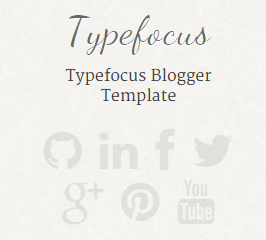
Find this in "Edit HTML":
<!-- Social Icons -->
<div class='header-social'>
	<a href='#'><i class='fa fa-github'/></a>
	<a href='#'><i class='fa fa-linkedin'/></a>
	<a href='#'><i class='fa fa-facebook'/></a>
	<a href='#'><i class='fa fa-twitter'/></a>
	<a href='#'><i class='fa fa-google-plus'/></a>
	<a href='#'><i class='fa fa-pinterest'/></a>
	<a href='#'><i class='fa fa-youtube'/></a>
</div>
Add your own social links replacing "#" marks.