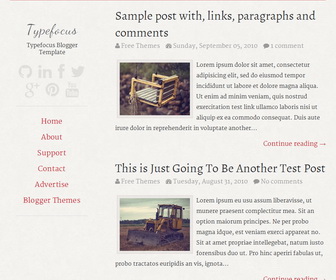
Typefocus is a Minimal Elegant Blogger Theme, with Focus on Typography. Typefocus Blogger Template has a Responsive one Column Layout, Navigation Menu, Social Buttons, and More Features.
How To Add Links to Top Navigation Menu
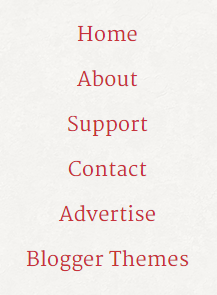
Go to “Layout”. Click on “Edit” link of “Edit This Menu” widget.
Now add your links to that link list widget.
https://newbloggerthemes.com/blog/how-to-configure-linklist-menu-widget/
How To Configure Social Buttons
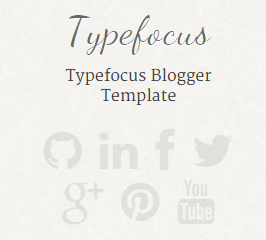
Find this in “Edit HTML”:
<!-- Social Icons -->
<div class='header-social'>
	<a href='#'><i class='fa fa-github'/></a>
	<a href='#'><i class='fa fa-linkedin'/></a>
	<a href='#'><i class='fa fa-facebook'/></a>
	<a href='#'><i class='fa fa-twitter'/></a>
	<a href='#'><i class='fa fa-google-plus'/></a>
	<a href='#'><i class='fa fa-pinterest'/></a>
	<a href='#'><i class='fa fa-youtube'/></a>
</div>
Add your own social links replacing “#” marks.
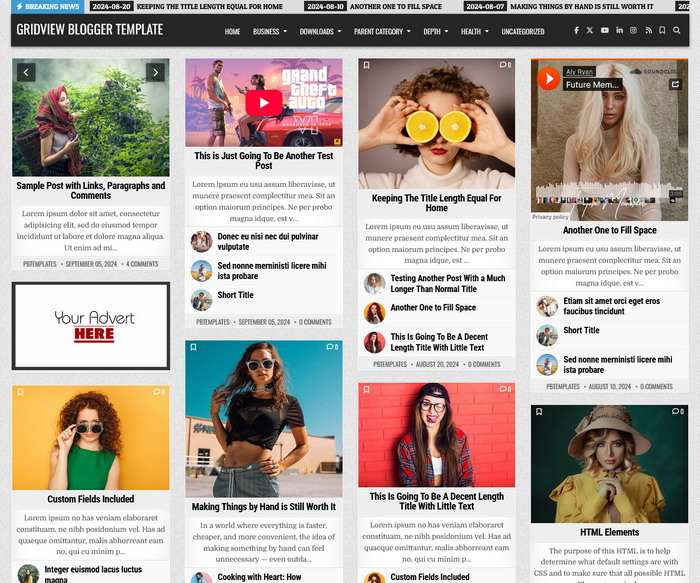



would be perfect if responsive. but thanks.
This template is responsive.
currently using this on my blog…and am tweaking some things here and there, since i used to have 3 column layout before this… thanks so much for sharing.. I wish I know how to make some things in center though, like the post title and other widgets…
I cannot get more than 2 posts to publish on the front page and the red link bar on the left of the page will not work for me. help!
Several minutes of problem solving later, I got the sidebar to fix itself when I removed the photo behind the introduction on the left. I want to eliminate the limit to this week’s posts (what I think makes it only 2 posts on the front page.) How can I remove this limit so it posts the 10 or so latest posts?
This is not a template problem, to display more than 2 posts follow steps here:
http://www.premiumbloggertemplates.com/blog/incorrect-number-of-posts-per-page-blogger/
I’m unable to find the social icons in the HTML. Is there somewhere I can add it myself?
Hi Raine, social icons are available in “Edit HTML” mode in Blogger theme.
Hi. I just started on my blog and I am using this template. I’m having trouble adding the navigation tab under the social media icons. which section do I edit it?
Thank you.
please read tutorial above.
how do you add post to different pages
Can you create a Goodreads social icon that resembles the rest?
I’m curious as how to get the side links to show (Home, About Me, etc…), because it’s blank! Is it something to do with the blogger layout format?
Yes, I have explained it above. please read it.
Hi,
Im pretty savvy with putting things in the right place but the one thing I cant do is change the icons for instance rather than pinterest I would love to have soundcloud and also instagram.
could you help me out?
thanks so much
For Soundcloud button:
<a href=’#’><i class=’fa fa-soundcloud’/></a>
For Instagram button:
<a href=’#’><i class=’fa fa-instagram’/></a>
Hello,
How to add menus in left Top Menus. Please tell me or send it’s relevent code for create menus in left side.
regards,
SAURABH KUMAR
https://newbloggerthemes.com/blog/how-to-configure-linklist-menu-widget/
Heyy!
Is there a bloglovin social icon i can add?
🙂
Hi, sorry. bloglovin icon not available yet.
I love the template, but I was wondering if there’s a flickr and a plurk button available ?
For Flickr button:
<a href=’#’><i class=’fa fa-flickr’/></a>
Sorry, plurk button not available yet.
hi..I am currently using this template on my blog and it’s amazing..I just wanna ask if it is possible to change the font color?
find this:
body,
button,
input,
select,
textarea {
color: #404040;
font-family: sans-serif;
font-size: 16px;
font-size: 1.6rem;
line-height: 1.5;
}
change "#404040" value to other color value you like.
How do you change the color of the bar at the top
find this and change value color value "#c00":
border-top:0.5rem solid #c00;
Hello,
The preview images for my posts seem to be squashed. Does this mean that I have to use a specific scale for my first photos in the posts from now on? I am very reluctant to change the ones already in my previous posts.
Apologies if I've missed a very obvious explanation somewhere, and many thanks in advance.
Find this:
.pbtthumbimg {
float:left;
margin:0px 10px 5px 5px;
padding:0.7rem;
background:rgba(165, 154, 154, 0.1);
border-color: rgba(173, 123, 123, 0.2);
border-width:0.1rem;
border-style:solid;
width:200px;
height:150px;
}
replace "height:150px;" with "height:auto;".