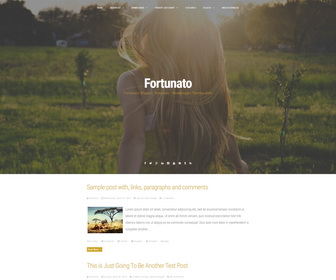
Fortunato is a modern and minimal, fully responsive Blogger Theme with a large column in the center of the screen, and the sidebar that appears when you click on the appropriate button, web fonts, social icons, share buttons, top drop down navigation menu, related posts and more.
How To Add Links to Top Navigation Menu
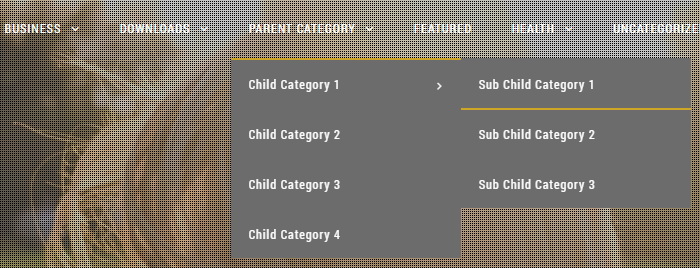
Find this in “Edit HTML”:
<ul class='menunbt' id='primary-menunbt'>

<li><a expr:href='data:blog.homepageUrl'>Home</a></li>

<li><a href='#'>Business</a>
<ul class='sub-menu'>
<li><a href='#'>Internet</a></li>
<li><a href='#'>Market</a></li>
<li><a href='#'>Stock</a></li>
</ul>
</li>

...

<li><a href='#'>Uncategorized</a></li>

</ul>
Replace “#” marks with real URLs and change anchor texts as you like.
How To Change Header Image
Find this image address:
http://2.bp.blogspot.com/-fyeG7-d4Hv8/VWp7BKgltxI/AAAAAAAANY4/D9Scmzx7E0g/s000/fortunato-main-image-example.jpg
Replace it with your header image URL.
How To Configure Social Buttons

Find this in “Edit HTML”:
<div class='socialLinenbt'>
	<a href='#' title='Facebook'><i class='fa fa-facebook spaceLeftRightnbt'><span class='screen-reader-text'>Facebook</span></i></a>
	<a href='#' title='Twitter'><i class='fa fa-twitter spaceLeftRightnbt'><span class='screen-reader-text'>Twitter</span></i></a>
	<a href='#' title='Google Plus'><i class='fa fa-google-plus spaceLeftRightnbt'><span class='screen-reader-text'>Google Plus</span></i></a>
	<a href='#' title='Linkedin'><i class='fa fa-linkedin spaceLeftRightnbt'><span class='screen-reader-text'>Linkedin</span></i></a>
	<a href='#' title='Instagram'><i class='fa fa-instagram spaceLeftRightnbt'><span class='screen-reader-text'>Instagram</span></i></a>
	<a href='#' title='YouTube'><i class='fa fa-youtube spaceLeftRightnbt'><span class='screen-reader-text'>YouTube</span></i></a>
	<a href='#' title='Pinterest'><i class='fa fa-pinterest spaceLeftRightnbt'><span class='screen-reader-text'>Pinterest</span></i></a>
	<a href='#' title='Tumblr'><i class='fa fa-tumblr spaceLeftRightnbt'><span class='screen-reader-text'>Tumblr</span></i></a>
	<a href='#' title='RSS'><i class='fa fa-rss spaceLeftRightnbt'><span class='screen-reader-text'>RSS</span></i></a>
	<div class='openSearchnbt'><i class='fa fa-search'/></div>
</div>
Add your own social links replacing “#” marks.
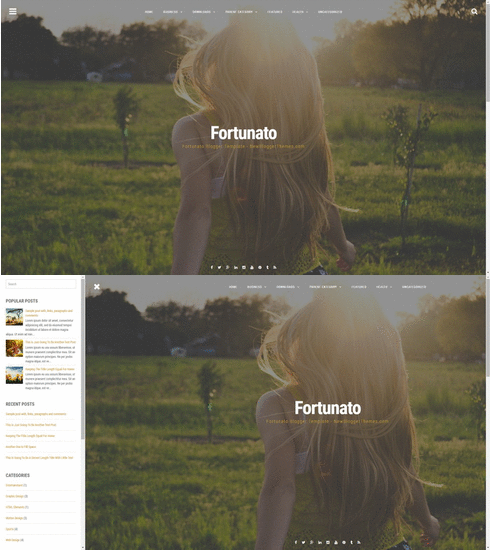
Fortunato Blogger Template Sidebar Area
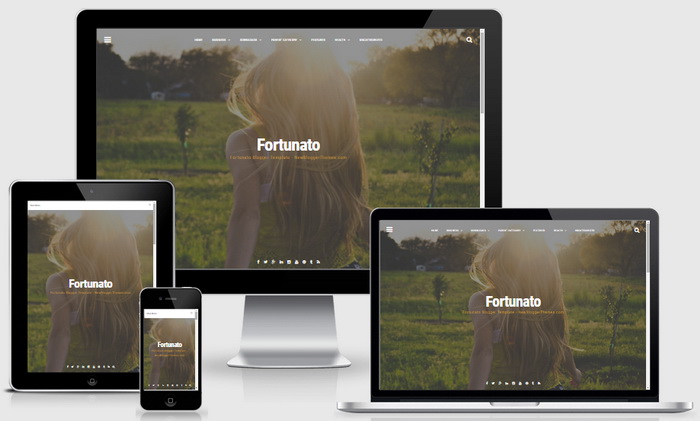
Fortunato Blogger Template Responsive View




Love the theme! Is there a way to remove the header image from specific pages or only have it on the home page?
Hi sab, there is no quick way to do it.
I love this theme. Really Just wow
Hello! How can I remove those little gray squares over the header image to make it clear? THANKS
find and remove this:
background-color: rgba(108,108,108,.4);
background-image: url(http://3.bp.blogspot.com/-6litCSpp1ZI/VWp7ACKMUjI/AAAAAAAANYw/FtZAAxXxiYg/s1600/overlay.png);
I did this and the image is still now clear but has the filter-like effect over it…. Is there a way to make it so that it's just the image?
remove this:
background-color: rgba(108,108,108,.4);
I was wondering… is it possible to replace the header text with an image and keep it centralised? When I replace the text the image is in the left side of the page and not center…Is there a way to changethis?
Hello! is there any way to increase the opacity of the image used as a header? Tranks
Yes. Either you can remove this line:
background-color: rgba(108,108,108,.4);
or change value ".4"
hello, excellent staff my question: Is it possible to give click to one input gently deslize her? I mean that by giving click any article shows the cover image at large and must give the mouse wheel to see that entry, has many users (in my case) to load but show the cover image you give the feeling that no charge article
Thank You
It requires some customization. contact me for paid help. thanks.
Hello! I am in love with this design, but I have problems with getting rid of the gray squares on the header.. And I also wondered how to get rid of the text on the header?
to remove gray squares, remove these 2 lines from the template:
background-color: rgba(108,108,108,.4);
background-image: url(http://3.bp.blogspot.com/-6litCSpp1ZI/VWp7ACKMUjI/AAAAAAAANYw/FtZAAxXxiYg/s1600/overlay.png);
Hi, I'd like to remove the post option from the theme, I mean, it would not be shown in any page anymore. How to do it?
Thanks in advance,
Marcos
didn't understand your question well.
hello sir how to reduce height of the of the background image? please help me
Hi,
thanks for the theme.
can i ask if the side bar automatic popup then just hav to click the button.
Nice site! I have a question, though.
How do you add more lines in the entry post before cutting it to read more? Thanks.
Hi, find this:
summary_img = 300;
Change "300" value to a higher value.
Hi, thanks for a good theme!
Is it possible to make the header narrower?
Hi Julia, it is possible. but hard to explain in a comment.
Hi, how can I remove the blog title or make it invisble? I just want to have only image on header with no text. Please, help me 🙂
Hi! Love the template! I want to ask you something: how to change the white background?
Find this and change "#ffffff" value to a other:
body {
background: #ffffff;
}
hi!, I really like this theme. but, if I can change the font color and the menu bar in this theme?
find this:
.site-headernbt a, .read-linknbt a, .site-titlenbt a:hover, .site-titlenbt a:focus {
color: #ffffff;
}
Change "#ffffff" value.
Hi, this theme is incredible!
Can I contact you to get your advise about making the header smaller?
Thanks)
find this line:
$('.site-headernbt, .site-brand-mainnbt').css('height', windowHeight);
replace it with:
$('.site-headernbt, .site-brand-mainnbt').css('height', windowHeight/2);
It will make header height half size.
hello, how to add polyvore to the social buttons?
hello there!
how do you add other social media in the social button? thanks
Lets say you need to add "Stumbleupon" button. Add below code for that:
<a href='#' title='Stumbleupon'><i class='fa fa-stumbleupon spaceLeftRightnbt'><span class='screen-reader-text'>Stumbleupon</span></i></a>
Check this link for all buttons:
http://fontawesome.io/icons/
heyy, "recent posts" widget in the sidebar not working properly, help?
thanks 🙂
Read this: https://newbloggerthemes.com/blog/add-recent-posts-widget-to-blogger/
hey, how to display date on my posts? because it only shows the time not the date.
thank you
Follow steps given here to change the "Timestamp Format":
https://newbloggerthemes.com/blog/fix-posted-date-undefined-error-blogger/
Hi,
i have some problems with configuration of social buttons.
it's impossible to remove some logos like Pinterest or tumblr. I was checking html but i couldnt find it via wordpress editor.
how can i remove some logos? is there any easy way to change it? 🙂
where i can fing socialLine?
OK.
Ive got it!! 🙂