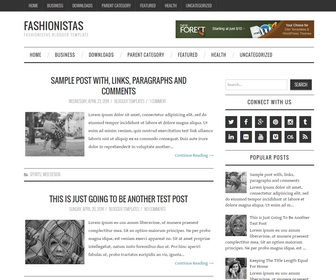
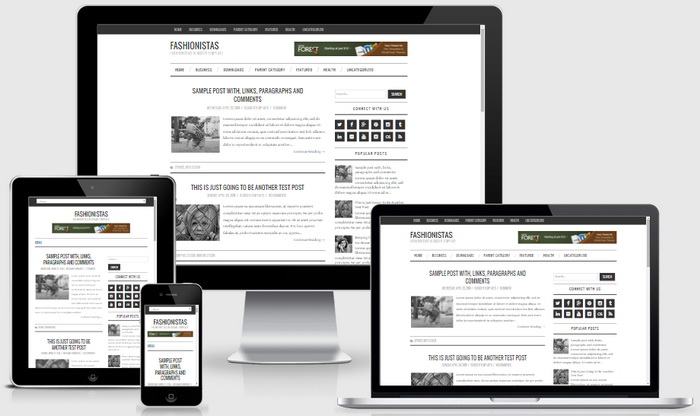
Fashionistas is a simple and clean, 100% responsive Blogger theme to showcase your content in an elegant way. Fashionistas Blogger template has a right sidebar, 4 columns footer widgets area, Google web fonts, icon fonts, related posts with thumbnails, social buttons on sidebar, post bottom share buttons, 2 multi-level navigation menus, auto post summaries and more.
How To Add Links to Top Navigation Menu
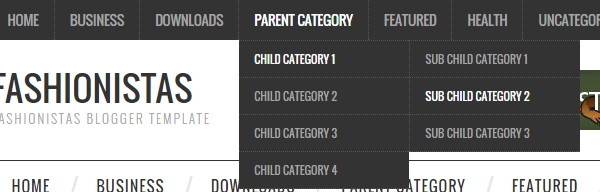
Find this in “Edit HTML”:
<div class='sf-menu menu-primary-container'>
<ul class='menunbt'>

<li><a expr:href='data:blog.homepageUrl'>Home</a></li>

<li><a href='#'>Business</a>
<ul class='sub-menu'>
<li><a href='#'>Internet</a></li>
<li><a href='#'>Market</a></li>
<li><a href='#'>Stock</a></li>
</ul>
</li>

...

<li><a href='#'>Uncategorized</a></li>

</ul>
</div>
Replace “#” marks with real URLs and change anchor texts as you like.
How To Add Links to Secondary Navigation Menu
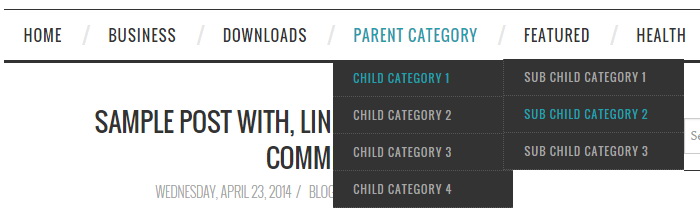
Find this in “Edit HTML”:
<div class='sf-menu'>
<ul class='menunbt'>

<li><a expr:href='data:blog.homepageUrl'>Home</a></li>

<li><a href='#'>Business</a>
<ul class='sub-menu'>
<li><a href='#'>Internet</a></li>
<li><a href='#'>Market</a></li>
<li><a href='#'>Stock</a></li>
</ul>
</li>

...

<li><a href='#'>Uncategorized</a></li>

</ul>
</div>
Replace “#” marks with real URLs and change anchor texts as you like.
How To Configure Social Buttons
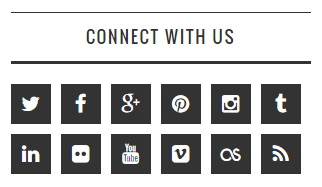
Find this in “Edit HTML”:
<div class='widget widget_socialbtnnbt'> <h2>Connect With Us</h2> <ul class='clearfix widget-social-iconsnbt'> <li class='widget-si-twitter'><a href='http://twitter.com' rel='nofollow' target='_blank' title='Twitter'><i class='ico-twitter'/></a></li> <li class='widget-si-facebook'><a href='http://facebook.com' rel='nofollow' target='_blank' title='Facebook'><i class='ico-facebook'/></a></li> <li class='widget-si-gplus'><a href='http://plus.google.com' rel='nofollow' target='_blank' title='Google+'><i class='ico-gplus'/></a></li> <li class='widget-si-pinterest'><a href='http://pinterest.com' rel='nofollow' target='_blank' title='Pinterest'><i class='ico-pinterest'/></a></li> <li class='widget-si-instagram'><a href='https://instagram.com' rel='nofollow' target='_blank' title='Instagram'><i class='ico-instagram'/></a></li> <li class='widget-si-tumblr'><a href='https://www.tumblr.com' rel='nofollow' target='_blank' title='Tumblr'><i class='ico-tumblr'/></a></li> <li class='widget-si-linkedin'><a href='https://www.linkedin.com' rel='nofollow' target='_blank' title='Linkedin'><i class='ico-linkedin'/></a></li> <li class='widget-si-flickr'><a href='http://flickr.com' rel='nofollow' target='_blank' title='Flickr'><i class='ico-flickr'/></a></li> <li class='widget-si-youtube'><a href='https://www.youtube.com' rel='nofollow' target='_blank' title='Youtube'><i class='ico-youtube'/></a></li> <li class='widget-si-vimeo'><a href='https://vimeo.com' rel='nofollow' target='_blank' title='Vimeo'><i class='ico-vimeo'/></a></li> <li class='widget-si-lastfm'><a href='http://last.fm' rel='nofollow' target='_blank' title='Last.fm'><i class='ico-lastfm'/></a></li> <li class='widget-si-rss'><a expr:href='data:blog.homepageUrl + "feeds/posts/default"' target='_blank' title='RSS'><i class='ico-rss'/></a></li> </ul> </div>
Add your own profile links replacing social networks homepage URLs.
Fashionistas Blogger Template Responsive View




nice
Hey, your template is insanely beautiful. Would you like to help me please? What is the JavaScript/HTML codes for the header banner? And also how did you set up Blogger Templates and Blogger Tutorials footers, I really do not get it. Thank you.
Hi, you can use Blogger feed widget for that.