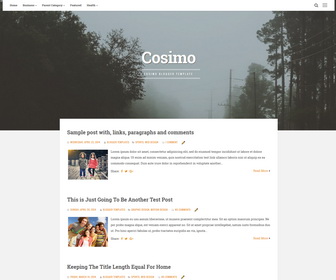
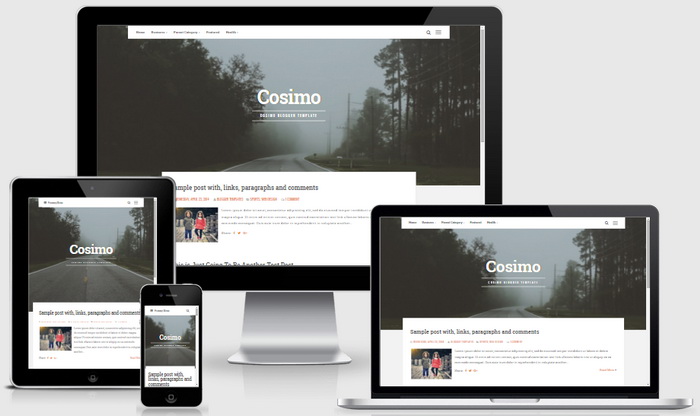
Cosimo is a fresh and beautiful, 100% responsive Blogger Theme, a large column in the center of the screen, and the sidebar that appears when you click on the appropriate button and easy to use. Cosimo Blogger template has a drop-down navigation menu, related posts with thumbnails, social and share buttons, auto post summaries, Google web fonts, scroll to top button and more features.
How To Add Links to Top Navigation Menu
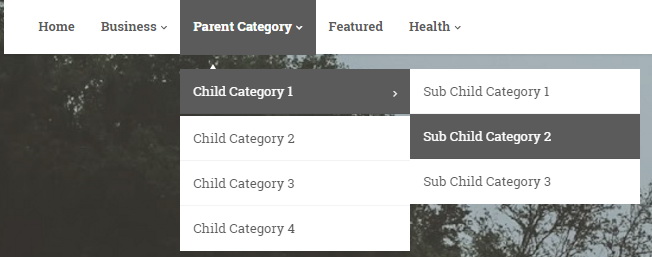
Find this in “Edit HTML”:
<ul class='menunbt' id='primary-menunbt'>

<li><a expr:href='data:blog.homepageUrl'>Home</a></li>

<li><a href='#'>Business</a>
<ul class='sub-menu'>
<li><a href='#'>Internet</a></li>
<li><a href='#'>Market</a></li>
<li><a href='#'>Stock</a></li>
</ul>
</li>

...

</ul>
Replace “#” marks with real URLs and change anchor texts as you like.
How To Configure Social Buttons

Find this in “Edit HTML”:
<div class='socialLinenbt'>
<a href='#' rel='nofollow' target='_blank' title='Facebook'><i class='fa fa-facebook spaceLeftRight'><span class='screen-reader-text'>Facebook</span></i></a>
<a href='#' rel='nofollow' target='_blank' title='Twitter'><i class='fa fa-twitter spaceLeftRight'><span class='screen-reader-text'>Twitter</span></i></a>
<a href='#' rel='nofollow' target='_blank' title='Google Plus'><i class='fa fa-google-plus spaceLeftRight'><span class='screen-reader-text'>Google Plus</span></i></a>
...
</div>
Add your own social links replacing “#” marks.
Cosimo Blogger Template Responsive View




I really like this themes, but can i change header image? thank you i really appreciate. regards from indonesian. *sorry for my bad english
Find this in Edit HTML and change image URL:
#mastheadnbt {
background: url(http://4.bp.blogspot.com/-rZB9GWoO2vM/VnDDF7-Gp_I/AAAAAAAAOj8/RWdYC3d-LoU/s1600/cosimo-demo-header.jpg) 50% 0 / cover no-repeat;
}
Hello, I'm writting this comment because i've downloaded this template and i just want to know how can i modify the height of the background because i want it to be higher.
I'll wait for your response,
Mauro.
Height of background or header area?
I bought this template several days ago, and I really love this template. Thanks.
But I found big problem in mobile view. As u can see, posts and template aren't compatible and of course it doesn't look like decribed picture in this page.
Hi, You need to disable blogger Mobile templates going to Theme page. This theme is responsive. No need to activate mobile templates. Thanks.