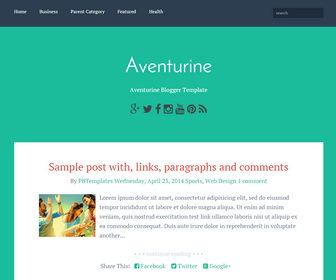
Aventurine theme puts the focus back on your content, with large type and bright colors. Aventurine blogger template is responsive and built with accessibility in mind, your content can be easily available to your entire audience. It has google web fonts, social icons, post sharing buttons, auto read more, drop-down menu, related posts, 2 columns footer and more.
How To Add Links to Top Navigation Menu
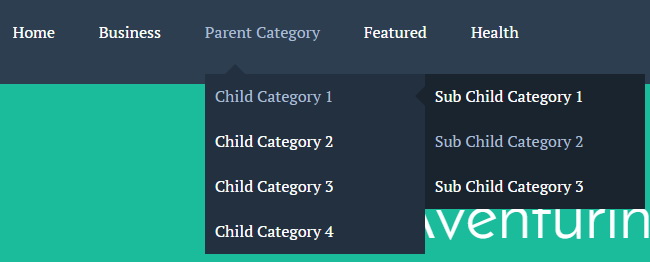
Find this in “Edit HTML”:
<div class='menu-nbt-menu-container'>
<ul class='menunbt'>
<li><a expr:href='data:blog.homepageUrl'>Home</a></li>

<li><a href='#'>Business</a>
<ul class='sub-menu'>
<li><a href='#'>Internet</a></li>
<li><a href='#'>Market</a></li>
<li><a href='#'>Stock</a></li>
</ul>
</li>

...

<li><a href='#'>Featured</a></li>

<li><a href='#'>Health</a>
<ul class='sub-menu'>
<li><a href='#'>Childcare</a></li>
<li><a href='#'>Doctors</a></li>
</ul>
</li>

</ul>
</div>
Replace “#” marks with real URLs and change anchor texts as you like.
How To Configure Social Buttons

Find this in “Edit HTML”:
<div class='social-buttonsnbt'> <a href='https://plus.google.com/' rel='nofollow' target='_blank' title='Google Plus'><i class='fa fa-google-plus'/></a> <a href='https://twitter.com/' rel='nofollow' target='_blank' title='Twitter'><i class='fa fa-twitter'/></a> <a href='https://www.facebook.com/' rel='nofollow' target='_blank' title='Facebook'><i class='fa fa-facebook'/></a> <a href='http://instagram.com/' rel='nofollow' target='_blank' title='Instagram'><i class='fa fa-instagram'/></a> <a href='https://www.youtube.com/' rel='nofollow' target='_blank' title='Youtube'><i class='fa fa-youtube'/></a> <a href='http://www.pinterest.com/' rel='nofollow' target='_blank' title='Pinterest'><i class='fa fa-pinterest'/></a> <a expr:href='data:blog.homepageUrl + "feeds/posts/default"' rel='nofollow' target='_blank' title='RSS'><i class='fa fa-rss'/></a> </div>
Add your own social links replacing social websites homepage URLs.
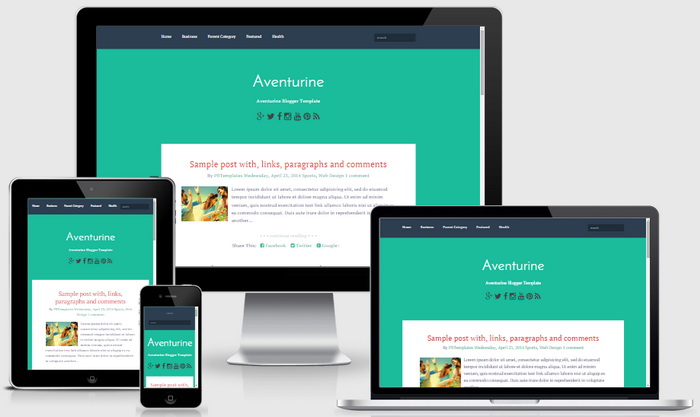
Aventurine Blogger Template Responsive View:




this is awesome and great.Realy i like it .I have put it to my blogger
This is must have templates! Thanks!
Very beautiful template. Infact you made it more beautiful than original. And also added many features to it. If possible just add pagination (page number) widget to it. thank you
There are many tutorials about adding paginations. Please try one.