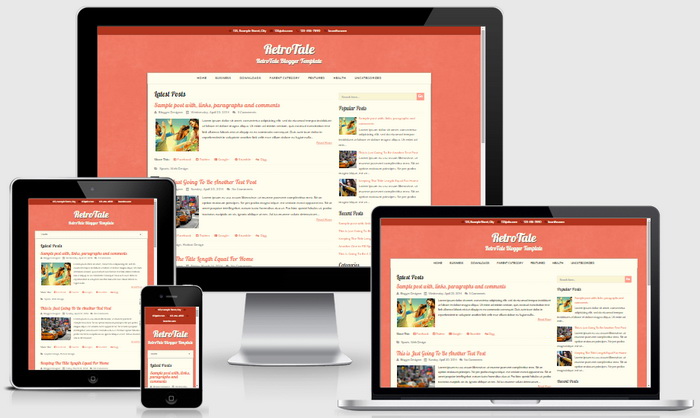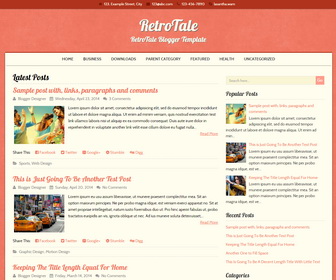
RetroTale is an easily to use retro-styled, 2 columns, search engine friendly, beautiful blogger theme which can be used for your blog. It is a fully responsive theme that allows for easy viewing on any device. RetroTale blogger template has right sidebar, google web fonts, social icons, contact information in header, post sharing buttons, auto read more, top drop-down menu, related posts, 3 columns footer widgets area and more.
How To Configure Social Buttons and Contact Information

Find this in “Edit HTML”:
<div class='top-navigationnbt'>
<p class='header-contactnbt'>
<span class='header-contact-address'><i class='fa fa-home'/> 123, Example Street, City</span>
<span class='header-contact-email'><i class='fa fa-envelope'/> 123@abc.com</span>
<span class='header-contact-phone'><i class='fa fa-phone'/> 123-456-7890</span>
<span class='header-contact-skype'><i class='fa fa-skype'/> lasantha.wam</span>
<span class='social-buttonsnbt'>
<a href='https://plus.google.com/' rel='nofollow' target='_blank' title='Google Plus'><i class='fa fa-google-plus-square'/></a>
<a href='https://twitter.com/' rel='nofollow' target='_blank' title='Twitter'><i class='fa fa-twitter-square'/></a>
<a href='https://www.facebook.com/' rel='nofollow' target='_blank' title='Facebook'><i class='fa fa-facebook-square'/></a>
<a href='http://instagram.com/' rel='nofollow' target='_blank' title='Instagram'><i class='fa fa-instagram'/></a>
<a href='https://www.youtube.com/' rel='nofollow' target='_blank' title='Youtube'><i class='fa fa-youtube-square'/></a>
<a href='http://www.pinterest.com/' rel='nofollow' target='_blank' title='Pinterest'><i class='fa fa-pinterest-square'/></a>
<a expr:href='data:blog.homepageUrl + "feeds/posts/default"' rel='nofollow' target='_blank' title='RSS'><i class='fa fa-rss-square'/></a>
</span>
</p>
</div>
Now you have to replace contact information (address, email, phone number, skype username) with your own data and need to add your social links replacing default social profile URLs.
How To Add Links to Top Navigation Menu
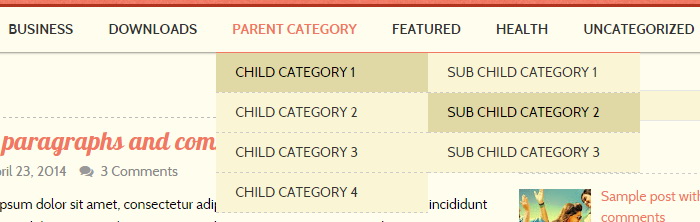
Find this in “Edit HTML”:
<div class='menu-nbt-menu-container'>
<ul class='menunbt' id='navnbt'>

<li><a expr:href='data:blog.homepageUrl'>Home</a></li>

<li><a href='#'>Business</a>
<ul class='sub-menu'>
<li><a href='#'>Internet</a></li>
<li><a href='#'>Market</a></li>
<li><a href='#'>Stock</a></li>
</ul>
</li>

...

<li><a href='#'>Uncategorized</a></li>

</ul>
</div>
Replace “#” marks with real URLs and change anchor texts as you like.
RetroTale Blogger Template Responsive View