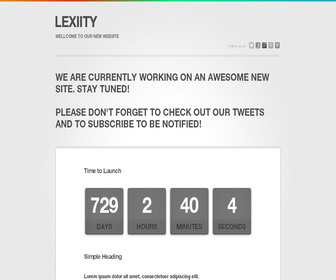
How to Configure the Counter
1.Go to “Template” –> “Edit HTML” of your blog.
2.Find this:
time = new Date(2015,04-1,23,10,20);
3.Change “04/23/2015 10:20 AM” to the date you need.
How to configure email subscribe box
1.Go to “Template” –> “Edit HTML” of your blog.
2.Find this:
<form action='http://feedburner.google.com/fb/a/mailverify' id='signup' method='post' onsubmit='window.open('http://feedburner.google.com/fb/a/mailverify?uri=newbthemes', 'popupwindow', 'scrollbars=yes,width=550,height=520');return true' style='' target='popupwindow'>
<div class='form left'>
<div class='form-border-top left'/>
<!--/form-border-top-->
<div class='form-content left'>
<div class='form-content-text left'>
<span>Our Newsletter</span>
<p>Subscribe to get latest news about site launch</p>
</div>
<!--/form-content-text-->
<div class='form-right right'>
<div class='form-input left'>
<input id='email' name='email' type='text'/>
</div>
<input name='uri' type='hidden' value='newbthemes'/>
<input name='loc' type='hidden' value='en_US'/>
<div class='form-input-button left'>
<input alt='Submit' class='btn' type='submit' value=''/>
</div>
<div class='clear'/>
<label for='email' id='address-label'>
<span id='response'>
</span>
</label>
</div>
<!--/form-right-->
</div>
<!--/form-content-->
</div>
<!--/form-->
</form>
3.Replace “newbthemes” with your Feedburner ID.



