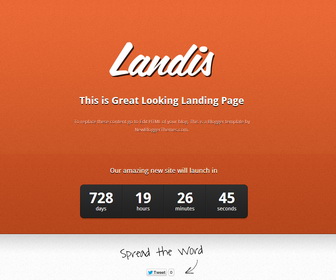
How to Configure the Counter
1.Go to “Template” –> “Edit HTML” of your blog.
2.Find this:
time = new Date(2015, 04 - 1, 19, 10, 1);
3.Change date to the date you need.
How to choose Blue color scheme

1.Go to “Template” –> “Edit HTML” of your blog.
2.Add this code just before </head> tag and save your template:
<style type='text/css'>
#header-holder { background-image:url(http://4.bp.blogspot.com/-Kken_PpUIK0/UXFL6PnOM9I/AAAAAAAAHBQ/oEhNKb4Rk2w/s1600/header_bg_blue.jpg);background-repeat:repeat-x;}
#front_page_container {background:transparent url(http://3.bp.blogspot.com/-s5gq78WoRCs/UXFL8dPjLOI/AAAAAAAAHBw/akRptkT-QFc/s1600/page_bg_blue.jpg);}
#copyright { background:transparent url(http://2.bp.blogspot.com/--k39-NPqXoM/UXFL5IGr2tI/AAAAAAAAHA0/jzKtxVwqO-4/s1600/copyright_bg_blue.jpg) repeat-x top center;}
.Page_content{color:#c2d6db}
</style>
How to choose Brown color scheme
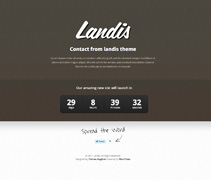
1.Go to “Template” –> “Edit HTML” of your blog.
2.Add this code just before </head> tag and save your template:
<style type='text/css'>
#header-holder { background-image:url(http://1.bp.blogspot.com/-4CZ3n28caq0/UXFL7S0RQbI/AAAAAAAAHBc/-Om7QdCPiBU/s1600/header_bg_brown.jpg);background-repeat:repeat-x;}
#front_page_container {background:transparent url(http://1.bp.blogspot.com/-CCD_HRjrI0k/UXFL8nqyb-I/AAAAAAAAHB4/s9m7EDQJ73w/s1600/page_bg_brown.jpg);}
#copyright { background:transparent url(http://4.bp.blogspot.com/-lRptTnP_EN4/UXFL5ELxSQI/AAAAAAAAHA4/bnbsfVKe8Fg/s1600/copyright_bg_brown.jpg) repeat-x top center;}
.Page_content{color:#AFA699}
</style>
How to choose Dark Grey color scheme
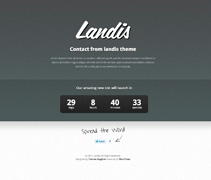
1.Go to “Template” –> “Edit HTML” of your blog.
2.Add this code just before </head> tag and save your template:
<style type='text/css'>
#header-holder { background-image:url(http://3.bp.blogspot.com/-KC2tRur8hZY/UXFL7S-WcqI/AAAAAAAAHBg/oSnr_3rnrMI/s1600/header_bg_darkgrey.jpg);background-repeat:repeat-x;}
#front_page_container {background:transparent url(http://1.bp.blogspot.com/-S0fPla6npkA/UXFL80_cpjI/AAAAAAAAHCA/EARmTfDrYm0/s1600/page_bg_darkgrey.jpg);}
#copyright { background:transparent url(http://1.bp.blogspot.com/-u4PpzFw6XpE/UXFL5H6iDUI/AAAAAAAAHA8/OAmv9KQXKuA/s1600/copyright_bg_darkgrey.jpg) repeat-x top center;}
.Page_content{color:#A4AFAE;}
</style>
How to choose Green color scheme
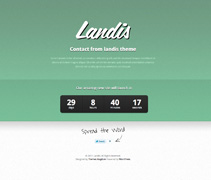
1.Go to “Template” –> “Edit HTML” of your blog.
2.Add this code just before </head> tag and save your template:
<style type='text/css'>
#header-holder { background-image:url(http://3.bp.blogspot.com/-DNoBBoA6uhs/UXFL7_HNRGI/AAAAAAAAHBs/JSKRwbIQCRM/s1600/header_bg_green.jpg);background-repeat:repeat-x;}
#front_page_container {background:transparent url(http://1.bp.blogspot.com/-WLJOtHefd9E/UXFL04p8EPI/AAAAAAAAHAk/oy2VFAmmhCU/s1600/page_bg_green.jpg);}
#copyright { background:transparent url(http://4.bp.blogspot.com/--PJC12I1Dv8/UXFL5hYr0jI/AAAAAAAAHBE/iLWbUSw6hBo/s1600/copyright_bg_green.jpg) repeat-x top center;}
.Page_content{color:#b5e4c8;}
</style>




And which portion of code do I delete to remove the countdown?
great template for maintenance.. i use it for my new blog.. thank you
Hi, how I can configure the coundown to March, 1st?
Thank You.
Thanks for this good JOB … amazing template
I download that template… but since I made that download I DONT UNDERSTAND how i can activate the posts… I made the posts in the messages system in blogger, but dont happear in the blog…
I NEED HELP, IT’S URGENT
this theme is for under construction blogs, not for displaying posts.