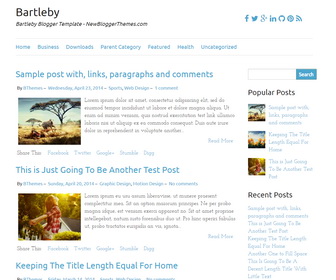
Bartleby is a Blogger theme comes with a clean and minimal responsive 2 columns layout, social icon fonts, Google fonts, related posts, right sidebar and more. Bartleby Blogger Template plays well with mobile devices and is fully responsive to adapt to mobile devices. It’s based on the Foundation Grid by Zurb.
How To Configure Social Buttons
Find this in “Edit HTML”:
<div id='social-barnbt'> <a href='https://www.facebook.com/newbthemes/' rel='nofollow' target='_blank'><i class='fa fa-facebook'/></a> <a href='https://twitter.com/newbthemes' rel='nofollow' target='_blank'><i class='fa fa-twitter'/></a> <a href='https://plus.google.com/114594158726319551901/posts' target='_blank'><i class='fa fa-google-plus'/></a> <a href='#' rel='nofollow' target='_blank'><i class='fa fa-linkedin'/></a> <a href='#' rel='nofollow' target='_blank'><i class='fa fa-github'/></a> <a href='#' rel='nofollow' target='_blank'><i class='fa fa-pinterest'/></a> <a expr:href='data:blog.homepageUrl + "feeds/posts/default"' rel='nofollow' target='_blank'><i class='fa fa-rss'/></a> </div>
Add your own social links replacing “#” marks/my social profile URLs.
How To Add Links to Top Navigation Menu

Find this in “Edit HTML”:
<div class='menu-nbt-menu-container'>
<ul class='nav-menunbt'>

<li><a expr:href='data:blog.homepageUrl'>Home</a></li>

<li><a href='#'>Business</a>
<ul class='sub-menu'>
<li><a href='#'>Internet</a></li>
<li><a href='#'>Market</a></li>
<li><a href='#'>Stock</a></li>
</ul>
</li>

...

<li><a href='#'>Uncategorized</a></li>

</ul>
</div>
Replace “#” marks with real URLs and change anchor texts as you like.
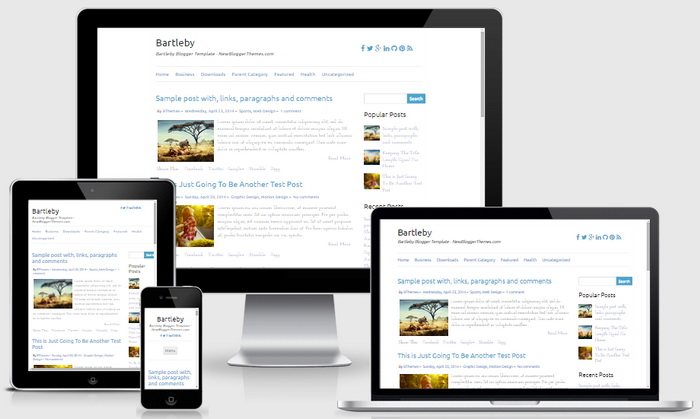
Bartleby Blogger Template Responsive View:
Esta template com a coluna do post a 700px e a coluna lateral a 310px eu comprava.