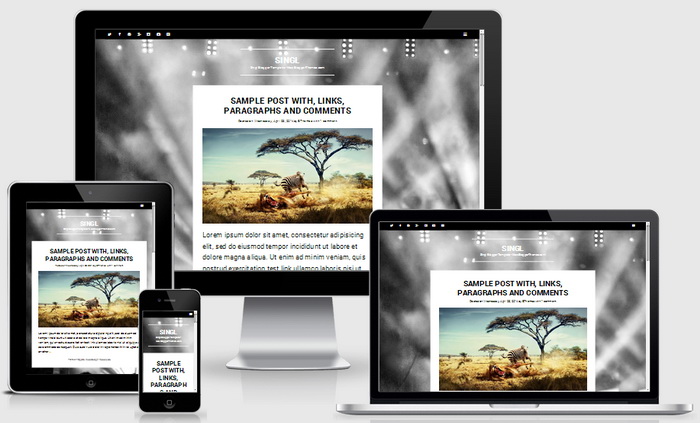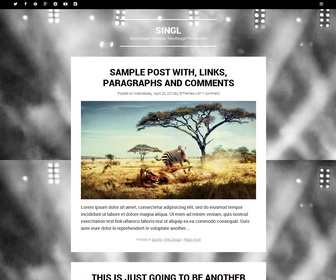
Singl is a minimalist, single column Blogger theme that helps you to create a simple, but beautiful blog. Singl Blogger template has features such as auto post summaries, drop-down menu, share buttons, 3 columns footer, email subscription box and more.
How To Add Links to Top Navigation Menu
Find this in “Edit HTML”:
<div class='main-menunbt'>
<ul class='menunbt'>

<li><a expr:href='data:blog.homepageUrl'>Home</a></li>

<li><a href='#'>Business</a>
<ul class='sub-menu'>
<li><a href='#'>Internet</a></li>
<li><a href='#'>Market</a></li>
<li><a href='#'>Stock</a></li>
</ul>
</li>

<li><a href='#'>Downloads</a>
<ul class='sub-menu'>
<li><a href='#'>Dvd</a></li>
<li><a href='#'>Games</a></li>
<li><a href='#'>Software</a>
<ul class='sub-menu'>
<li><a href='#'>Office</a>
</li>
</ul>
</li>
</ul>
</li>

<li><a href='#'>Parent Category</a>
<ul class='sub-menu'>
<li><a href='#'>Child Category 1</a>
<ul class='sub-menu'>
<li><a href='#'>Sub Child Category 1</a></li>
<li><a href='#'>Sub Child Category 2</a></li>
<li><a href='#'>Sub Child Category 3</a></li>
</ul>
</li>
<li><a href='#'>Child Category 2</a></li>
<li><a href='#'>Child Category 3</a></li>
<li><a href='#'>Child Category 4</a></li>
</ul>
</li>

<li><a href='#'>Featured</a></li>

<li><a href='#'>Health</a>
<ul class='sub-menu'>
<li><a href='#'>Childcare</a></li>
<li><a href='#'>Doctors</a></li>
</ul>
</li>

<li><a href='#'>Uncategorized</a></li>

</ul>
</div>
Replace “#” marks with real URLs and change anchor texts as you like.
How To Configure Social Buttons
Find this in “Edit HTML”:
<div id='social-links-wrappernbt'>
<ul class='social-linksnbt clearnbt'>

    <li class='twitter-link'><a class='fontawesomeiconnbt fontawesomeiconnbt-twitter' href='#' target='_blank' rel='nofollow' title='Twitter'><span class='screen-reader-text'>Twitter</span></a></li>

	<li class='facebook-link'><a class='fontawesomeiconnbt fontawesomeiconnbt-facebook-alt' href='#' target='_blank' rel='nofollow' title='Facebook'><span class='screen-reader-text'>Facebook</span></a></li>

	<li class='pinterest-link'><a class='fontawesomeiconnbt fontawesomeiconnbt-pinterest' href='#' target='_blank' rel='nofollow' title='Pinterest'><span class='screen-reader-text'>Pinterest</span></a></li>

	<li class='google-link'><a class='fontawesomeiconnbt fontawesomeiconnbt-googleplus-alt' href='#' target='_blank' rel='nofollow' title='Google Plus'><span class='screen-reader-text'>Google Plus</span></a></li>

	<li class='instagram-link'><a class='fontawesomeiconnbt fontawesomeiconnbt-instagram' href='#' target='_blank' rel='nofollow' title='Instagram'><span class='screen-reader-text'>Instagram</span></a></li>

	<li class='youtube-link'><a class='fontawesomeiconnbt fontawesomeiconnbt-youtube' href='#' target='_blank' rel='nofollow' title='YouTube'><span class='screen-reader-text'>YouTube</span></a></li>

	<li class='vimeo-link'><a class='fontawesomeiconnbt fontawesomeiconnbt-vimeo' href='#' target='_blank' rel='nofollow' title='Vimeo'><span class='screen-reader-text'>Vimeo</span></a></li>

</ul>
</div>
Add your own social links replacing “#” marks.
How To Configure Email Subscribe Box
Find this in “Edit HTML”:
<form action='http://feedburner.google.com/fb/a/mailverify' id='subscribe-blog' method='post' onsubmit='window.open("http://feedburner.google.com/fb/a/mailverify?uri=newbthemes", "popupwindow", "scrollbars=yes,width=550,height=520");return true' role='form' target='popupwindow'> <p><input id='subscribe-field' name='email' style='width: 95%; padding: 1px 2px' type='text' value=''/></p> <p> <input name='uri' type='hidden' value='newbthemes'/> <input name='loc' type='hidden' value='en_US'/> <input type='submit' value='Follow'/> </p> </form>
Add your feedburner ID replacing my feedburner ID (newbthemes).
Singl Blogger Template Responsive View: