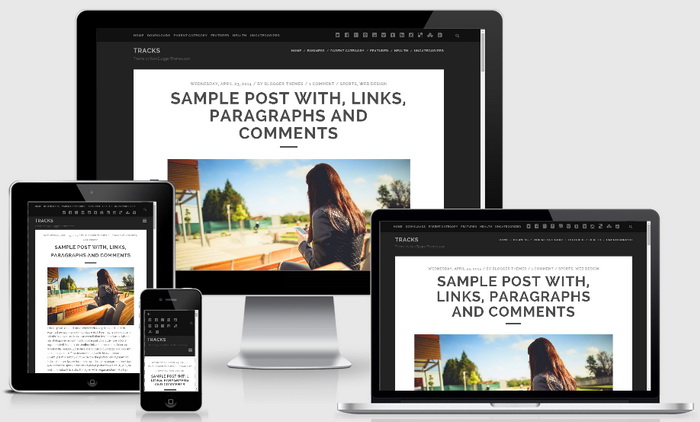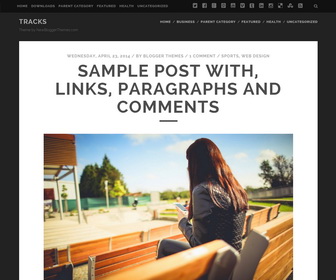
Tracks is a responsive, SEO friendly, bold & beautiful, minimal Blogger template specially for writers. Tracks Blogger Template comes with 1 column layout with footer widget area, 3 navigation menus including 2 drop-down menus, Google fonts, animated search box, social profile buttons and post share buttons, related posts, scroll to top button and more.
How To Add Links to Primary Menu
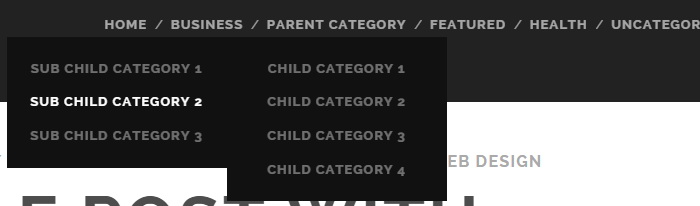
Find this in “Edit HTML”:
<ul class='menu-primary-itemsnbt' id='menu-primary-itemsnbt' role='menubar'>

<li><a expr:href='data:blog.homepageUrl'>Home</a></li>

<li><a href='#'>Business</a>
<ul class='sub-menu'>
<li><a href='#'>Internet</a></li>
<li><a href='#'>Market</a></li>
<li><a href='#'>Stock</a></li>
</ul>
</li>

...

<li><a href='#'>Uncategorized</a></li>

</ul>
Replace “#” marks with real URLs and change anchor texts as you like.
How To Add Links to Secondary Menu
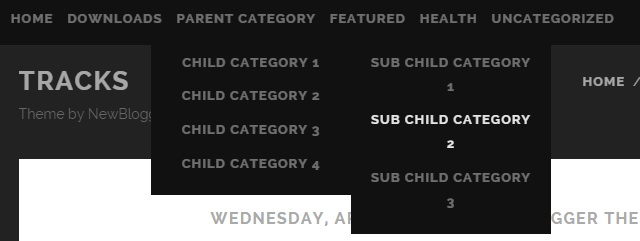
Find this in “Edit HTML”:
<ul class='menu-secondary-itemsnbt' id='menu-secondary-itemsnbt' role='menubar'>

<li><a expr:href='data:blog.homepageUrl'>Home</a></li>

<li><a href='#'>Downloads</a>
<ul class='sub-menu'>
<li><a href='#'>Dvd</a></li>
<li><a href='#'>Games</a></li>
<li><a href='#'>Software</a>
<ul class='sub-menu'>
<li><a href='#'>Office</a>
</li>
</ul>
</li>
</ul>
</li>

...

<li><a href='#'>Uncategorized</a></li>

</ul>
Replace “#” marks with real URLs and change anchor texts as you like.
How To Configure Social Buttons

Find this in “Edit HTML”:
<ul class='social-media-iconsnbt'> <li><a href='#' rel='nofollow' target='_blank'><i class='fa fa-twitter-square'/></a></li> <li><a href='#' rel='nofollow' target='_blank'><i class='fa fa-facebook-square'/></a></li> <li><a href='#' rel='nofollow' target='_blank'><i class='fa fa-google-plus-square'/></a></li> <li><a href='#' rel='nofollow' target='_blank'><i class='fa fa-pinterest-square'/></a></li> <li><a href='#' rel='nofollow' target='_blank'><i class='fa fa-youtube-square'/></a></li> <li><a href='#' rel='nofollow' target='_blank'><i class='fa fa-vimeo-square'/></a></li> <li><a href='#' rel='nofollow' target='_blank'><i class='fa fa-tumblr-square'/></a></li> <li><a href='#' rel='nofollow' target='_blank'><i class='fa fa-linkedin-square'/></a></li> <li><a href='#' rel='nofollow' target='_blank'><i class='fa fa-instagram'/></a></li> <li><a href='#' rel='nofollow' target='_blank'><i class='fa fa-delicious'/></a></li> <li><a href='#' rel='nofollow' target='_blank'><i class='fa fa-stumbleupon'/></a></li> <li><a expr:href='data:blog.homepageUrl + "feeds/posts/default"' rel='nofollow' target='_blank'><i class='fa fa-rss-square'/></a></li> </ul>
Add your own social links replacing “#” marks.
How To Add Links to Footer Menu

Go to “Layout”. Click on “Edit” link of “Edit This Menu” widget.
Now add your links to that link list widget:
https://newbloggerthemes.com/blog/how-to-configure-linklist-menu-widget/
Tracks Blogger Template Responsive View: