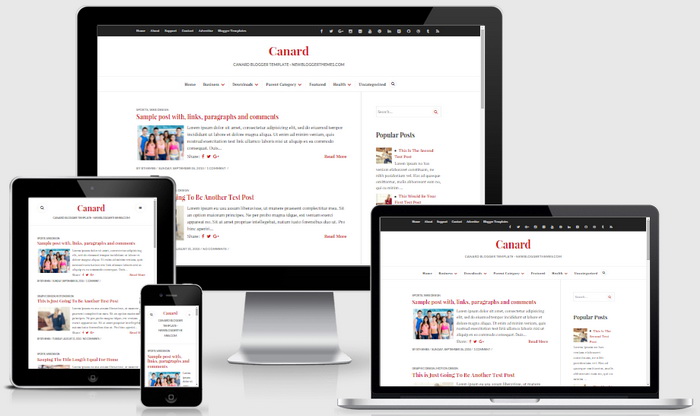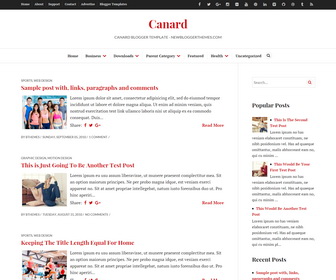
Canard is a clean and minimal, 100% responsive, HTML5/CSS3, 2 columns Blogger theme looks perfectly on various displays and resolutions from regular desktop screens to tablets, iPads, iPhones and small mobile devices. Canard Blogger template perfect for writers, news or personal blogs and has 2 responsive navigation menus, related posts with thumbnails, social buttons, post share options, auto post summaries, Google fonts, right sidebar, 4 columns footer widgets area, animation effects and more features.
How To Add Links to Secondary Navigation Menu

Go to “Layout”. Click on “Edit” link of “Edit This Menu” widget.
Now add your links to that link list widget.
https://newbloggerthemes.com/blog/how-to-configure-linklist-menu-widget/
How To Configure Social Buttons

Find this in “Edit HTML”:
<ul class='menunbt'>
<li><a href='https://www.facebook.com/' rel='nofollow' target='_blank'><span class='screen-reader-text'>Facebook</span></a></li>
<li><a href='https://twitter.com/' rel='nofollow' target='_blank'><span class='screen-reader-text'>Twitter</span></a></li>
<li><a href='https://plus.google.com/' rel='nofollow' target='_blank'><span class='screen-reader-text'>GooglePlus</span></a></li>
<li><a href='https://www.instagram.com/' rel='nofollow' target='_blank'><span class='screen-reader-text'>Instagram</span></a></li>
...
</ul>
Note: You will find above code twice. (for desktop view and mobile view)
Add your own social links replacing default social profile URLs.
How To Configure Main Navigation Menu
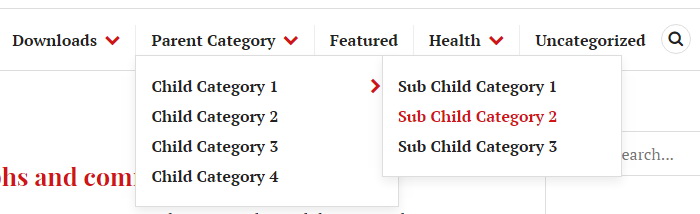
Find this in “Edit HTML”:
<div class='menu-nbt-menu-container'>
<ul class='menunbt' id='primary-menunbt'>

<li><a expr:href='data:blog.homepageUrl'>Home</a></li>

<li class='menu-item-has-children'><a href='#'>Business</a>
<ul class='sub-menu'>
<li><a href='#'>Internet</a></li>
<li><a href='#'>Market</a></li>
<li><a href='#'>Stock</a></li>
</ul>
</li>

...

</ul>
</div>
Replace “#” marks with real URLs and change anchor texts as you like.
How To Add Links to Secondary Mobile Navigation Menu
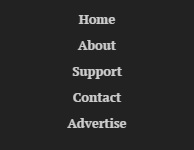
Follow the steps given here: https://newbloggerthemes.com/blog/how-to-configure-linklist-menu-widget/
Canard Blogger Template Responsive View