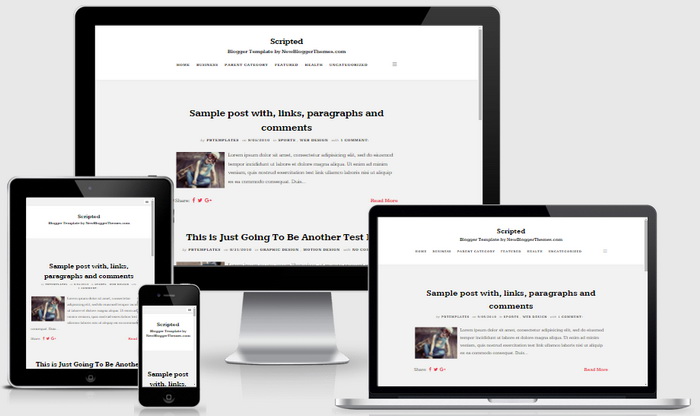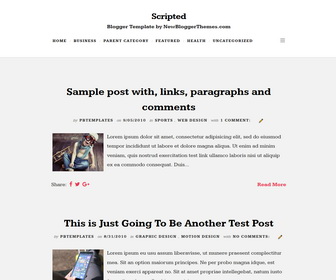
Scripted is a refreshingly simple and clean, brilliantly attractive, fully responsive and search engine friendly blogger theme for writers and personal blogs. Scripted Blogger template has beautiful typography, mobile friendly navigation menus, related posts with thumbnails, social buttons, post share options, auto post summaries, Google web fonts, font based icons, 3 columns footer widgets area and more features.
How To Configure Main Navigation Menu
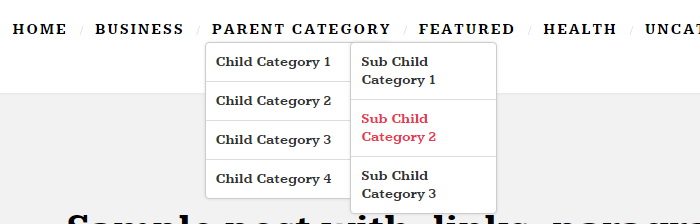
Find this in “Edit HTML”:
<ul class='header-menunbt' id='navnbt'>

<li><a expr:href='data:blog.homepageUrl'>Home</a></li>

<li><a href='#'>Business</a>
<ul class='sub-menu'>
<li><a href='#'>Internet</a></li>
<li><a href='#'>Market</a></li>
<li><a href='#'>Stock</a></li>
</ul>
</li>

...

</ul>
Replace “#” marks with real URLs and change anchor texts as you like.
How To Configure Social Buttons
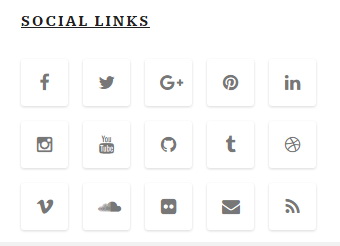
Find this in “Edit HTML”:
<ul class='social-linksnbt'>
<li><a href='https://www.facebook.com/' rel='nofollow' target='_blank' title='Facebook'><i class='fa fa-facebook'/></a></li>
<li><a href='https://twitter.com/' rel='nofollow' target='_blank' title='Twitter'><i class='fa fa-twitter'/></a></li>
<li><a href='https://plus.google.com/' rel='nofollow' target='_blank' title='Google+'><i class='fa fa-google-plus'/></a></li>
<li><a href='https://www.pinterest.com/' rel='nofollow' target='_blank' title='Pinterest'><i class='fa fa-pinterest'/></a></li>
...
</ul>
Add your own social links replacing default social profile URLs.
How To Configure Footer Navigation Menu

Find this in “Edit HTML”:
<ul class='footer-menunbt'>
<li><a expr:href='data:blog.homepageUrl'>Home</a></li>
<li><a href='#'>Business</a></li>
<li><a href='#'>Downloads</a></li>
<li><a href='#'>Featured</a></li>
<li><a href='#'>Health</a></li>
<li><a href='#'>Uncategorized</a></li>
</ul>
Replace “#” marks with real URLs and change anchor texts as you like.
Scripted Blogger Template Responsive View