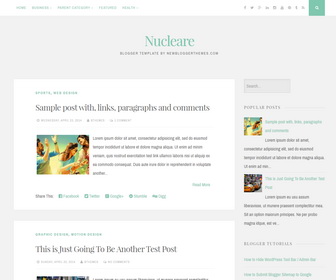
Nucleare is clean, responsive, 2 columns blogger theme perfect for writers for others. Nucleare Blogger template Google web fonts, social icons, post sharing buttons, auto read more, animated search box, related posts, right sidebar and more.
How To Add Links to Top Navigation Menu
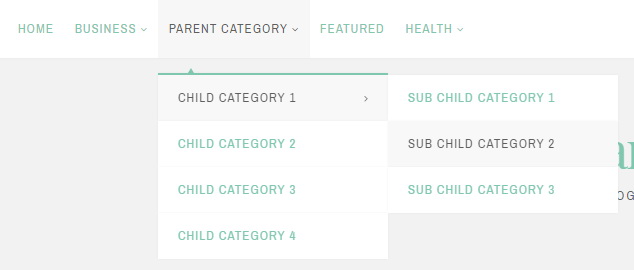
Find this in “Edit HTML”:
<div class='menu-nbt-menu-container'>
<ul class='menunbt'>

<li><a expr:href='data:blog.homepageUrl'>Home</a></li>

<li><a href='#'>Business</a>
<ul class='sub-menu'>
<li><a href='#'>Internet</a></li>
<li><a href='#'>Market</a></li>
<li><a href='#'>Stock</a></li>
</ul>
</li>

...

</ul>
</div>
Replace “#” marks with real URLs and change anchor texts as you like.
How To Configure Social Buttons
Find this in “Edit HTML”:
<div class='theNavigationSocial'> <a href='#' title='Facebook'><i class='fa fa-facebook'><span class='screen-reader-text'>Facebook</span></i></a> <a href='#' title='Twitter'><i class='fa fa-twitter'><span class='screen-reader-text'>Twitter</span></i></a> <a href='#' title='Google Plus'><i class='fa fa-google-plus'><span class='screen-reader-text'>Google Plus</span></i></a> <a href='#' title='Linkedin'><i class='fa fa-linkedin'><span class='screen-reader-text'>Linkedin</span></i></a> <a href='#' title='Instagram'><i class='fa fa-instagram'><span class='screen-reader-text'>Instagram</span></i></a> <a href='#' title='YouTube'><i class='fa fa-youtube'><span class='screen-reader-text'>YouTube</span></i></a> <a href='#' title='Pinterest'><i class='fa fa-pinterest'><span class='screen-reader-text'>Pinterest</span></i></a> <a href='#' title='Tumblr'><i class='fa fa-tumblr'><span class='screen-reader-text'>Tumblr</span></i></a> <a expr:href='data:blog.homepageUrl + "feeds/posts/default"' title='RSS'><i class='fa fa-rss'><span class='screen-reader-text'>RSS</span></i></a> <div class='top-searchnbt' id='open-searchnbt'><i class='fa fa-search'><span class='screen-reader-text'>Search</span></i></div> </div>
Add your own social links replacing “#” marks.
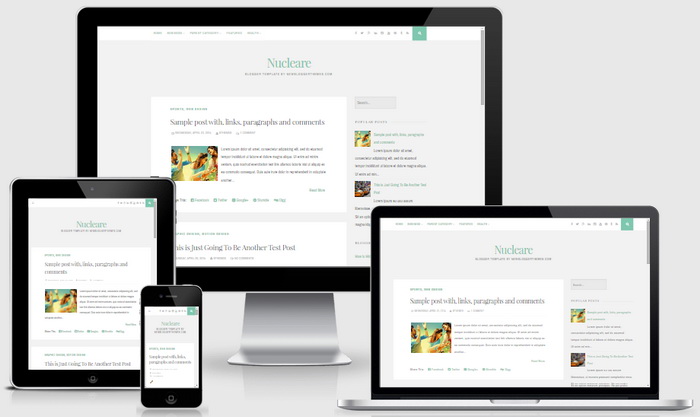
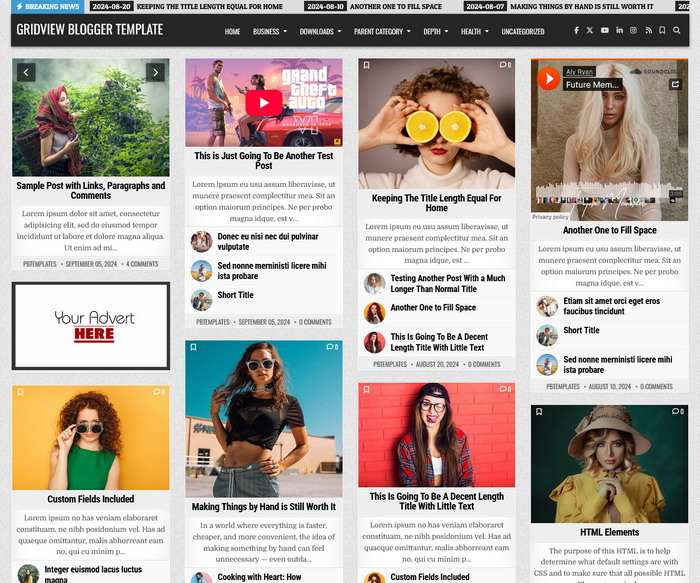
Nucleare Blogger Template Responsive View



Hi. The template is great, but I'd like to see the date I posted something. How can I fix this?
https://newbloggerthemes.com/blog/fix-posted-date-undefined-error-blogger/
Thank you. I love it!
May I know what specific color codes were used in the template? I can't quite get the shade of teal and gray for my additional customizations.
Also, may I know the length of the blog area? I created a header using Canva but it's a little bit short to cover the entire length of the page.
You may see your template used in my blog here: http://rurounijennireads.blogspot.com/
Thanks again! 🙂
Hi Jennilyn, for header use 1140px width image. You need CSS knowledge to edit theme codes. Or contact me for customization.
Hi,
I'm using this theme and i love it. Did some color change though.
I noticed that the comment box doesn't let me reply to comments but just ad a new comment.
Is it possible to fix this?
Thank you for your help.
🙂
Hi, I can see now your comment is working.
I enabled Google+ comments but the number of comments does not show below the post title beside the post date. It says "NO COMMENTS" while there are certainly some comments for that post. One example post is this: http://rurounijennireads.blogspot.com/2015/06/stacking-shelves-sts-2.html with 10 comments and replies.
Will greatly appreciate any help.
https://newbloggerthemes.com/blog/enable-google-plus-comments-in-blogger/
Hi, I'm using this theme and want more than 8 posts to show up on my current homepage when you scroll from top to bottom. How can I change this? I have it set for 15 in blogger, but for some reason it isn't showing 15, it's only showing 8. Thanks!
Hi Kelsie, read this:
http://www.premiumbloggertemplates.com/blog/incorrect-number-of-posts-per-page-blogger/
How do I change the size of the title?
find this line:
h1 {font-size: 30px; font-size: 3.0rem; line-height: 1.5;}
Change the value "3.0rem".
I love this template. I only changed some colors and translated it in german.
THANK YOU!!!
hi, thank you for making this theme. it's very lovely.
i would like to know that how to change the content in different lines, but not show in one line?
Thanks
hi, didn't understand your question.
How to remove recent post?
Hi,
Your theme is beautiful and I love it. But I have a question.
How do I change font of the template?
Thanks for your help
Find this line:
font-family: 'Archivo Narrow', sans-serif;
Change the value 'Archivo Narrow' to other font name.