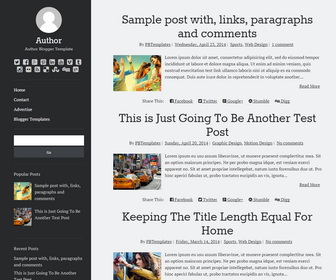
Author is a minimal, fast loading blogger template optimally designed for reading and it is the theme your content deserves. Author blogger template is responsive, which means its layout adapts to all screen sizes to enhance usability. Author blogger template has a left sidebar, social icons, share buttons, related posts, menu and more.
How To Change Author Image
Find this in “Edit HTML”:
http://3.bp.blogspot.com/-mPbAgbYPp8I/VSCvhvctvjI/AAAAAAAAMYM/VkC1-RZnTNA/s1600/author.png
Replace it with your image URL.
Note: Image size should be 96px × 96px.
How To Configure Social Buttons
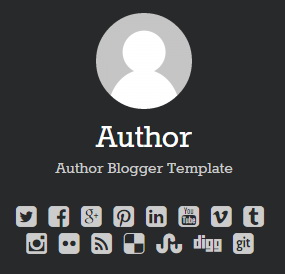
Find this in “Edit HTML”:
<div class='social-media-iconsnbt'> <ul> <li> <a class='twitter' href='#' rel='nofollow' target='_blank'> <span class='screen-reader-text'>twitter icon</span> <i class='fa fa-twitter-square'/> </a> </li> <li> <a class='facebook' href='#' rel='nofollow' target='_blank'> <span class='screen-reader-text'>facebook icon</span> <i class='fa fa-facebook-square'/> </a> </li> <li> <a class='google-plus' href='#' rel='nofollow' target='_blank'> <span class='screen-reader-text'>google-plus icon</span> <i class='fa fa-google-plus-square'/> </a> </li> <li> <a class='pinterest' href='#' rel='nofollow' target='_blank'> <span class='screen-reader-text'>pinterest icon</span> <i class='fa fa-pinterest-square'/> </a> </li> <li> <a class='linkedin' href='#' rel='nofollow' target='_blank'> <span class='screen-reader-text'>linkedin icon</span> <i class='fa fa-linkedin-square'/> </a> </li> <li> <a class='youtube' href='#' rel='nofollow' target='_blank'> <span class='screen-reader-text'>youtube icon</span> <i class='fa fa-youtube-square'/> </a> </li> <li> <a class='vimeo' href='#' rel='nofollow' target='_blank'> <span class='screen-reader-text'>vimeo icon</span> <i class='fa fa-vimeo-square'/> </a> </li> <li> <a class='tumblr' href='#' rel='nofollow' target='_blank'> <span class='screen-reader-text'>tumblr icon</span> <i class='fa fa-tumblr-square'/> </a> </li> <li> <a class='instagram' href='#' rel='nofollow' target='_blank'> <span class='screen-reader-text'>instagram icon</span> <i class='fa fa-instagram'/> </a> </li> <li> <a class='flickr' href='#' rel='nofollow' target='_blank'> <span class='screen-reader-text'>flickr icon</span> <i class='fa fa-flickr'/> </a> </li> <li> <a class='rss' expr:href='data:blog.homepageUrl + "feeds/posts/default"' rel='nofollow' target='_blank'> <span class='screen-reader-text'>rss icon</span> <i class='fa fa-rss-square'/> </a> </li> <li> <a class='delicious' href='#' rel='nofollow' target='_blank'> <span class='screen-reader-text'>delicious icon</span> <i class='fa fa-delicious'/> </a> </li> <li> <a class='stumbleupon' href='#' rel='nofollow' target='_blank'> <span class='screen-reader-text'>stumbleupon icon</span> <i class='fa fa-stumbleupon'/> </a> </li> <li> <a class='digg' href='#' rel='nofollow' target='_blank'> <span class='screen-reader-text'>digg icon</span> <i class='fa fa-digg'/> </a> </li> <li> <a class='git' href='#' rel='nofollow' target='_blank'> <span class='screen-reader-text'>git icon</span> <i class='fa fa-git-square'/> </a> </li> </ul> </div>
Add your own social links replacing “#” marks.
How To Add Links to Top Navigation Menu
Go to “Layout”. Click on “Edit” link of “Edit This Menu” widget.
Now add your links to that link list widget.
https://newbloggerthemes.com/blog/how-to-configure-linklist-menu-widget/
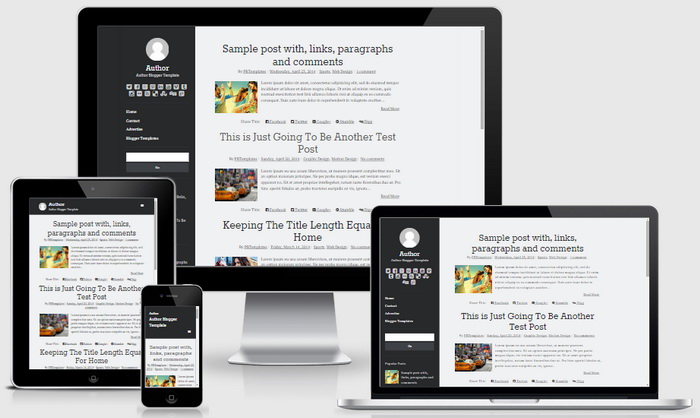
Author Blogger Template Responsive View:



h, thanks for the wonderful template.
I will use this nto my website.
thanks alot.
thanks awasome template