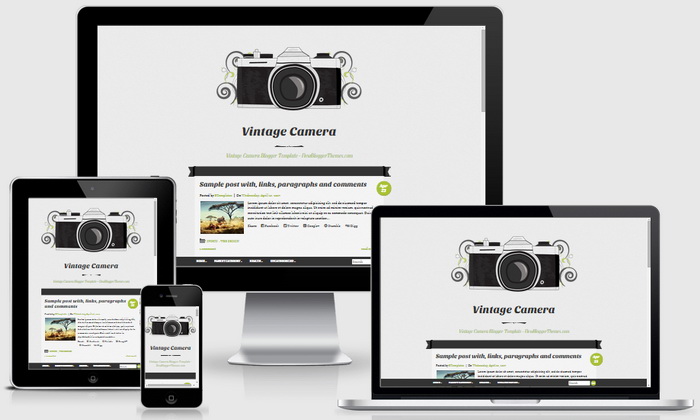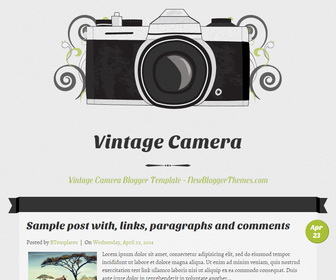
Vintage Camera blogger template is a responsive, illustrated micro-blogging theme for the vintage camera enthusiast in 6 vintage styles/color schemes. Vintage Camera theme has share buttons, 1 column layout and 3 columns footer, custom post timestamps, navigation menus and search boxes, Goolge fonts, related posts and more features.
How To Change Camera Image in Theme Header

Find this in “Edit HTML”:
<a expr:href='data:blog.homepageUrl'>
  <img alt='' height='300' src='http://4.bp.blogspot.com/-qFmv-9FmDAc/VDIKtl4jpfI/AAAAAAAAPQ8/DhUN51ecslY/s1600/k1000.png' width='600'/>
</a>
Change header image address to your new image address.
How To Configure Blogger Timestamp Format
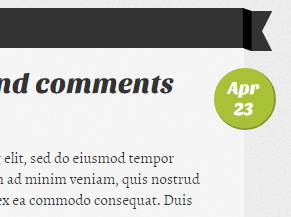
If you haven’t configured timestamp format of your blog posts correctly, you will see “undefined” errors.
Follow this tutorial: https://newbloggerthemes.com/blog/fix-posted-date-undefined-error-blogger/
How To Add Links to Navigation Menu
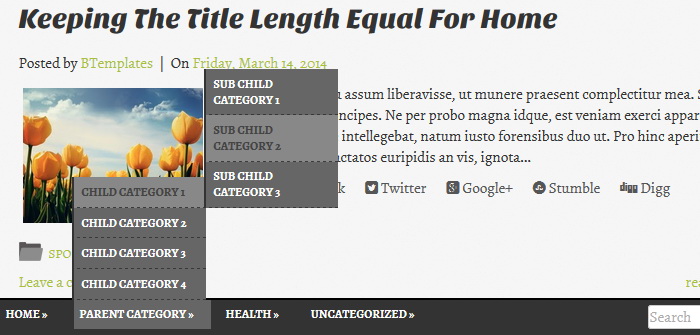
Find this in “Edit HTML”:
<div id='header-menunbt'>
<ul class='menunbt'>

<li class='menu-item'><a expr:href='data:blog.homepageUrl'>Home</a></li>

<li class='menu-item'><a href='#'>Parent Category</a>
<ul class='sub-menu'>
<li class='menu-item'><a href='#'>Child Category 1</a>
<ul class='sub-menu'>
<li class='menu-item'><a href='#'>Sub Child Category 1</a></li>
<li class='menu-item'><a href='#'>Sub Child Category 2</a></li>
<li class='menu-item'><a href='#'>Sub Child Category 3</a></li>
</ul>
</li>
<li class='menu-item'><a href='#'>Child Category 2</a></li>
<li class='menu-item'><a href='#'>Child Category 3</a></li>
<li class='menu-item'><a href='#'>Child Category 4</a></li>
</ul>
</li>

...

<li class='menu-item'><a href='#'>Uncategorized</a></li>

</ul>
</div>
Replace “#” marks with real URLs and change anchor texts as you like.
Responsive View of Vintage Camera Blogger Theme