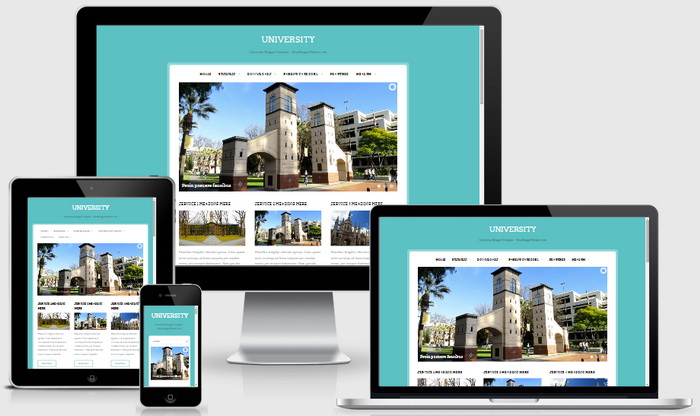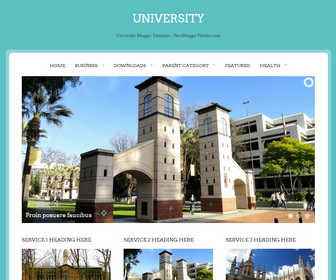
University is a 2 columns elegant blogger theme that can be used for educational, academic, institutions or business websites/blogs. University Blogger template is fully responsive and has front page image slider, featured posts or services area, related posts with thumbnails, integrated social media icon fonts, top navigation menu, Google web fonts, auto post summaries, right sidebar and more.
How To Configure Top Navigation Menu
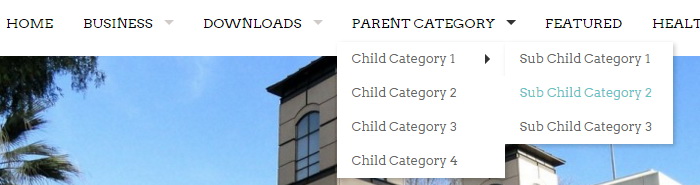
Find this in “Edit HTML”:
<ul class='sf-menu superfish' id='navnbt'>

<li><a expr:href='data:blog.homepageUrl'>Home</a></li>

<li><a href='#'>Business</a>
<ul class='sub-menu'>
<li><a href='#'>Internet</a></li>
<li><a href='#'>Market</a></li>
<li><a href='#'>Stock</a></li>
</ul>
</li>

...

</ul>
Replace “#” marks with real URLs and change anchor texts as you like.
How To Configure Slider
There are 3 slides in the slider. Add more slides if you want. Find this in “Edit HTML”:
<div data-link='#' data-src='http://s19.postimg.org/89mp1j1eb/slide_1.jpg'>
   <div class='fadeIn camera_effected'>
      Proin posuere faucibus
   </div>
</div>
<div data-link='#' data-src='http://s19.postimg.org/eolpy7843/slide_2.jpg'>
   <div class='fadeIn camera_effected'>
      Tellus sit amet urna pulvinar
   </div>
</div>
<div data-link='#' data-src='http://s19.postimg.org/r0ombovyr/slide_3.jpg'>
   <div class='fadeIn camera_effected'>
      Quisque eget mauris at elit
   </div>
</div>
Change slide image address with your own slide image addresses and “#” marks with real slide URLs.
How To Configure Services Area
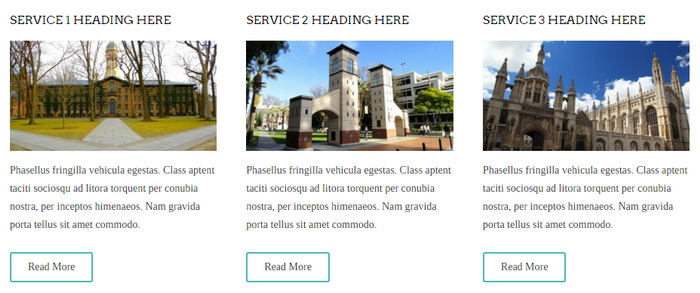
Find this in “Edit HTML”:
<div id='servicesnbt'>

<div class='servicespostnbt'>
<h2 class='entry-title'><a href='ENTER-SERVICE-1-URL' rel='bookmark'>Service 1 Heading Here</a></h2>
<a href='ENTER-SERVICE-1-URL'><img alt='princeton-97827_1280' class='wp-post-image' height='160' src='http://1.bp.blogspot.com/-5MPxcnrz8ys/Vkak2ZaoJ1I/AAAAAAAANlk/xW7TadCU0NU/s1600/service-1.jpg' width='300'/></a>
<p>Phasellus fringilla vehicula egestas. Class aptent taciti sociosqu ad litora torquent per conubia nostra, per inceptos himenaeos. Nam gravida porta tellus sit amet commodo.</p>
<div class='belowpostnbt'><a class='more-linknbt' href='ENTER-SERVICE-1-URL'>Read More</a></div>
</div>

...

</div>
Change titles, URLs, image addresses and other contents as you like.
How To Configure Social Buttons
Find this in “Edit HTML”:
<div id='socializenbt'>
	<a class='socialiconnbt googleplusicon' href='#' rel='nofollow' target='blank'/>
	<a class='socialiconnbt instagramicon' href='#' rel='nofollow' target='blank'/>
	<a class='socialiconnbt tumblricon' href='#' rel='nofollow' target='blank'/>
	<a class='socialiconnbt youtubeicon' href='#' rel='nofollow' target='blank'/>
	...
</div>
Add your own social links replacing “#” marks.
University Blogger Template Responsive View