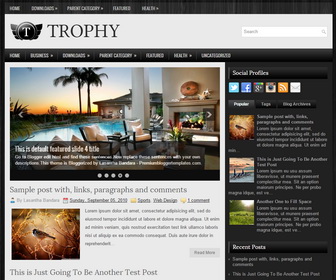
Trophy is a responsive, SEO friendly, elegant looking, 2 columns blogger theme. Trophy Blogger template has a jQuery image slider, 2 drop-down menus in site’s header, header search box, related posts with thumbnails, Breadcrumb, 4 columns footer widgets area, tabs widget, Google fonts, social buttons and more.
Configure Featured Content Slider:
Login to your blogger dashboard–> layout- -> Edit HTML.Find <!– Featured Content Slider Started –>.Now scroll down slowly and you can see each featured slide codes between <div class=’fp-slides-items’> and </div> .
Now replace,
- “This is default featured post X title” with your featured post title.
- “#” with your featured post URL.
- “Go to Blogger edit html and find these sentences.Now replace these sentences with your own descriptions.This theme is Bloggerized by Lasantha Bandara – Premiumbloggertemplates.com.” with your slider description.
- Slider image address with your slider image.
for each featured slide.
How To Change Tab Names of Tab Widget
If you want to change your tab names of your tab widget then find this:
<ul class='tabs-widget tabs-widget-widget-themater_tabs-1432447472-id'>
<li><a href='#widget-themater_tabs-1432447472-id1'>Popular</a></li>
<li><a href='#widget-themater_tabs-1432447472-id2'>Tags</a></li>
<li><a href='#widget-themater_tabs-1432447472-id3'>Blog Archives</a></li>
</ul>
Now change the names “Popular“, “Tags” and “Blog Archives” as you like.
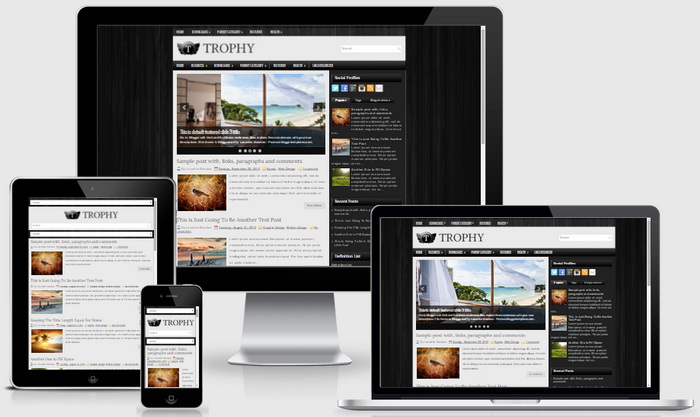
Trophy Blogger Template Responsive View:




Can you please tell me how to change the font?
this theme is using different fonts. what fonts you need to change?
Hi,
Thank you for the pretty template. I am currently using and loving it but where can I find the number of posts that can be displayed on my homepage? Does it depend on the date and time stamp? Hope you could help me. Thanks in advance!
hey man very cool template and i am use it but i got one problem with the popular post…it will not show anything?could you hep me?
I can see popular posts are working on your blog.
No.1 theme! made it my own. credits still exist. Thanks for sharing.
maybe you look at my blog THX
http://myoldschoolcollection.blogspot.com/
I updated this theme with many features. now you can download it and installed again. thanks.
thank`s but if i install the update all the header links and slider are gone 🙁 how do i install the update without lost any of my settings help me out pls
there are 2 versions: with slide and without slider
to configure menu: https://newbloggerthemes.com/blog/how-to-configure-linklist-menu-widget/
installing onto bluehost via Mojo market place produces an error "The package could not be installed. The theme is missing the style.css stylesheet."
you are trying to install a blogger theme on WordPress.
Minimalist , sleek , impressive . I love this template , it is beautiful .
You're doing great work .
Thank you