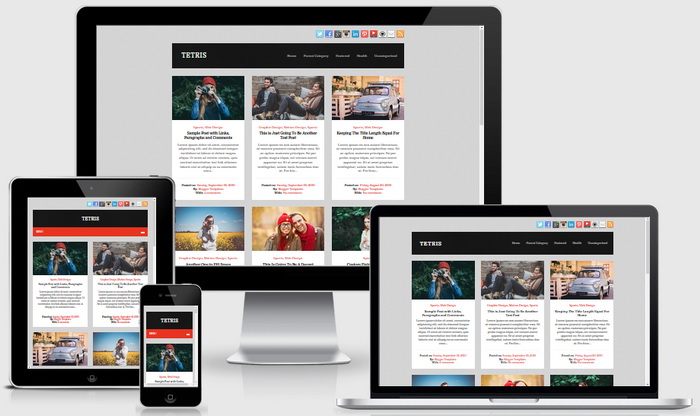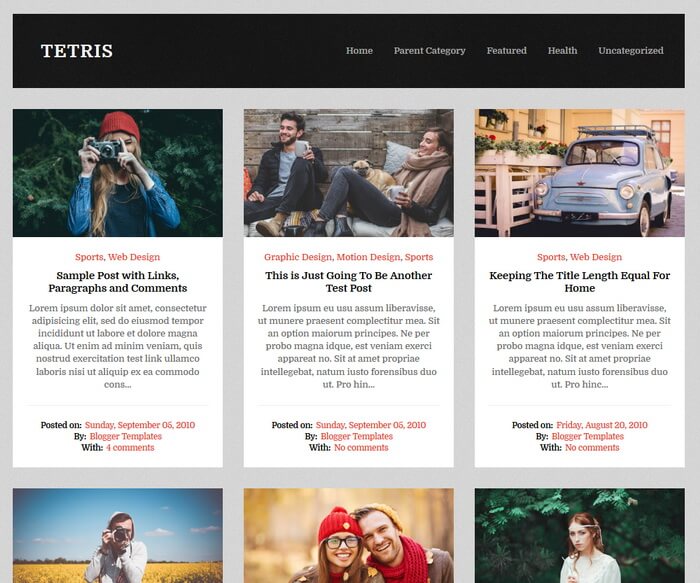
Tetris Blogger theme is ideal for blogging or personal portfolios and it’s a very clean and fast, SEO optimized theme. It is an unbloated theme for those looking for a speedy solution for their sites. Tetris Blogger Template is fully responsive and has color and font options, background image support, auto post summaries, related posts with thumbnails, social and share buttons, multi-level navigation menu, right sidebar, 3 columns footer widgets area and more.
Tetris Theme Features
- 100% Responsive – working well on every device
- Optimized for Search Engines
- Background Image Support
- Colors Options / Unlimited Colors
- Fonts Options / Hundreds of Fonts
- Multi-level Navigation Menu
- Related Posts with Thumbnails
- Automatic Posts Summaries
- Header Social Buttons
- Post Share Buttons
- Facebook and Twitter Meta Data Included
- Structured Data Included
- 3 Columns Footer
- Many More Features…
How To Configure Top Navigation Menu
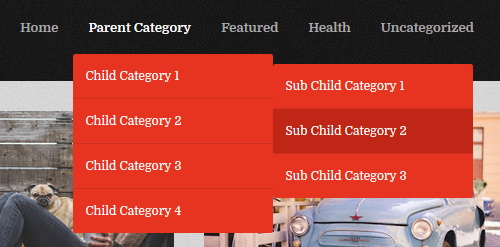
Find this in “Edit HTML”:
<ul class='sf-menu' id='menu-mainnbt'>

<li><a expr:href='data:blog.homepageUrl'>Home</a></li>

<li><a href='#'>Parent Category</a>
<ul class='sub-menu'>
<li><a href='#'>Child Category 1</a>
<ul class='sub-menu'>
<li><a href='#'>Sub Child Category 1</a></li>
<li><a href='#'>Sub Child Category 2</a></li>
<li><a href='#'>Sub Child Category 3</a></li>
</ul>
</li>
<li><a href='#'>Child Category 2</a></li>
<li><a href='#'>Child Category 3</a></li>
<li><a href='#'>Child Category 4</a></li>
</ul>
</li>

...

</ul>
Replace “#” marks with real URLs and change anchor texts as you like.
How To Configure Social Profile Widget

Find this in “Edit HTML”:
<ul class='clearfix' id='header-socialnbt'>
<li><a href='https://twitter.com/' rel='nofollow' target='_blank' title='Twitter'><img alt='Twitter' src='https://4.bp.blogspot.com/-bGQHBy37_wY/WZfRgi_TPqI/AAAAAAAASDo/BLU8FhPYRHcwY7aiRc0o0PNjO9cBA8xvwCLcBGAs/s1600/twitter.png'/></a></li>

<li><a href='https://www.facebook.com/' rel='nofollow' target='_blank' title='Facebook'><img alt='Facebook' src='https://1.bp.blogspot.com/-7m9_i__cM_0/WZfRZPPhfbI/AAAAAAAASCQ/N6oeF3eO4JwfoSmy1YbeBa1Ha4olz5s4ACLcBGAs/s1600/facebook.png'/></a></li>

<li><a href='https://plus.google.com/' rel='nofollow' target='_blank' title='Google Plus'><img alt='Google Plus' src='https://1.bp.blogspot.com/-xs4-fC_77mI/WZfRZ9ffI8I/AAAAAAAASCc/Sn0p3UbwwtgbL7rmXiuPL518Mcx0xH6TwCLcBGAs/s1600/google.png'/></a></li>

<li><a href='https://www.instagram.com/' rel='nofollow' target='_blank' title='Instagram'><img alt='Instagram' src='https://2.bp.blogspot.com/-oc_Il_Ptecg/WZfRa2SJxDI/AAAAAAAASCo/ama0lOHeNRsbJnYencT0fQo56P3o-nZKwCLcBGAs/s1600/instagram.png'/></a></li>

...
</ul>
Add your own social links replacing default social profile URLs.
Tetris Blogger Template Responsive View