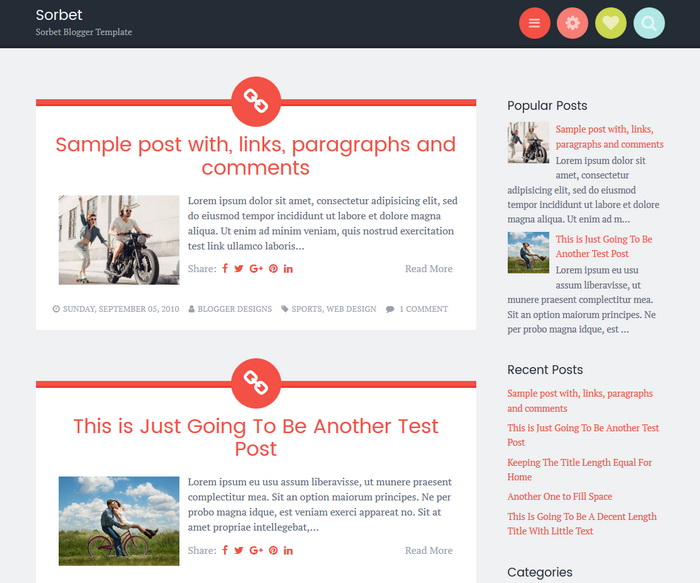
Sorbet is a delicious theme for your blog or website. Sorbet Blogger template has a mobile-friendly design looks great on any device, while navigation menu, search box, social links, and widgets are tucked neatly away in the header for easy access that doesn’t crowd your content. If you’re seeking a fun new look for your site, you’ll enjoy a taste of Sorbet.
It is 100% Mobile Friendly: Check Mobile Friendly
It has search engine friendly data: Check Structured Data
Sorbet Blogger template also includes a 3 columns optional widget area located behind a gear icon in the header.
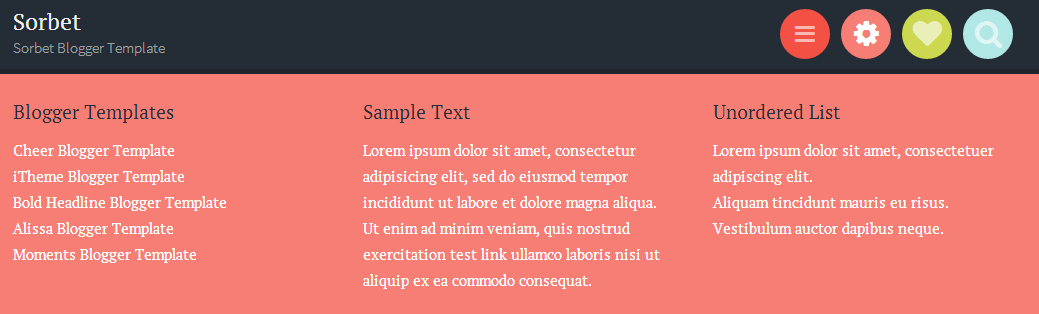
You can use search icon to display search box of the site.

How To Add Links to Top Navigation Menu
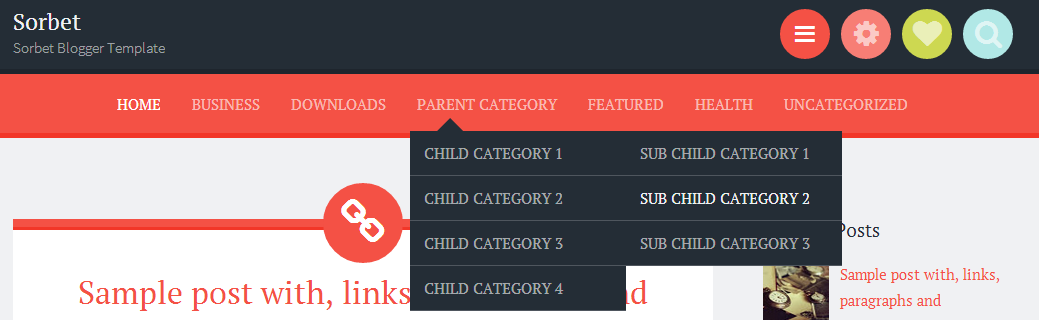
Find this in “Edit HTML”:
<div class='bwraptopmenu'>
<ul>
<li class='current_page_item'><a expr:href='data:blog.homepageUrl'>Home</a></li>
<li><a href='#'>Business</a>
<ul class='children'>
<li><a href='#'>Internet</a></li>
<li><a href='#'>Market</a></li>
<li><a href='#'>Stock</a></li>
</ul>
</li>

<li><a href='#'>Downloads</a>
<ul class='children'>
<li><a href='#'>Dvd</a></li>
<li><a href='#'>Games</a></li>
<li><a href='#'>Software</a>
<ul class='children'>
<li><a href='#'>Office</a>
</li>
</ul>
</li>
</ul>
</li>

...

<li><a href='#'>Uncategorized</a></li>
</ul>
</div>
Replace “#” marks with real URLs and change anchor texts as you like.
How To Add Links to Bottom Navigation Menu

Go to “Layout”. Click on “Edit” link of “Edit This Menu” widget.
Now add your links to that link list widget.
How To Configure Social Buttons

Find this in “Edit HTML”:
<div class='bwrapsocial-links'>
<ul class='socialbmenu' id='menu-social-links'>
<li><a href='https://twitter.com/' rel='nofollow' target='_blank' title='Twitter'><span class='screen-reader-text'>Twitter</span></a></li>
<li><a href='https://www.facebook.com/' rel='nofollow' target='_blank' title='Facebook'><span class='screen-reader-text'>Facebook</span></a></li>
<li><a href='https://plus.google.com/' rel='nofollow' target='_blank' title='GooglePlus'><span class='screen-reader-text'>GooglePlus</span></a></li>
<li><a href='https://www.pinterest.com/' rel='nofollow' target='_blank' title='Pinterest'><span class='screen-reader-text'>Pinterest</span></a></li>
<li><a href='https://www.linkedin.com/' rel='nofollow' target='_blank' title='Linkedin'><span class='screen-reader-text'>Linkedin</span></a></li>
<li><a href='https://www.instagram.com/' rel='nofollow' target='_blank' title='Instagram'><span class='screen-reader-text'>Instagram</span></a></li>
<li><a href='https://www.flickr.com/' rel='nofollow' target='_blank' title='Flickr'><span class='screen-reader-text'>Flickr</span></a></li>
<li><a href='https://www.youtube.com/' rel='nofollow' target='_blank' title='Youtube'><span class='screen-reader-text'>Youtube</span></a></li>
<li><a href='https://vimeo.com/' rel='nofollow' target='_blank' title='Vimeo'><span class='screen-reader-text'>Vimeo</span></a></li>
<li><a href='https://github.com/' rel='nofollow' target='_blank' title='Github'><span class='screen-reader-text'>Github</span></a></li>
<li><a href='https://www.tumblr.com/' rel='nofollow' target='_blank' title='Tumblr'><span class='screen-reader-text'>Tumblr</span></a></li>
<li><a href='https://dribbble.com/' rel='nofollow' target='_blank' title='Dribbble'><span class='screen-reader-text'>Dribbble</span></a></li>
<li><a href='skype:profile_name?chat' rel='nofollow' target='_blank' title='Skype'><span class='screen-reader-text'>Skype</span></a></li>
<li><a href='mailto:123@abc.com' rel='nofollow' target='_blank' title='Contact'><span class='screen-reader-text'>Contact</span></a></li>
<li><a expr:href='data:blog.homepageUrl + "feeds/posts/default"' target='_blank' title='RSS'><span class='screen-reader-text'>RSS</span></a></li>
</ul>
</div>
Add your own social links replacing current social links.
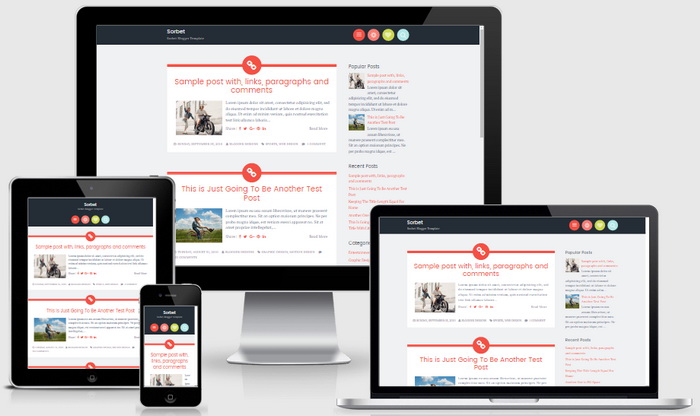
Responsive View / Mobile Friendly View




Hello!
I'm loving the template, it's great! I'm having one or two problems though:
1) Underneath the title of my posts and between the 'Read more' link, this line of text appears:
Normal 0 false false false EN-GB JA X-NONE …
When I click read more to see the full text, it disappears.
How do I get rid of it?
2) Is it possible to use Disqus with this template? I had it but it disappeared when I install the Sorbet theme. I'm guessing I'll need to reinstall it?
Many thanks!
Hi. Try reinstalling the theme.
I love this template so much it look pretty regular and I can easily adjust the format as I wish.
However some templates seem to be hard to use and edit. 🙂
I love this theme but have a question about an edit I'd like to do. How do I change the image, the chainlink pic, that appears above each post? I thought I could change it, depending on what I wanted to post and I know in wordpress there is an option for this but I'm on blogger. Thank you. If I can't change it accordingly, how could I remove it but leave the colored circle and band?
Hi Andrea, Unlike Blogger, WordPress supports post types. But you can remove that icon easily. Find this in "Edit HTML" and delete it:
.hentry:before {
content: "\f111";
z-index: 2;
font-family: FontAwesome;
}
Thank you. I didn't realize until after I'd asked this question, that you had addressed it in an earlier one. I love this theme so much that I purchased it, what exactly changes between the free and the purchased theme? I don't notice differences…except that I did reapply the new theme that extracted.
Again, thanks!
Hi, Please check the table given above to see differences. Paid version is Template Designer Compatible (Color Options / Font Options / Background Support), Search Engine Optimized and more. Thanks.