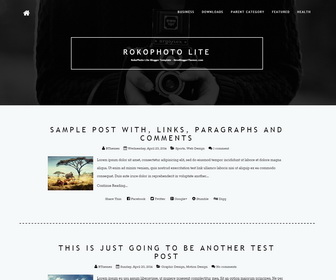
RokoPhoto Lite is an elegant Blogger theme for photographers, writers, and bloggers. RokoPhoto Lite Blogger Template focuses on your content and it is perfect for an elegant blog site. It has a bottom widgets area, header image, cool animation effects, Google web fonts and icon fonts, related posts with thumbnails, social buttons, sharing buttons, top navigation menu, auto post summaries on homepage and more.
How To Change Header Image
Find this:
http://4.bp.blogspot.com/-dNcF8-PIqis/VbWfIIfQZQI/AAAAAAAAOZY/MCnrrxXYluc/s1600/01_services.jpg
Replace it with your new header image URL.
How To Configure Social Buttons

Find this in “Edit HTML”:
<ol class='socialnbt'>
   <li><a href='#' rel='nofollow' target='_blank' title='Facebook'><i class='fa fa-facebook fa-2x'/></a></li>
   <li><a href='#' rel='nofollow' target='_blank' title='Twitter'><i class='fa fa-twitter fa-2x'/></a></li>
   <li><a href='#' rel='nofollow' target='_blank' title='Behance'><i class='fa fa-behance fa-2x'/></a></li>
   <li><a href='#' rel='nofollow' target='_blank' title='Dribbble'><i class='fa fa-dribbble fa-2x'/></a></li>
   <li><a href='#' rel='nofollow' target='_blank' title='Flickr'><i class='fa fa-flickr fa-2x'/></a></li>
   <li><a href='#' rel='nofollow' target='_blank' title='Google Plus'><i class='fa fa-google-plus fa-2x'/></a></li>
   <li><a href='#' rel='nofollow' target='_blank' title='Instagram'><i class='fa fa-instagram fa-2x'/></a></li>
</ol>
Add your own social links replacing “#” marks.
How To Add Links to Top Navigation Menu
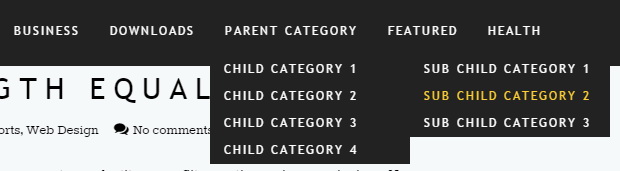
Find this in “Edit HTML”:
<ul class='nav navbar-nav navbar-right'>

<li><a href='#'>Business</a>
<ul class='sub-menu'>
<li><a href='#'>Internet</a></li>
<li><a href='#'>Market</a></li>
<li><a href='#'>Stock</a></li>
</ul>
</li>

...

</ul>
Replace “#” marks with real URLs and change anchor texts as you like.
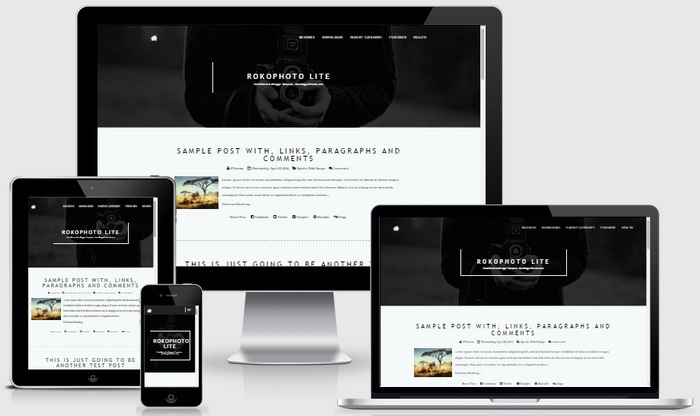
RokoPhoto Lite Blogger Template Responsive View




Hey! Very nice design! I want to ask you something: how can I change the white background?
find this code:
body {
background: #f6f9fa;
…
}
change "#f6f9fa" value to a other color value you like.
Hey! This design is very beautiful. Do you add slider?
hi thank you for the cool template,
Im facing a problem changing the background photo
ı followed the step above but it didn't work though ı pasted the correct url of my new pic
https://drive.google.com/file/d/0B2nfjZnByrt-OXh3OTdIcHF5c1k/view?usp=sharing
please help
Upload your image to blogger post and get image URL.