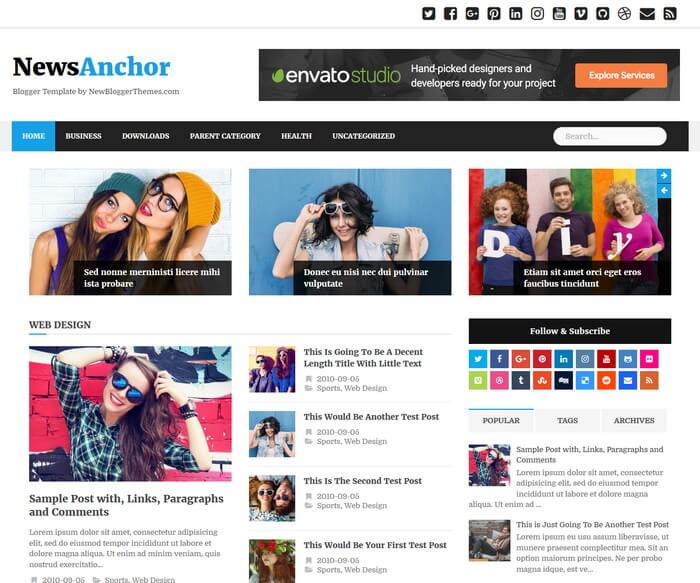
NewsAnchor is an easy to use, responsive/mobile friendly, search engine optimized, magazine blogger theme, great for online news sites that want to have a fresh and modern look. NewsAnchor Blogger Template is Template Designer compatible, so you can change colors, fonts and background image within few seconds. It has 2 featured posts sliders, 3 featured posts area, color and font options, auto post summaries, related posts with thumbnails, header social buttons, social profile widget, post share buttons, multi-level navigation menu, right sidebar, 3 columns footer widgets area, scroll to top button and more. NewsAnchor blogger is using Twitter Bootstrap to display your site responsively on any type of monitors, tabs and mobile phones.
NewsAnchor Theme Features
- 100% Responsive / Mobile Friendly
- Optimized for Search Engines
- Colors Options / Unlimited Colors
- Fonts Options / Hundreds of Fonts
- Background Image Support
- Top Multi-level Navigation Menu
- 2 Featured Posts Sliders
- 3 Featured Posts Area
- Related Posts with Thumbnails
- Automatic Posts Summaries
- Header Social Icons
- Social Profile Widget
- Post Share Buttons
- Facebook and Twitter Meta Data Included
- Structured Data Included
- 3 Columns Footer
- Many More Features…
How To Configure Top Social Buttons

Find this in “Edit HTML”:
<ul class='clearfix' id='menu-socialnbt'>
<li><a href='https://twitter.com/' rel='nofollow' target='_blank' title='Twitter'><span class='screen-reader-text'>Twitter</span></a></li>
<li><a href='https://www.facebook.com/' rel='nofollow' target='_blank' title='Facebook'><span class='screen-reader-text'>Facebook</span></a></li>
<li><a href='https://plus.google.com/' rel='nofollow' target='_blank' title='GooglePlus'><span class='screen-reader-text'>GooglePlus</span></a></li>
<li><a href='https://www.pinterest.com/' rel='nofollow' target='_blank' title='Pinterest'><span class='screen-reader-text'>Pinterest</span></a></li>
<li><a href='https://www.linkedin.com/' rel='nofollow' target='_blank' title='Linkedin'><span class='screen-reader-text'>Linkedin</span></a></li>
<li><a href='https://www.instagram.com/' rel='nofollow' target='_blank' title='Instagram'><span class='screen-reader-text'>Instagram</span></a></li>
...
</ul>
Add your own social links replacing default social profile URLs.
How To Configure Top Navigation Menu
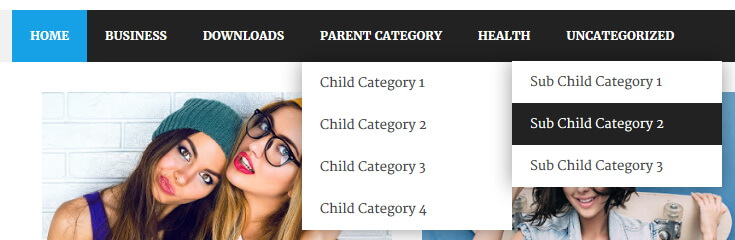
Find this in “Edit HTML”:
<nav class='mainnavnbt' id='mainnavnbt' itemscope='itemscope' itemtype='http://schema.org/SiteNavigationElement' role='navigation'>
<ul class='clearfix' id='primary-menunbt'>

<li><a expr:href='data:blog.homepageUrl'>Home</a></li>

<li><a href='#'>Business</a>
<ul class='sub-menu'>
<li><a href='#'>Internet</a></li>
<li><a href='#'>Market</a></li>
<li><a href='#'>Stock</a></li>
</ul>
</li>

...

</ul>
</nav><!-- /nav -->
Replace “#” marks with real URLs and change anchor texts as you like.
How To Configure Slider 1 Widget
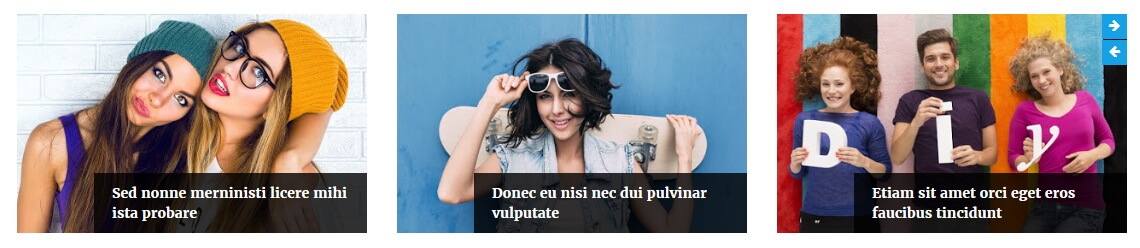
This widget automatically displays posts from a given label name. Go to “Layout” page.
Click on the edit link of “Slider 1 Widget” widget and add this code:
<script src='https://YOURBLOGNAME.blogspot.com/feeds/posts/default/-/LABELNAME?alt=json-in-script&callback=slideronebposts'/></script>
Replace “https://YOURBLOGNAME.blogspot.com” with your real blog address.
Replace “LABELNAME” with the real label name you want to retrieve posts.
Example:
<script src='https://newsanchor-nbt.blogspot.com/feeds/posts/default/-/Graphic Design?alt=json-in-script&callback=slideronebposts'/></script>
How To Configure Slider 2 Widget
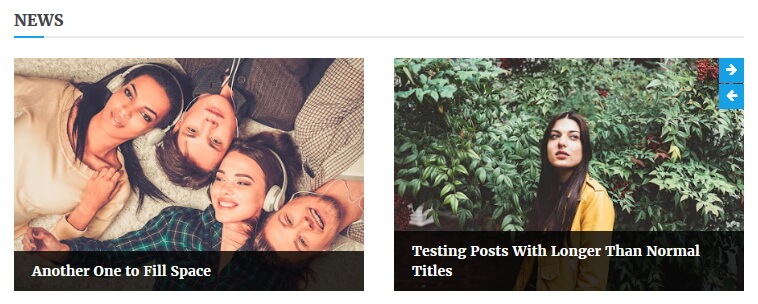
This widget automatically displays posts from a given label name. Go to “Layout” page.
Click on the edit link of “Slider 2 Widget” widget and add this code:
<h4 class="news-block-title">NEWS-BLOCK-TITLE</h4> <script src='https://YOURBLOGNAME.blogspot.com/feeds/posts/default/-/LABELNAME?alt=json-in-script&callback=slidertwobposts'/></script>
Replace “NEWS-BLOCK-TITLE” with any title you need.
Replace “https://YOURBLOGNAME.blogspot.com” with your real blog address.
Replace “LABELNAME” with the real label name you want to retrieve posts.
Example:
<h4 class="news-block-title">News</h4> <script src='https://YOURBLOGNAME.blogspot.com/feeds/posts/default/-/Movies?alt=json-in-script&callback=slidertwobposts'/></script>
How To Configure News Block 1 Widget
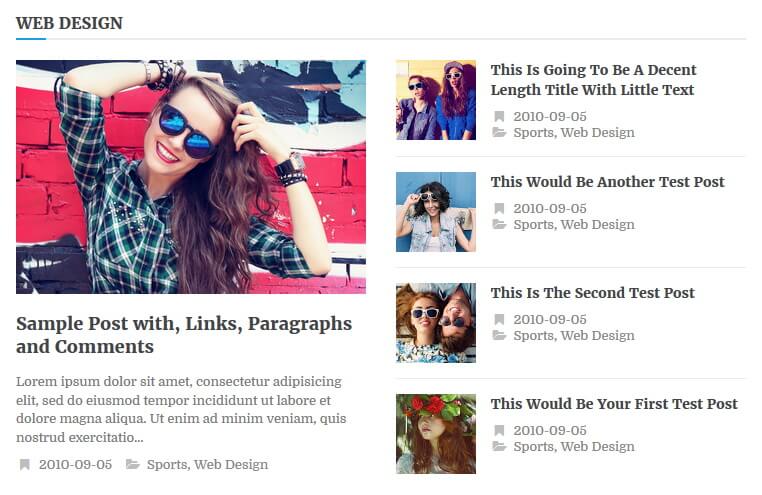
This widget automatically displays posts from a given label name. Go to “Layout” page.
Click on the edit link of “News Block 1 Widget” widget and add this code:
<h4 class="news-block-title">NEWS-BLOCK-TITLE</h4> <script src='https://YOURBLOGNAME.blogspot.com/feeds/posts/default/-/LABELNAME?alt=json-in-script&callback=newsblockareaone'/></script>
Replace “NEWS-BLOCK-TITLE” with any title you need.
Replace “https://YOURBLOGNAME.blogspot.com” with your real blog address.
Replace “LABELNAME” with the real label name you want to retrieve posts.
Example:
<h4 class="news-block-title">Web Design</h4> <script src='https://newsanchor-nbt.blogspot.com/feeds/posts/default/-/Web Design?alt=json-in-script&callback=newsblockareaone'/></script>
How To Configure News Block 2 / News Block 3 Widgets
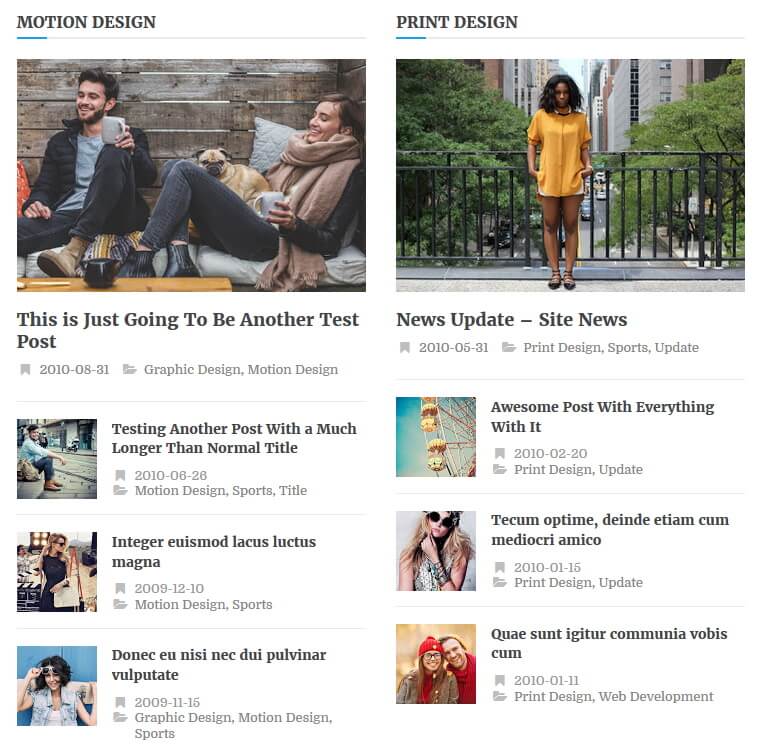
News Block 2 Widget automatically displays posts from a given label name. Go to “Layout” page.
Click on the edit link of “News Block 2 Widget” widget and add this code:
<h4 class="news-block-title">NEWS-BLOCK-TITLE</h4> <script src='https://YOURBLOGNAME.blogspot.com/feeds/posts/default/-/LABELNAME?alt=json-in-script&callback=newsblockareatwo'/></script>
Replace “NEWS-BLOCK-TITLE” with any title you need.
Replace “https://YOURBLOGNAME.blogspot.com” with your real blog address.
Replace “LABELNAME” with the real label name you want to retrieve posts.
Example:
<h4 class="news-block-title">Motion Design</h4> <script src='https://newsanchor-nbt.blogspot.com/feeds/posts/default/-/Motion Design?alt=json-in-script&callback=newsblockareatwo'/></script>
News Block 3 Widget also automatically displays posts from a given label name. Go to “Layout” page.
Click on the edit link of “News Block 3 Widget” widget and add this code:
<h4 class="news-block-title">NEWS-BLOCK-TITLE</h4> <script src='https://YOURBLOGNAME.blogspot.com/feeds/posts/default/-/LABELNAME?alt=json-in-script&callback=newsblockareathree'/></script>
Replace “NEWS-BLOCK-TITLE” with any title you need.
Replace “https://YOURBLOGNAME.blogspot.com” with your real blog address.
Replace “LABELNAME” with the real label name you want to retrieve posts.
Example:
<h4 class="news-block-title">Print Design</h4> <script src='https://newsanchor-nbt.blogspot.com/feeds/posts/default/-/Print Design?alt=json-in-script&callback=newsblockareathree'/></script>
How To Configure Social Profile Widget
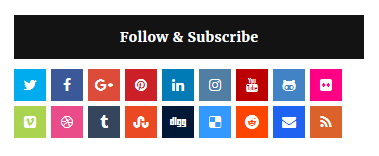
Find this in “Edit HTML”:
<div class='widget newsanchor_widget_social'> <h2>Follow & Subscribe</h2> <ul> <li><a href='https://twitter.com/' rel='nofollow' target='_blank' title='Twitter'><span class='screen-reader-text'>Twitter</span></a></li> <li><a href='https://www.facebook.com/' rel='nofollow' target='_blank' title='Facebook'><span class='screen-reader-text'>Facebook</span></a></li> <li><a href='https://plus.google.com/' rel='nofollow' target='_blank' title='GooglePlus'><span class='screen-reader-text'>GooglePlus</span></a></li> <li><a href='https://www.pinterest.com/' rel='nofollow' target='_blank' title='Pinterest'><span class='screen-reader-text'>Pinterest</span></a></li> <li><a href='https://www.linkedin.com/' rel='nofollow' target='_blank' title='Linkedin'><span class='screen-reader-text'>Linkedin</span></a></li> <li><a href='https://www.instagram.com/' rel='nofollow' target='_blank' title='Instagram'><span class='screen-reader-text'>Instagram</span></a></li> ... </ul> </div>
Add your own social links replacing default social profile URLs.
NewsAnchor Blogger Template Responsive View
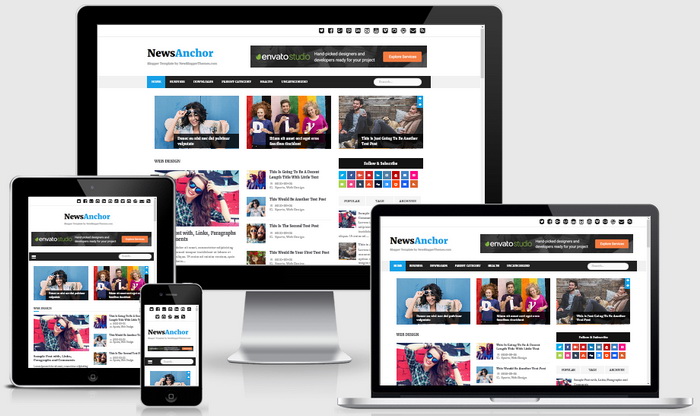




Nice template, i love it