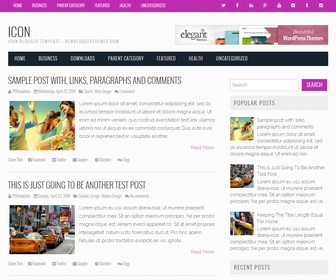
Icon is a full responsive, simple and clean Blogger theme built using Bootstrap. Icon Blogger template has a right sidebar, 4 columns footer widgets area, Google fonts, icon fonts, related posts with thumbnails, social buttons, post share buttons, 2 drop-down navigation menus, auto post summaries on homepage and more.
How To Add Links to Top Navigation Menu

Find this in “Edit HTML”:
<div class='sf-menu menu-primary-container'>
<ul class='menunbt'>

<li><a expr:href='data:blog.homepageUrl'>Home</a></li>

<li><a href='#'>Business</a>
<ul class='sub-menu'>
<li><a href='#'>Internet</a></li>
<li><a href='#'>Market</a></li>
<li><a href='#'>Stock</a></li>
</ul>
</li>

...

<li><a href='#'>Uncategorized</a></li>

</ul>
</div>
Replace “#” marks with real URLs and change anchor texts as you like.
How To Configure Social Buttons

Find this in “Edit HTML”:
<ul class='athemes-social-icons clearfix'>
	<li><a href='#' target='_blank' title='twitter'><i class='ico-twitter'/></a></li>
	<li><a href='#' target='_blank' title='facebook'><i class='ico-facebook'/></a></li>
	<li><a href='#' target='_blank' title='linkedin'><i class='ico-linkedin'/></a></li>
	<li><a href='#' target='_blank' title='gplus'><i class='ico-gplus'/></a></li>
	<li><a href='#' target='_blank' title='youtube'><i class='ico-youtube'/></a></li>
	<li><a class='vimeo' href='#' target='_blank' title='vimeo'><i class='ico-vimeo'/></a></li>
	<li><a href='#' target='_blank' title='tumblr'><i class='ico-tumblr'/></a></li>
	<li><a class='instagram' href='#' target='_blank' title='instagram'><i class='ico-instagram'/></a></li>
</ul>
Add your own social links replacing “#” marks.
How To Add Links to Main Navigation Menu

Find this in “Edit HTML”:
<div class='sf-menu menu-secondary-container'>
<ul class='menunbt'>

<li><a expr:href='data:blog.homepageUrl'>Home</a></li>

<li><a href='#'>Business</a>
<ul class='sub-menu'>
<li><a href='#'>Internet</a></li>
<li><a href='#'>Market</a></li>
<li><a href='#'>Stock</a></li>
</ul>
</li>

...

<li><a href='#'>Uncategorized</a></li>

</ul>
</div>
Replace “#” marks with real URLs and change anchor texts as you like.
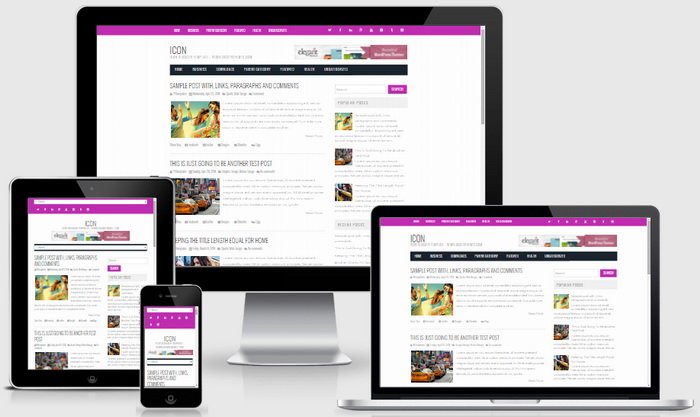
Icon Blogger Template Responsive View




hello this is a great template, but why all Related post in my blog is no image? can you fix it sir? thank you
can you give me your site URL?
Now theme and i have tried this already.