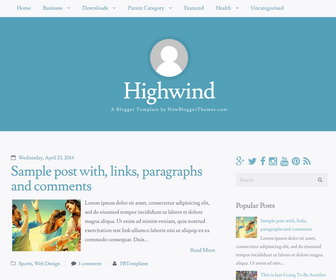
Highwind is a lightweight, 2 columns, free Blogger theme designed to showcase content. It features a clean, 100% responsive design with a strong focus on typography, plus a bunch of features. Highwind Blogger template has a right sidebar, 3 columns footer widgets area, web fonts, related posts with thumbnails, social buttons and share buttons, top navigation menu, auto post summaries, header image and more.
How To Change Header Image

Find this:
http://1.bp.blogspot.com/-XaPPe3eCMwE/VZSjxETf2OI/AAAAAAAANzE/3uOIgVpxds0/s1600/avatar.png
Replace it with your image address. Image size must be 256px x 256px.
How To Add Links to Top Navigation Menu
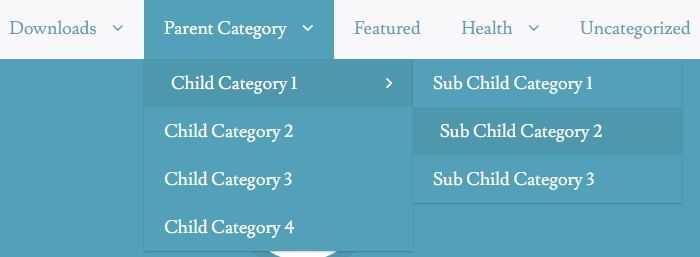
Find this in “Edit HTML”:
<div class='highwind-navigation'>
<ul class='menunbt'>

<li><a expr:href='data:blog.homepageUrl'>Home</a></li>

<li class='menu-item-has-children'><a href='#'>Business</a>
<ul class='sub-menu'>
<li><a href='#'>Internet</a></li>
<li><a href='#'>Market</a></li>
<li><a href='#'>Stock</a></li>
</ul>
</li>

...

<li><a href='#'>Uncategorized</a></li>

</ul>
</div>
Replace “#” marks with real URLs and change anchor texts as you like.
How To Configure Social Buttons

Find this in “Edit HTML”:
<div class='social-buttonsnbt widget'> <a href='https://plus.google.com/' rel='nofollow' target='_blank' title='Google Plus'><i class='fa fa-google-plus'/></a> <a href='https://twitter.com/' rel='nofollow' target='_blank' title='Twitter'><i class='fa fa-twitter'/></a> <a href='https://www.facebook.com/' rel='nofollow' target='_blank' title='Facebook'><i class='fa fa-facebook'/></a> <a href='http://instagram.com/' rel='nofollow' target='_blank' title='Instagram'><i class='fa fa-instagram'/></a> <a href='https://www.youtube.com/' rel='nofollow' target='_blank' title='Youtube'><i class='fa fa-youtube'/></a> <a href='http://www.pinterest.com/' rel='nofollow' target='_blank' title='Pinterest'><i class='fa fa-pinterest'/></a> <a expr:href='data:blog.homepageUrl + "feeds/posts/default"' rel='nofollow' target='_blank' title='RSS'><i class='fa fa-rss'/></a> </div>
Add your own social links replacing default social network websites homepages URLs.
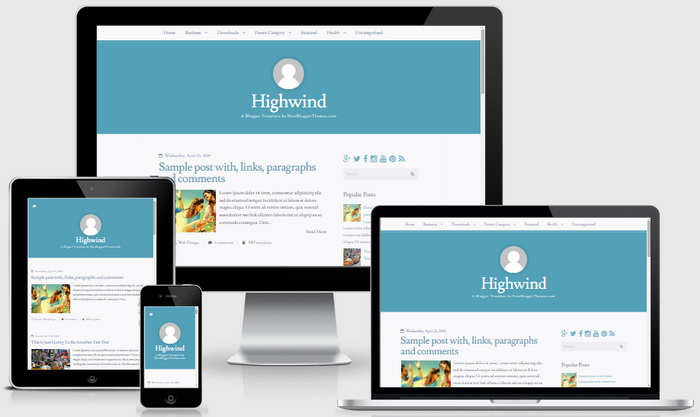
Highwind Blogger Template Responsive View




Hi, i have a question. When i write some polish letters like ę,ą, they are bold. how can i change it?