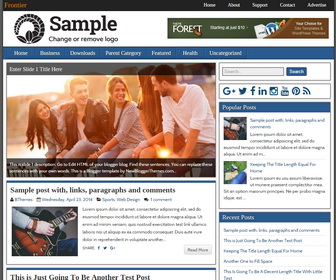
Frontier is a fully responsive, multi-purpose, elegant looking, HTML5/CSS3 Blogger theme. This theme’s responsive design makes it compatible with a wide variety of devices and screen resolutions. Frontier Blogger template has a right sidebar, 3 columns footer widgets section, related posts with thumbnails, social buttons, 2 navigation menus, auto post summaries on homepage, web fonts and more.
How To Add Links to Top Navigation Menu

Go to “Layout”. Click on “Edit” link of “Edit This Menu” widget.
Now add your links to that link list widget.
https://newbloggerthemes.com/blog/how-to-configure-linklist-menu-widget/
How To Change Header Logo
Find this image address in “Edit HTML” and replace it your logo image address:
http://1.bp.blogspot.com/-YT4tpZBSUGI/VlmrcpJpOPI/AAAAAAAAOP0/HWwqQm9iA4w/s1600/logo.png
How To Configure Main Drop-down Menu
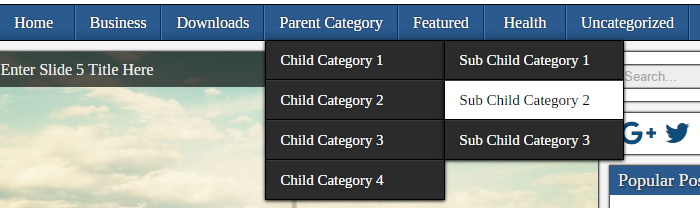
Find this in “Edit HTML”:
<ul class='nav-mainnbt' id='menu-nbt-menu'>

<li><a expr:href='data:blog.homepageUrl'>Home</a></li>

<li><a href='#'>Business</a>
<ul class='sub-menu'>
<li><a href='#'>Internet</a></li>
<li><a href='#'>Market</a></li>
<li><a href='#'>Stock</a></li>
</ul>
</li>

...

</ul>
Replace “#” marks with real URLs and change anchor texts as you like.
How To Configure Featured Content Slider:
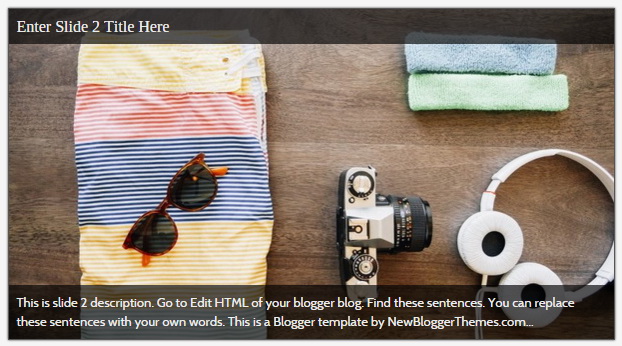
There are 5 slides in the slider. You can add or remove more slides if you want. This is the code for the first slide:
<!-- slide 1 code start -->
<li>
	<a href='ENTER_SLIDE_1_LINK_HERE'>
		<img class='slider-element' src='http://1.bp.blogspot.com/-X4m05ySscnA/Vlks1pixfaI/AAAAAAAAOKQ/_nDhjfojHzY/s1600/slide-1.jpg'/>
		<h4 class='slider-element'>Enter Slide 1 Title Here</h4>
		<p class='slider-element'>This is slide 1 description. Go to Edit HTML of your blogger blog. Find these sentences. You can replace these sentences with your own words. This is a Blogger template by NewBloggerThemes.com...</p>
	</a>
</li>
<!-- slide 1 code end -->
Now replace,
“ENTER_SLIDE_1_LINK_HERE”s with your real slide link,
“Enter Slide 1 Title Here” with your real slide title,
“This is slide 1 description. Go to Edit HTML of your blogger blog. Find these sentences. You can replace these sentences with your own words. This is a Blogger template by NewBloggerThemes.com…” with your real slide description,
“http://1.bp.blogspot.com/-X4m05ySscnA/Vlks1pixfaI/AAAAAAAAOKQ/_nDhjfojHzY/s1600/slide-1.jpg” with your slide image URL.
Follow the same procedure to configure other 4 slides.
How To Configure Social Buttons

Find this in “Edit HTML”:
<div class='widget social-buttonsnbt'> <a href='https://plus.google.com/' rel='nofollow' target='_blank' title='Google Plus'><i class='fa fa-google-plus'/></a> <a href='https://twitter.com/' rel='nofollow' target='_blank' title='Twitter'><i class='fa fa-twitter'/></a> <a href='https://www.facebook.com/' rel='nofollow' target='_blank' title='Facebook'><i class='fa fa-facebook'/></a> <a href='https://www.linkedin.com/' rel='nofollow' target='_blank' title='Linkedin'><i class='fa fa-linkedin'/></a> <a href='https://www.instagram.com/' rel='nofollow' target='_blank' title='Instagram'><i class='fa fa-instagram'/></a> <a href='https://www.youtube.com/' rel='nofollow' target='_blank' title='Youtube'><i class='fa fa-youtube'/></a> <a href='http://www.pinterest.com/' rel='nofollow' target='_blank' title='Pinterest'><i class='fa fa-pinterest'/></a> <a expr:href='data:blog.homepageUrl + "feeds/posts/default"' rel='nofollow' target='_blank' title='RSS'><i class='fa fa-rss'/></a> </div>
Add your own social links replacing default social profile URLs.
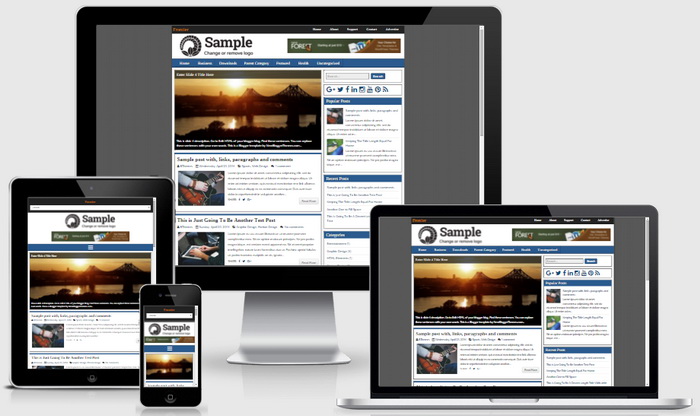
Frontier Blogger Template Responsive View




amazing
superb…
supereb,thanks a lot
This is an amazing blogger template bro. I will do use it on my blog now. Thanks
Very good and helpfull template for blogger
nice gan templatenya.
Hi Dear sir,
This is an amazing blogger template. I use it on my blog. Thanks
Wow Template