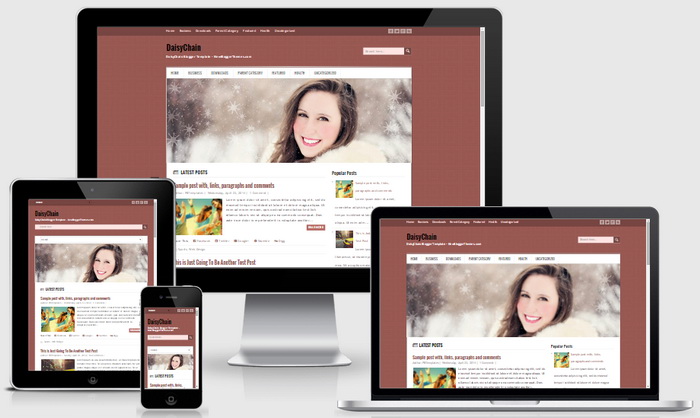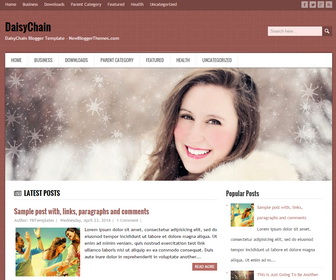
DaisyChain is a simple and user friendly, SEO ready, 2 columns, minimal blogger theme with auto post summaries on homepage. DaisyChain blogger template is a fully responsive blogger theme that allows for easy viewing on any device. DaisyChain has social buttons, post share buttons, related posts, right sidebar, 3 columns footer, 2 drop-down navigation menu, scroll to top button and more.
How To Add Links to Top Navigation Menu
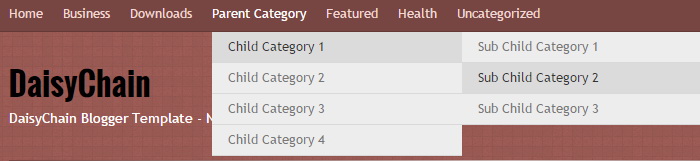
Find this in “Edit HTML”:
<ul class='menunbt' id='top-navnbt'>

<li><a expr:href='data:blog.homepageUrl'>Home</a></li>

<li><a href='#'>Business</a>
<ul class='sub-menu'>
<li><a href='#'>Internet</a></li>
<li><a href='#'>Market</a></li>
<li><a href='#'>Stock</a></li>
</ul>
</li>

...

<li><a href='#'>Uncategorized</a></li>

</ul>
Replace “#” marks with real URLs and change anchor texts as you like.
How To Configure Social Buttons
Find this in “Edit HTML”:
<div class='header-iconsnbt'>
  <a class='social-iconnbt facebook-iconnbt' href='#'><img alt='Facebook' src='http://4.bp.blogspot.com/-Edbk6aZMX8I/VQlVp5ZGAeI/AAAAAAAALsY/j5mFW5FsFe8/s1600/icon-facebook.png'/></a>
  <a class='social-iconnbt twitter-iconnbt' href='#'><img alt='Twitter' src='http://3.bp.blogspot.com/-VjWcXmp4XrI/VQlVrngVkDI/AAAAAAAALs8/HuKNJPxdpP8/s1600/icon-twitter.png'/></a>
  <a class='social-iconnbt google-iconnbt' href='#'><img alt='Google +' src='http://1.bp.blogspot.com/-w0sLq9jesiQ/VQlVqkoXVDI/AAAAAAAALs4/6gdV4sPz9h8/s1600/icon-google.png'/></a>
  <a class='social-iconnbt rss-iconnbt' href='#'><img alt='RSS' src='http://3.bp.blogspot.com/-K5l3AUstBuU/VQlVq6y2ZKI/AAAAAAAALso/A3Djw4fLWJs/s1600/icon-rss.png'/></a>
</div>
Add your own social links replacing “#” marks.
How To Add Links to Secondary Navigation Menu
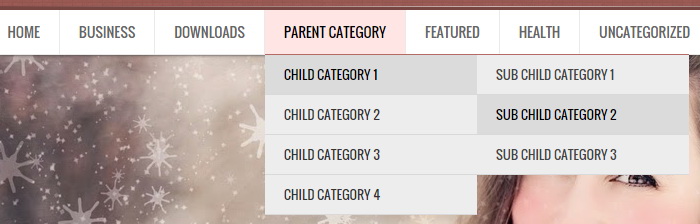
Find this in “Edit HTML”:
<ul class='menunbt' id='navnbt'>

<li><a expr:href='data:blog.homepageUrl'>Home</a></li>

<li><a href='#'>Business</a>
<ul class='sub-menu'>
<li><a href='#'>Internet</a></li>
<li><a href='#'>Market</a></li>
<li><a href='#'>Stock</a></li>
</ul>
</li>

...

<li><a href='#'>Uncategorized</a></li>

</ul>
Replace “#” marks with real URLs and change anchor texts as you like.
How To Change Header Featured Image
Find this in “Edit HTML”:
<!-- Featured Image -->
<div class='header-imagenbt'>
    <a href='#'><img src='http://1.bp.blogspot.com/-2bpo6cM5y8w/VQuV7e0oqiI/AAAAAAAALxQ/dj36INGWpUI/s1600/header-image.jpg'/></a>
</div>
<!-- Featured Image End -->
Replace “#” mark with the URL need to go when click on header image.
Replace “http://1.bp.blogspot.com/-2bpo6cM5y8w/VQuV7e0oqiI/AAAAAAAALxQ/dj36INGWpUI/s1600/header-image.jpg” with your header image address.
DaisyChain Blogger Template Responsive View: