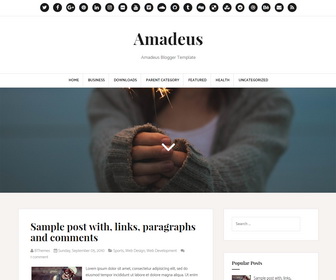
Amadeus is a clean, 100% responsive, Blogger blog theme that features a modern and clean design. It’s ideal for beginner and professional bloggers, food bloggers and photo bloggers. Amadeus Blogger template has 2 columns, right sidebar, parallax header image, Google fonts, FontAwesome icons, related posts with thumbnails, social and sharing buttons, top navigation menu, auto post summaries, scroll to top button and more.
How To Configure Social Buttons

Find this in “Edit HTML”:
<ul class='menunbt clearfix' id='menu-main-social-menu'>
<li><a href='https://twitter.com/' rel='nofollow' target='_blank'><span class='screen-reader-text'>Twitter</span></a></li>
<li><a href='https://www.facebook.com/' rel='nofollow' target='_blank'><span class='screen-reader-text'>Facebook</span></a></li>
<li><a href='https://plus.google.com/' rel='nofollow' target='_blank'><span class='screen-reader-text'>Google Plus</span></a></li>
<li><a href='https://www.pinterest.com/' rel='nofollow' target='_blank'><span class='screen-reader-text'>Pinterest</span></a></li>
...
</ul>
Add your social profile URLs replacing default social profile URLs.
How To Configure Main Navigation
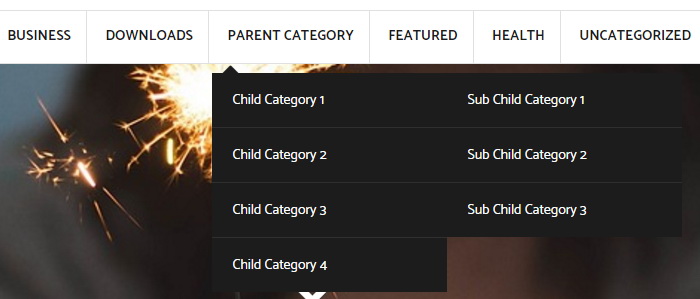
Find this in “Edit HTML”:
<div class='main-menu-containernbt'>
<ul class='menunbt' id='primary-menunbt'>

<li class='menu-item'><a expr:href='data:blog.homepageUrl'>Home</a></li>

<li class='menu-item'><a href='#'>Business</a>
<ul class='sub-menu'>
<li class='menu-item'><a href='#'>Internet</a></li>
<li class='menu-item'><a href='#'>Market</a></li>
<li class='menu-item'><a href='#'>Stock</a></li>
</ul>
</li>

...

</ul>
</div>
Replace “#” marks with real URLs and change anchor texts as you like.
How To Change Header Image

Find this image address in “Edit HTML”:
https://2.bp.blogspot.com/-NQ_ii6jSc4E/V8hAosbQZ3I/AAAAAAAAOjw/t5iZs-uEPWMt94D3Vghyt5z5p5Gh3v7tgCLcB/s1600/header.jpg
Replace it with your header image address.
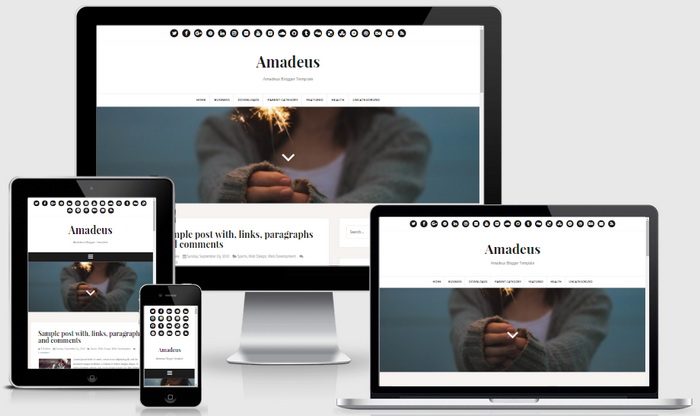
Amadeus Blogger Template Responsive View




Hello !
I just download the template, but I can't find the header image URL… It's like it's hidden…
Can you help me ?
Ju'2
I found out ! I didn't think there was a space hidden :')