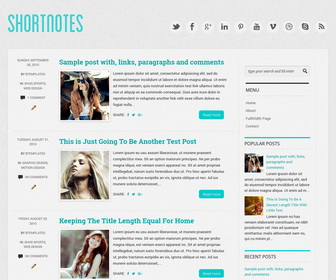
Shortnotes is a clean and elegant looking, HTML5/CSS3, 100% responsive (mobile friendly), 2 columns Blogger theme. Shortnotes Blogger template has a right sidebar, desktop and mobile menus, related posts with thumbnails, social buttons on site header, auto post summaries on homepage, share buttons, Google web fonts and more.
How To Configure Social Buttons

Find this in “Edit HTML”:
<!-- begin #socialIcons --> <div id='socialiconsnbt'> <ul> <li><a class='twitternbt hide-text' href='https://twitter.com/newbthemes' rel='nofollow' target='_blank'/></li> <li><a class='facebooknbt hide-text' href='https://www.facebook.com/newbthemes/' rel='nofollow' target='_blank'/></li> <li><a class='googleplusnbt hide-text' href='https://plus.google.com/' rel='nofollow' target='_blank'/></li> <li><a class='linkedinnbt hide-text' href='https://www.linkedin.com/' rel='nofollow' target='_blank'/></li> <li><a class='pinterestnbt hide-text' href='https://www.pinterest.com/' rel='nofollow' target='_blank'/></li> <li><a class='youtubenbt hide-text' href='https://www.youtube.com/' rel='nofollow' target='_blank'/></li> <li><a class='vimeonbt hide-text' href='https://vimeo.com/' rel='nofollow' target='_blank'/></li> <li><a class='dribbblenbt hide-text' href='https://dribbble.com/' rel='nofollow' target='_blank'/></li> <li><a class='skypenbt hide-text' href='http://www.skype.com/' rel='nofollow' target='_blank'/></li> <li><a class='rssnbt hide-text' expr:href='data:blog.homepageUrl + "feeds/posts/default"' rel='nofollow' target='_blank'/></li> </ul> </div> <!-- end #socialIcons -->
Add your own social links replacing default social networks homepage URLs.
How To Configure Sidebar Menu
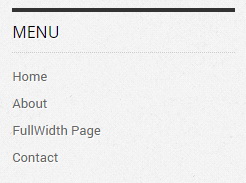
Find this in “Edit HTML”:
<!-- Sidebar Menu -->
<div class='blogbblock' id='sidebar-menu'>
<h3>Menu</h3>
<nav class='menu-topmenu-container'>
<ul class='menu' id='menu-topmenu-1'>
<li><a expr:href='data:blog.homepageUrl'>Home</a></li>
<li><a href='#'>About</a></li>
<li><a href='#'>FullWidth Page</a></li>
<li><a href='#'>Contact</a></li>
</ul>
</nav>
</div>
<!-- END Sidebar Menu -->
Replace “#” marks with real URLs and change anchor texts as you like.
How To Configure Smaller Screens Menu
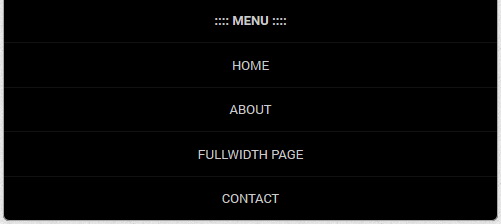
Find this in “Edit HTML”:
<!-- menu for smaller screens -->
<div class='blogbblock' id='small-screens-menu'>
<a href='#' id='topmenu-button'><strong>:::: MENU ::::</strong></a>
<nav class='menu-topmenu-container'>
<ul class='menunbt' id='menu-topmenu'>
<li><a expr:href='data:blog.homepageUrl'>Home</a></li>
<li><a href='#'>About</a></li>
<li><a href='#'>FullWidth Page</a></li>
<li><a href='#'>Contact</a></li>
</ul>
</nav>
</div>
<!-- end menu for smaller screens -->
Replace “#” marks with real URLs and change anchor texts as you like.
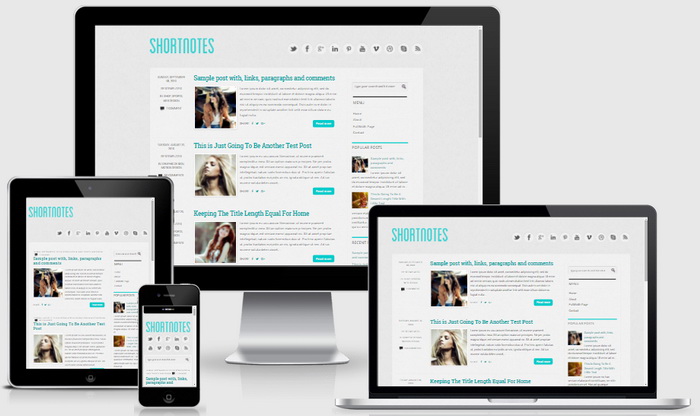
Shortnotes Blogger Template Responsive View




Thanks for the template. How can I move the side-bar menu to the top, below the header? Glenn
Hi Glenn, use contact form for a personal theme customization.
I really like this theme, and I have already installed it on my blog, but how can I change the social buttons? I mean, how do I replace the facebook button with another one, the tumblr button for example?
It would be really nice and helpful if you answered this…I need help!!
And thanks for the free themes!!! 😉
I added more social buttons to the theme with the new theme update.
Is there any way to show the date for blog posts along with the time?
First go to your blog "Settings" –> "Language and formatting".
Select "Timestamp Format" from drop-down menu similar to "Friday, June 13, 2014" format.
Important: You need to change "Timestamp Format". Not "Comment Timestamp Format".
great..nice template bro…i like this
Oh, I love this 🙂 But… I need from a little help. The date, eg. not SUNDAY, SEPTEMBER 05, 2010 instead only 19:54. Where can I change it?
Hi, you can change it going to your blog “Settings” –> “Language and formatting” –> “Timestamp Format”.
Oh really!
Thank you.
Have a nice day 🙂
Is there any way to make it so there isn’t a read more button or that the picture is on top of the text rather than squished to one side?
This will help you to remove post summaries:
http://www.premiumbloggertemplates.com/blog/how-to-remove-blogger-auto-read-more-option/
I can not put more than five entries on the main page of my blog, How I can change it? From configuring blogger will not let me … I need help.
Blogger has its limitations. Read this to fix it:
http://www.premiumbloggertemplates.com/blog/incorrect-number-of-posts-per-page-blogger/
Great work bro. Keep it up
Thanks Guys for creating such a lovely template. I need your help…I can't seem to add a LinkedIn share button at the bottom of my posts…how can I do this?
Thanks.
Find this code:
<a expr:href='"https://plus.google.com/share?url=" + data:post.url' onclick='javascript:window.open(this.href, "", "menubar=no,toolbar=no,resizable=yes,scrollbars=yes,height=600,width=600");return false;' rel='nofollow' target='_blank' title='Share this on Google+'><i class='fa fa-google-plus'/></a>
After it, enter below code:
<a expr:href='"https://www.linkedin.com/shareArticle?mini=true&title=" + data:post.title + "&url=" + data:post.url' rel='nofollow' target='_blank' title='Share this on Linkedin'><i class='fa fa-linkedin'/></a>
thank you so much it is a great Design but how to change the title color to black