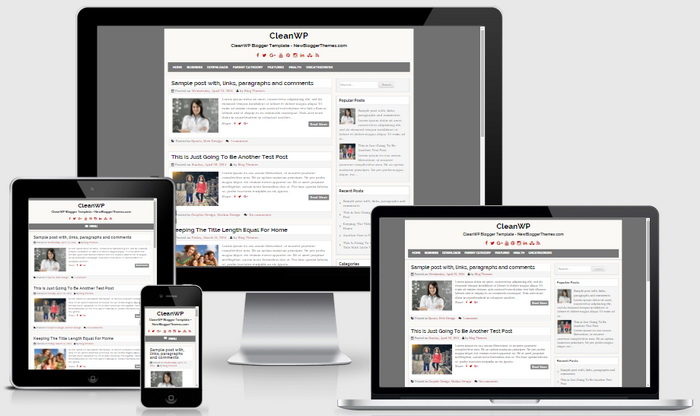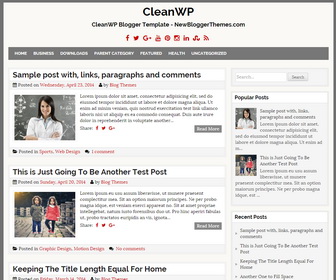
CleanWP is a clean and fresh, easy to use, fully responsive, 2 columns Blogger theme working well with every device. CleanWP Blogger template has a right sidebar, responsive navigation menu, related posts with thumbnails, social and share buttons, auto post summaries, 3 columns footer widgets area, Google web fonts and more.
CleanWP WordPress Version
If you are using WordPress, find more features of the WordPress version of this theme:
http://themesdna.com/cleanwp-wordpress-theme/
How To Add Links to Top Navigation Menu
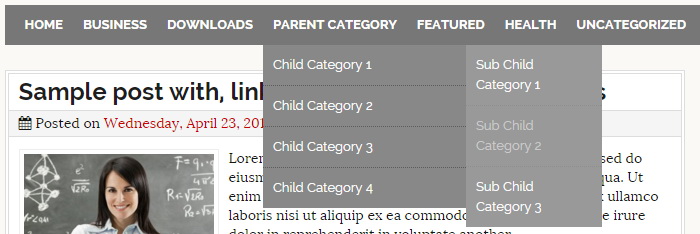
Find this in “Edit HTML”:
<ul class='menunbt' id='primary-menunbt'>

<li><a expr:href='data:blog.homepageUrl'>Home</a></li>

<li><a href='#'>Business</a>
<ul class='sub-menu'>
<li><a href='#'>Internet</a></li>
<li><a href='#'>Market</a></li>
<li><a href='#'>Stock</a></li>
</ul>
</li>

...

</ul>
Replace “#” marks with real URLs and change anchor texts as you like.
How To Configure Social Buttons

Find this in “Edit HTML”:
<div class='header-social-icons'>
<a href='#' rel='nofollow' target='_blank' title='Facebook'><i class='fa fa-facebook' title='Facebook'/></a>
<a href='#' rel='nofollow' target='_blank' title='Twitter'><i class='fa fa-twitter'/></a>
<a href='#' rel='nofollow' target='_blank' title='Google Plus'><i class='fa fa-google-plus'/></a>
<a href='#' rel='nofollow' target='_blank' title='Youtube'><i class='fa fa-youtube'/></a>
<a href='#' rel='nofollow' target='_blank' title='Pinterest'><i class='fa fa-pinterest'/></a>
<a href='#' rel='nofollow' target='_blank' title='Instagram'><i class='fa fa-instagram'/></a>
<a href='#' rel='nofollow' target='_blank' title='Linkedin'><i class='fa fa-linkedin'/></a>
<a href='#' rel='nofollow' target='_blank' title='Stumbleupon'><i class='fa fa-stumbleupon'/></a>
<a expr:href='data:blog.homepageUrl + "feeds/posts/default"' rel='nofollow' target='_blank' title='RSS'><i class='fa fa-rss'/></a>
</div>
Add your own social links replacing “#” marks.
CleanWP Blogger Template Responsive View