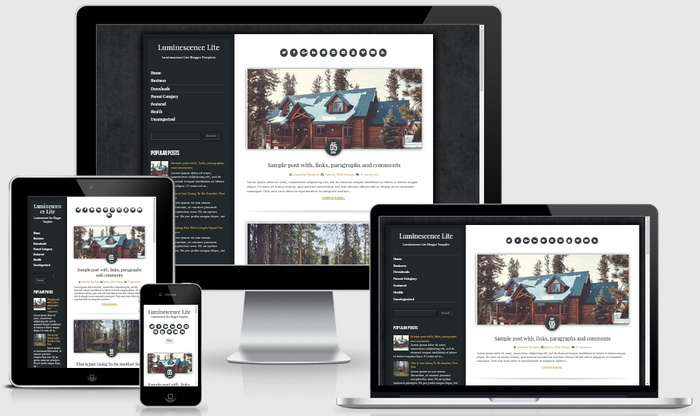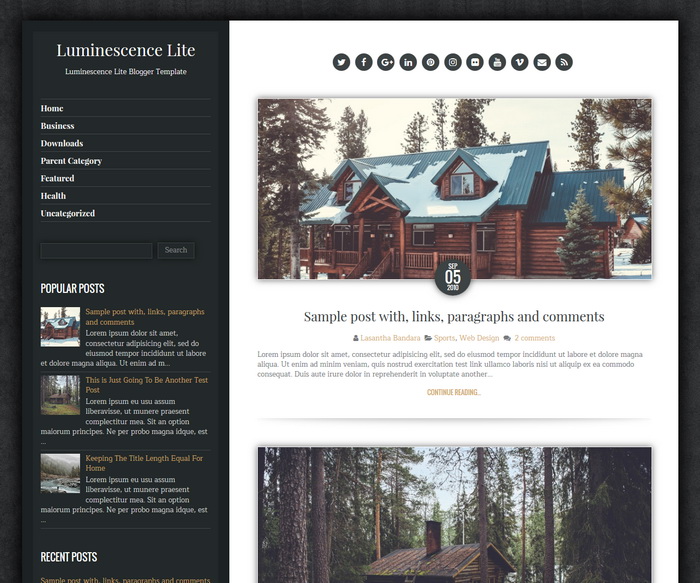
Luminescence Lite is a minimal, responsive and retina display ready blogger theme that is designed for a powerful blogging website offering a little old-school style with modern features and flexibility. Luminescence Lite Blogger Template has clean post summaries, custom post timestamps, related posts with thumbnails, social profile and post share buttons, navigation menus, left sidebar, 4 columns footer and more.
How To Configure Post Timestamp Format
If you haven’t selected timestamp format of your blog posts correctly, you will see “undefined” errors.
Go to your blog’s “Settings” –> “Language and formatting”.
Select “Timestamp Format” from drop-down menu similar to “Tuesday, September 06, 2016” format.
Important: You need to change “Timestamp Format”. Not “Comment Timestamp Format”.
https://newbloggerthemes.com/blog/fix-posted-date-undefined-error-blogger/
How To Configure Social Buttons

Find this in “Edit HTML”:
<div id='luminescence-social-icons'> <a href='https://twitter.com/' rel='nofollow' target='_blank' title='Twitter'><i class='fa fa-twitter'/></a> <a href='https://www.facebook.com/' rel='nofollow' target='_blank' title='Facebook'><i class='fa fa-facebook'/></a> <a href='https://plus.google.com/' rel='nofollow' target='_blank' title='GooglePlus'><i class='fa fa-google-plus'/></a> <a href='https://www.linkedin.com/' rel='nofollow' target='_blank' title='Linkedin'><i class='fa fa-linkedin'/></a> <a href='https://www.pinterest.com/' rel='nofollow' target='_blank' title='Pinterest'><i class='fa fa-pinterest'/></a> <a href='https://www.instagram.com/' rel='nofollow' target='_blank' title='Instagram'><i class='fa fa-instagram'/></a> <a href='https://www.flickr.com/' rel='nofollow' target='_blank' title='Flickr'><i class='fa fa-flickr'/></a> <a href='https://www.youtube.com/' rel='nofollow' target='_blank' title='Youtube'><i class='fa fa-youtube'/></a> <a href='https://vimeo.com/' rel='nofollow' target='_blank' title='Vimeo'><i class='fa fa-vimeo'/></a> <a href='mailto:123@abc.com' rel='nofollow' target='_blank' title='Contact'><i class='fa fa-envelope'/></a> <a expr:href='data:blog.homepageUrl + "feeds/posts/default"' target='_blank' title='RSS'><i class='fa fa-rss'/></a> </div>
Add your social profile links replacing default social network homepage URLs.
How To Setup Main Navigation Menu
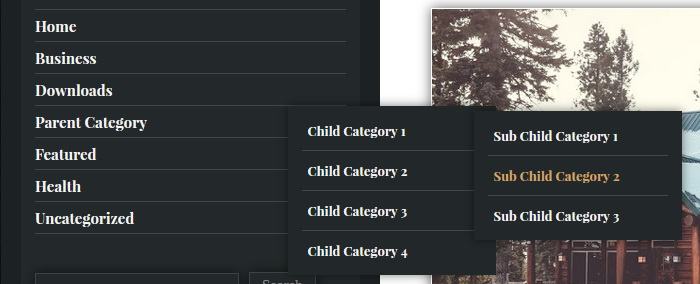
Find this in “Edit HTML”:
<div class='luminescence-main-menu-container'>
<ul class='luminescence-menu'>

<li><a expr:href='data:blog.homepageUrl'>Home</a></li>

<li><a href='#'>Business</a>
<ul class='sub-menu'>
<li><a href='#'>Internet</a></li>
<li><a href='#'>Market</a></li>
<li><a href='#'>Stock</a></li>
</ul>
</li>

...

</ul>
</div>
Replace “#” marks with real URLs and change anchor texts as you like.
How To Setup Mobile Navigation Menu
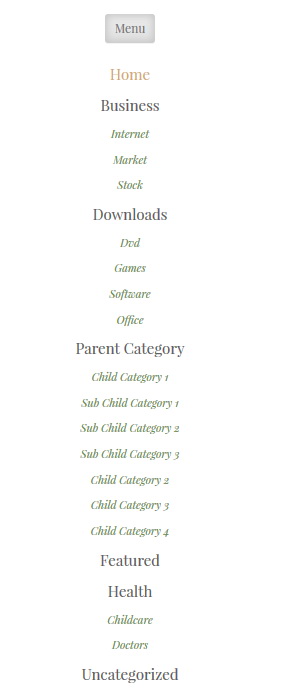
Find this code in “Edit HTML”:
<div class='luminescence-menu-mobile-menu-container'>
<ul class='luminescence-nav-menu' id='luminescence-menu-mobile-menu'>

<li><a expr:href='data:blog.homepageUrl'>Home</a></li>

<li><a href='#'>Business</a>
<ul class='sub-menu'>
<li><a href='#'>Internet</a></li>
<li><a href='#'>Market</a></li>
<li><a href='#'>Stock</a></li>
</ul>
</li>

...

</ul>
</div>
Follow the same steps are used to edit the main menu.
Luminescence Lite Blogger Template Responsive View