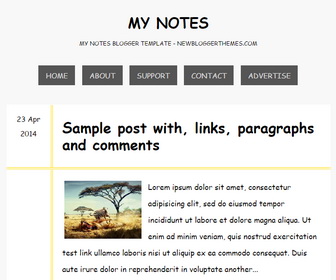
My Notes blogger template is a free blogger theme for your personal blogs and diaries. My Notes comes with a clean and minimal responsive layout which will resize according to your screen. My Notes is a lightweight, seo friendly and a fast loading theme and has related posts, social buttons, sharing buttons, bottom widget area, top navigation and more.
How To Add Links to Top Navigation Menu

Go to “Layout”. Click on “Edit” link of “Edit This Menu” widget.
Now add your links to that link list widget.
Read more: https://newbloggerthemes.com/blog/how-to-configure-linklist-menu-widget/
How To Configure Blogger Timestamp Format
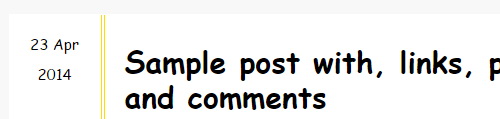
If you haven’t configured timestamp format of your blog posts correctly, you will see “undefined” errors.
Follow this tutorial: https://newbloggerthemes.com/blog/fix-posted-date-undefined-error-blogger/
How To Configure Social Buttons

Find this in “Edit HTML”:
<div class='widget widgetsocialbuttonsnbt'> <a href='https://plus.google.com/' rel='nofollow' target='_blank'><i class='fa fa-google-plus-square'/></a> <a href='https://twitter.com/' rel='nofollow' target='_blank'><i class='fa fa-twitter-square'/></a> <a href='https://www.facebook.com/' rel='nofollow' target='_blank'><i class='fa fa-facebook-square'/></a> <a href='http://instagram.com/' rel='nofollow' target='_blank'><i class='fa fa-instagram'/></a> <a href='https://www.youtube.com/' rel='nofollow' target='_blank'><i class='fa fa-youtube-square'/></a> <a href='http://www.pinterest.com/' rel='nofollow' target='_blank'><i class='fa fa-pinterest-square'/></a> <a href='http://www.linkedin.com/' rel='nofollow' target='_blank'><i class='fa fa-linkedin-square'/></a> <a href='https://vimeo.com/' rel='nofollow' target='_blank'><i class='fa fa-vimeo-square'/></a> <a expr:href='data:blog.homepageUrl + "feeds/posts/default"' rel='nofollow' target='_blank'><i class='fa fa-rss-square'/></a> </div>
Add your social profile URLs replacing these social media networks homepages URLs.
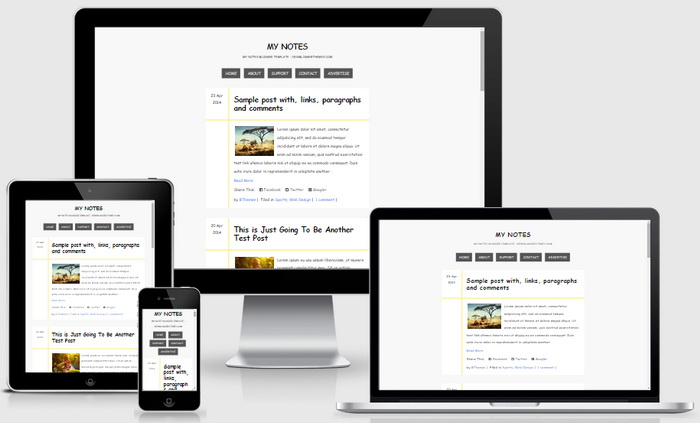
My Notes Blogger Template Responsive View:




Thanks so much for this beau template…really i like it!!!!