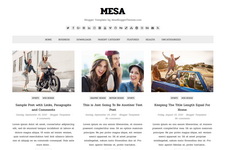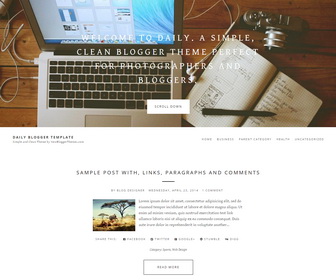
Theme Categories: 1 Column, 3 Columns Footer, Adapted from Wordpress, Featured Section, Fixed width, Grey, Magazine, Minimalist, No Sidebar, Photolog, Pro Version Available, Responsive, Top Navigation Bar, White,
Theme Name:
Daily
Author / URL:
NewBloggerThemes | https://newbloggerthemes.com/
Designer / URL:
Brodziak Studio | http://www.robertbrodziak.com/
Published Date:
November 12, 2014
[purchase_link id="3342" text="Buy Now - Daily - PRO Version" style="button" color="blue"]
Daily Free vs. Pro Versions : Features Comparison
| Features | Free Version | PRO Version |
|---|---|---|
| Template Designer Compatible (Color Options / Font Options) |
✖ | ✔ | Search Engine Optimized | ✖ | ✔ |
| Remove Footer Credits | ✖ | ✔ |
| Priority Support | ✖ | ✔ |
| No Encrypted Scripts | ✖ | ✔ |
| Lifetime Theme Updates | ✔ | ✔ |
| For Unlimited Domains | ✔ | ✔ |
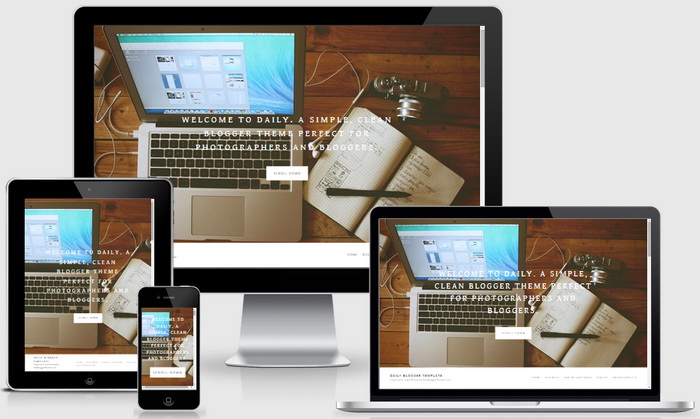
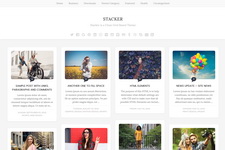
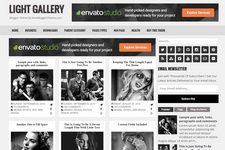
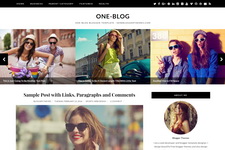
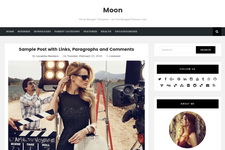
Daily is a responsive, SEO friendly, simple and clean Blogger theme perfect for photographers and bloggers. Daily Blogger template has top featured image area, auto post summaries with thumbnails, related posts, top navigation, social profile buttons, post share buttons, Google fonts and more unique features.
How To Change Top Featured Area Content
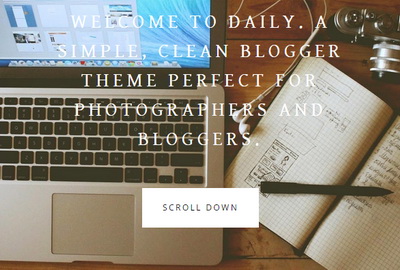
To change featured area image, find this:
https://1.bp.blogspot.com/-8d6IJVBGiIw/VGIiRTXFxXI/AAAAAAAAM_w/Ftlj6hpCto8/s0/featured-image.jpg
Replace it with your own featured image URL.
To change featured area message, find this:
WELCOME TO DAILY. A SIMPLE, CLEAN BLOGGER THEME PERFECT FOR PHOTOGRAPHERS AND BLOGGERS.
Replace it with your own welcome message.
How To Add Links to Top Navigation Menu

Find this in "Edit HTML":
<div class='menu-menutop-containernbt'>
<ul class='menunbt'>

<li><a expr:href='data:blog.homepageUrl'>Home</a></li>

<li><a href='#'>Business</a></li>

<li><a href='#'>Parent Category</a>
<ul class='sub-menu'>
<li><a href='#'>Child Category 1</a></li>
<li><a href='#'>Child Category 2</a></li>
<li><a href='#'>Child Category 3</a></li>
<li><a href='#'>Child Category 4</a></li>
</ul>
</li>

<li><a href='#'>Health</a>
<ul class='sub-menu'>
<li><a href='#'>Childcare</a></li>
<li><a href='#'>Doctors</a></li>
</ul>
</li>

<li><a href='#'>Uncategorized</a></li>

</ul>
</div>
Replace "#" marks with real URLs and change anchor texts as you like.
How To Configure Social Buttons

Find this in "Edit HTML":
<div class='daily-social-buttons'> <a href='https://plus.google.com/' rel='nofollow' target='_blank' title='GooglePlus'><i class='fa fa-google-plus-square'/></a> <a href='https://twitter.com/' rel='nofollow' target='_blank' title='Twitter'><i class='fa fa-twitter-square'/></a> <a href='https://www.facebook.com/' rel='nofollow' target='_blank' title='Facebook'><i class='fa fa-facebook-square'/></a> <a href='http://instagram.com/' rel='nofollow' target='_blank' title='Instagram'><i class='fa fa-instagram'/></a> <a href='https://www.youtube.com/' rel='nofollow' target='_blank' title='Youtube'><i class='fa fa-youtube-square'/></a> <a href='http://www.pinterest.com/' rel='nofollow' target='_blank' title='Pinterest'><i class='fa fa-pinterest-square'/></a> <a href='http://www.linkedin.com/' rel='nofollow' target='_blank' title='Linkedin'><i class='fa fa-linkedin-square'/></a> <a href='https://vimeo.com/' rel='nofollow' target='_blank' title='Vimeo'><i class='fa fa-vimeo-square'/></a> <a href='http://tumblr.com/' rel='nofollow' target='_blank' title='Tumblr'><i class='fa fa-tumblr-square'/></a> <a expr:href='data:blog.homepageUrl + "feeds/posts/default"' rel='nofollow' target='_blank' title='RSS'><i class='fa fa-rss-square'/></a> </div>
Add your social profile URLs replacing these social media networks homepages URLs.
Daily Blogger Template Responsive View: