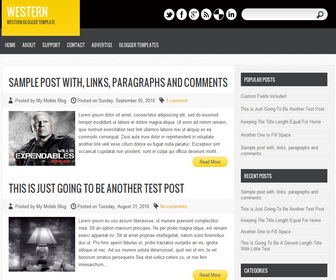
How To Link Social Buttons to your Profiles
Find this (in “Edit HTML”) :
<ul class='social'> <li><a href='https://twitter.com/username' rel='nofollow' target='_blank'><img src='http://3.bp.blogspot.com/-Ye2FcFwWhwo/UFLgzb29tNI/AAAAAAAAGBw/XOOMO7135zg/s1600/twit.png'/></a></li> <li><a href='https://www.facebook.com/username' rel='nofollow' target='_blank'><img src='http://2.bp.blogspot.com/-7IjAUuqP6OQ/UFLgmUOCd_I/AAAAAAAAGAM/0Mb2JhYzeKw/s1600/facebook.png'/></a></li> <li><a href='https://plus.google.com/profileid' rel='nofollow' target='_blank'><img src='http://2.bp.blogspot.com/-EN7srRFRwfc/UFLgnRDcXaI/AAAAAAAAGAY/fMoWJ8khx1Y/s1600/gplus.png'/></a></li> <li><a expr:href='data:blog.homepageUrl + "feeds/posts/default"' rel='nofollow' target='_blank'><img src='http://3.bp.blogspot.com/-eoHsXfmKOtE/UFLguBx6lgI/AAAAAAAAGBI/RO0psHrleRo/s1600/rss.png'/></a></li> <li><a expr:href='"http://del.icio.us/post?url=" + data:blog.url' rel='nofollow' target='_blank'><img src='http://3.bp.blogspot.com/-mIKgaqT8zzM/UFLgldFfdWI/AAAAAAAAGAI/JBh9C-KLFxw/s1600/del.png'/></a></li> <li><a href='http://www.linkedin.com/' rel='nofollow' target='_blank'><img src='http://1.bp.blogspot.com/-DvnzELf7PB0/UFLgpqZ0XrI/AAAAAAAAGAo/vTO3kLX_zck/s1600/in.png'/></a></li> </ul>
Now you can change social links with your own links.
How To Add Links Top Navigation Menu
Go to “Layout”. Click on “Edit” link of “Edit This Menu” widget.




I using this quality blogger template on my another a blog.
Thank you 😉
this template looks good..
btw i have website like you..
are you want LE??
Love this theme!
Really awesome.. i am using this.. Thanks
Awesome theme. Juat downloaded and using for my new tech blog. Thanks for this awesome theme 😀
Thank you for the Template.
It looks awesome and I am using it on my website too….
Thank you.