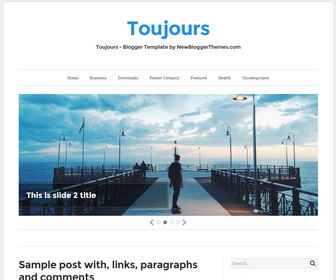
Toujours is a fully responsive, clean and minimalist Blogger theme comes with a 2 columns layout including a right sidebar and a jQuery Masonry powered 4 columns widgets area in footer. Toujours Blogger template is working well on every device and has a multi-level navigation menu, related posts with thumbnails, social and share buttons, auto read more on homepage, Google web fonts and more features.
How To Configure Top Navigation Menu
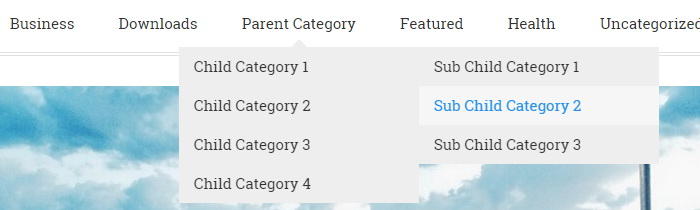
Find this in “Edit HTML”:
<ul class='menunbt' id='primary-menunbt'>

<li><a expr:href='data:blog.homepageUrl'>Home</a></li>

<li><a href='#'>Business</a>
<ul class='sub-menu'>
<li><a href='#'>Internet</a></li>
<li><a href='#'>Market</a></li>
<li><a href='#'>Stock</a></li>
</ul>
</li>

...

</ul>
Replace “#” marks with real URLs and change anchor texts as you like.
How To Configure Social Buttons

Find this in “Edit HTML”:
<ul class='menunbt' id='menu-social-menunbt'>
<li><a href='http://www.facebook.com/' rel='nofollow' target='_blank'><span class='screen-reader-text'>Facebook</span></a></li>
<li><a href='http://twitter.com/' rel='nofollow' target='_blank'><span class='screen-reader-text'>Twitter</span></a></li>
<li><a href='http://plus.google.com/' rel='nofollow' target='_blank'><span class='screen-reader-text'>GooglePlus</span></a></li>
...
</ul>
Add your own social links replacing default social profile URLs.
How To Configure Featured Content Slider:
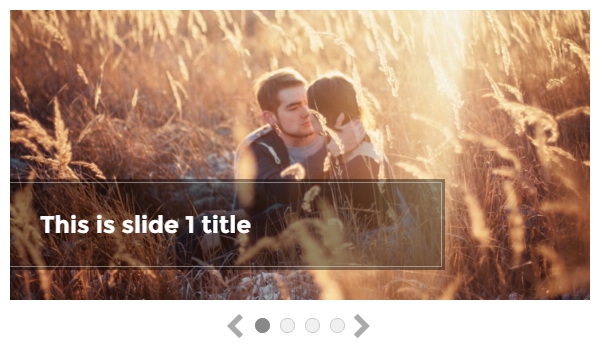
Find this in “Edit HTML”:
There are 4 slides in the slider. You can add or remove more slides if you want.
This is the code for the first slide:
<!-- slide 1 start -->
<li class='slide'>
<div class='slide-media' style='background-image: url(http://2.bp.blogspot.com/-QGKfdU25eQE/VrG4rj4sTSI/AAAAAAAAQ58/N0XDeI3OaVw/s1600/slide-image-1.jpg);'/>
<div class='slide-info'>
<div class='slide-title'><a href='ENTER-SLIDE-1-URL-HERE'>This is slide 1 title</a></div>
</div>
</li>
<!-- slide 1 end -->
Now replace,
“ENTER-SLIDE-1-URL-HERE”s with your real slide link,
“This is slide 1 title” with your real slide title,
“http://2.bp.blogspot.com/-QGKfdU25eQE/VrG4rj4sTSI/AAAAAAAAQ58/N0XDeI3OaVw/s1600/slide-image-1.jpg” with your slide image URL.
Do the same thing for next 3 slides.
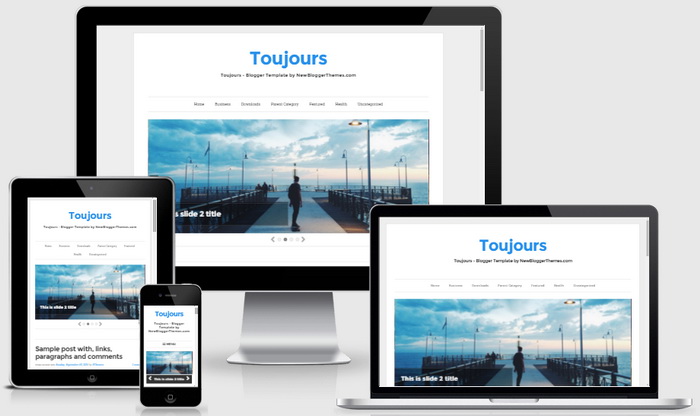
Toujours Blogger Template Responsive View




i am quite satisfied with the designs and the tutorial
best theme for blogger 🙂
5*