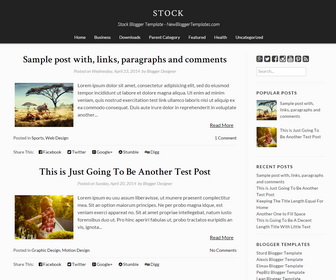
Stock is a simple Blogger theme, inspired by minimalism and precision. Stock Blogger Template is perfect for writers and personal blogs, It SEO friendly data, 2 columns, right sidebar, top multilevel navigation, social profile buttons and post share buttons, related posts, Google fonts and more.
How To Add Links to Top Navigation Menu
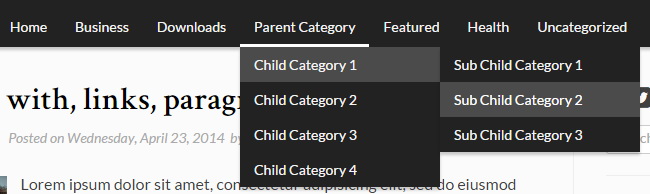
Find this in “Edit HTML”:
<div class="menu-containernbt">
<ul class='menunbt'>

<li><a expr:href='data:blog.homepageUrl'>Home</a></li>

<li><a href='#'>Business</a>
<ul class='sub-menu'>
<li><a href='#'>Internet</a></li>
<li><a href='#'>Market</a></li>
<li><a href='#'>Stock</a></li>
</ul>
</li>

...

<li><a href='#'>Uncategorized</a></li>

</ul>
</div>
Replace “#” marks with real URLs and change anchor texts as you like.
How To Configure Social Buttons
Find this in “Edit HTML”:
<div class='social-buttonsnbt'> <a href='https://plus.google.com/' rel='nofollow' target='_blank'><i class='fa fa-google-plus-square'/></a> <a href='https://twitter.com/' rel='nofollow' target='_blank'><i class='fa fa-twitter-square'/></a> <a href='https://www.facebook.com/' rel='nofollow' target='_blank'><i class='fa fa-facebook-square'/></a> <a href='http://instagram.com/' rel='nofollow' target='_blank'><i class='fa fa-instagram'/></a> <a href='https://www.youtube.com/' rel='nofollow' target='_blank'><i class='fa fa-youtube-square'/></a> <a href='http://www.pinterest.com/' rel='nofollow' target='_blank'><i class='fa fa-pinterest-square'/></a> <a expr:href='data:blog.homepageUrl + "feeds/posts/default"' rel='nofollow' target='_blank'><i class='fa fa-rss-square'/></a> </div>
Add your own social links replacing default social media network homepage URLs.
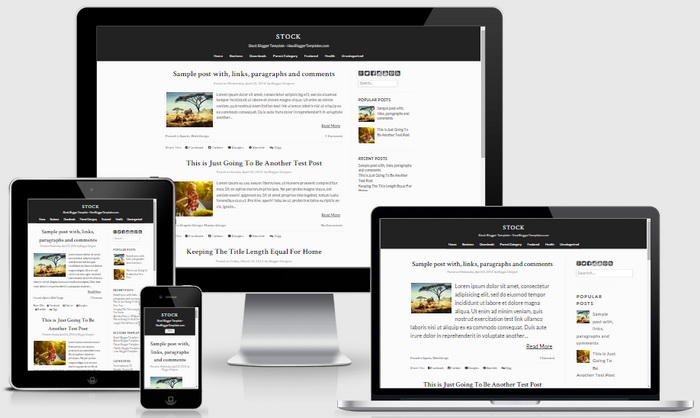
Stock Blogger Template Responsive View:




Hi,
I have already installed the template STOCK, but there is no post date visible and no author on my site. How can I improve it? What should I change?
You can control theme settings going to “Layout”.