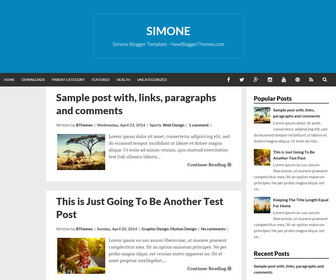
Simone is a responsive, accessible, high-resolution blogger theme with easy to read typography that scales to fit all screens. Other features are included in Simone Blogger template are keyboard accessible navigation, social profile buttons, right sidebar, 3 columns footer, Google fonts and more.
How To Change Header Background Color
Let’s say you need to change header background color to “red”.
Add below code just before </head> tag:
<style type='text/css'>
.site-brandingnbt {
  background: #ff0000;
}
</style>
How To Add Links to Top Navigation Menu

Find this in “Edit HTML”:
<ul class='menunbt'>

<li><a expr:href='data:blog.homepageUrl'>Home</a></li>

...

<li><a href='#'>Featured</a></li>

<li><a href='#'>Health</a>
<ul class='sub-menu'>
<li><a href='#'>Childcare</a></li>
<li><a href='#'>Doctors</a></li>
</ul>
</li>

<li><a href='#'>Uncategorized</a></li>

</ul>
Replace “#” marks with real URLs and change anchor texts as you like.
How To Configure Social Buttons

Find this in “Edit HTML”:
<div class='menu-socialnbt' id='menu-socialnbt'> <ul class='menu-itemsnbt' id='menu-social-itemsnbt'> <li><a href='http://www.facebook.com/' rel='nofollow' target='_blank'><span class='screen-reader-textnbt'>Facebook</span></a></li> <li><a href='http://twitter.com/' rel='nofollow' target='_blank'><span class='screen-reader-textnbt'>Twitter</span></a></li> <li><a href='http://plus.google.com/' rel='nofollow' target='_blank'><span class='screen-reader-textnbt'>GooglePlus</span></a></li> <li><a href='http://instagram.com/' rel='nofollow' target='_blank'><span class='screen-reader-textnbt'>Instagram</span></a></li> <li><a href='http://youtube.com/' rel='nofollow' target='_blank'><span class='screen-reader-textnbt'>Youtube</span></a></li> <li><a href='http://pinterest.com/' rel='nofollow' target='_blank'><span class='screen-reader-textnbt'>Pinterest</span></a></li> <li><a expr:href='data:blog.homepageUrl + "feeds/posts/default"' rel='nofollow' target='_blank'><span class='screen-reader-textnbt'>Feed</span></a></li> </ul> </div>
Add your social profile URLs replacing social media networks homepages URLs.
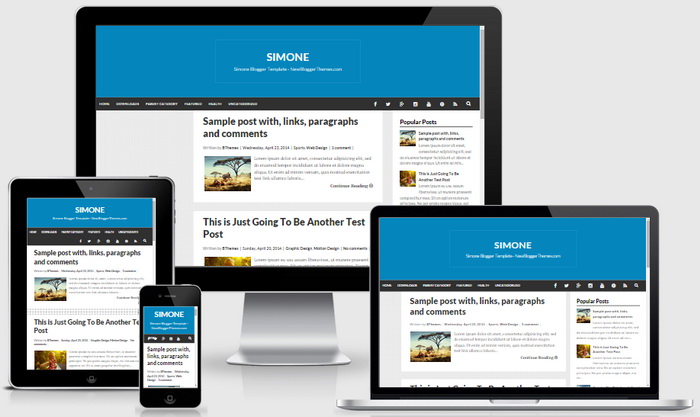
Simone Blogger Template Responsive View:




thank you much for this theme, as you can see its installed already in my blog under WordPress and for blogger looks great too. Good job!