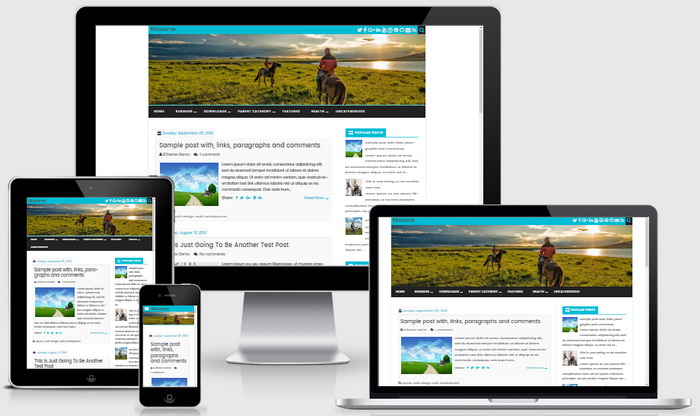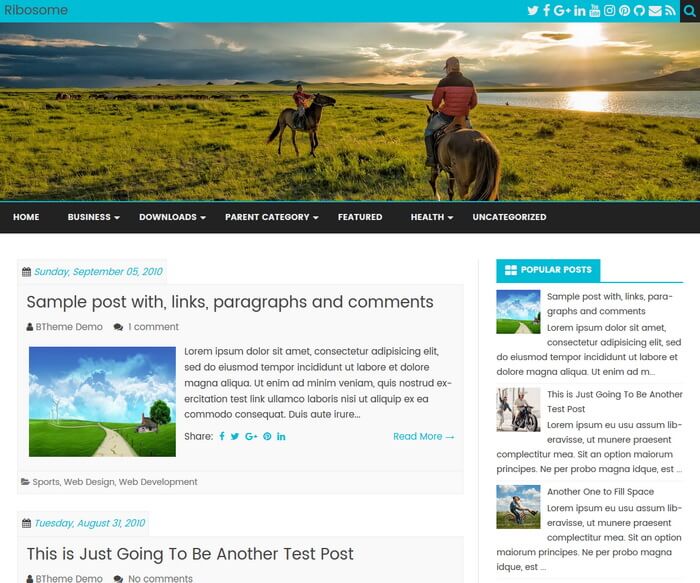
Ribosome is a free, simple and light, fully responsive blogger theme with a clear and neat design. Ribosome Blogger Template has 2 columns, auto post summaries, related posts with thumbnails, full-width header image, social buttons, post sharing buttons, scroll to top button, top navigation menu, right sidebar, web fonts and more.
How To Change Header Image
Find this image address in “Edit HTML”:
https://2.bp.blogspot.com/-3UY72zS5nOw/WUiXiSluH9I/AAAAAAAARS8/OU08Gjksgm0YguNMa2ymRKbSJhBm6XSIQCLcBGAs/s1600/header-img.jpg
Replace it with your own header image URL.
Note: The minimum width of the header image should be “1144px”.
How To Setup Navigation Menu
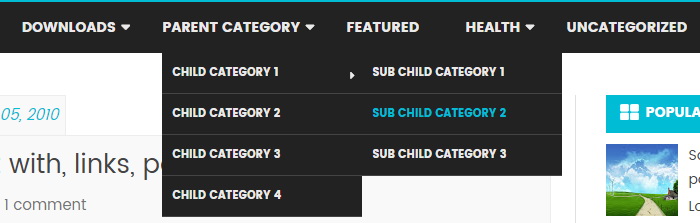
Find this in “Edit HTML”:
<li><a expr:href='data:blog.homepageUrl'>Home</a></li>

<li class='menu-item-has-children'><a href='#'>Business</a>
<ul class='sub-menu'>
<li><a href='#'>Internet</a></li>
<li><a href='#'>Market</a></li>
<li><a href='#'>Stock</a></li>
</ul>
</li>

...

<li><a href='#'>Uncategorized</a></li>
Replace “#” marks with real URLs and change anchor texts as you like.
Note: You will find above code twice. Do changes for both codes.
How To Configure Social Buttons

Find this in “Edit HTML”:
<a href='https://twitter.com/' rel='nofollow' target='_blank' title='Twitter'><i class='fa fa-twitter'/></a> <a href='https://www.facebook.com/' rel='nofollow' target='_blank' title='Facebook'><i class='fa fa-facebook'/></a> <a href='https://plus.google.com/' rel='nofollow' target='_blank' title='GooglePlus'><i class='fa fa-google-plus'/></a> <a href='https://www.linkedin.com/' rel='nofollow' target='_blank' title='Linkedin'><i class='fa fa-linkedin'/></a> <a href='https://www.youtube.com/' rel='nofollow' target='_blank' title='Youtube'><i class='fa fa-youtube'/></a> <a href='https://www.instagram.com/' rel='nofollow' target='_blank' title='Instagram'><i class='fa fa-instagram'/></a> <a href='https://www.pinterest.com/' rel='nofollow' target='_blank' title='Pinterest'><i class='fa fa-pinterest'/></a> <a href='https://github.com/' rel='nofollow' target='_blank' title='Github'><i class='fa fa-github'/></a> <a href='mailto:123@abc.com' rel='nofollow' target='_blank' title='Contact'><i class='fa fa-envelope'/></a> <a expr:href='data:blog.homepageUrl + "feeds/posts/default"' target='_blank' title='RSS'><i class='fa fa-rss'/></a>
Add your own social links replacing default social profile URLs.
Note: You will find above code twice. Do changes for both codes.
Ribosome Blogger Template Responsive View