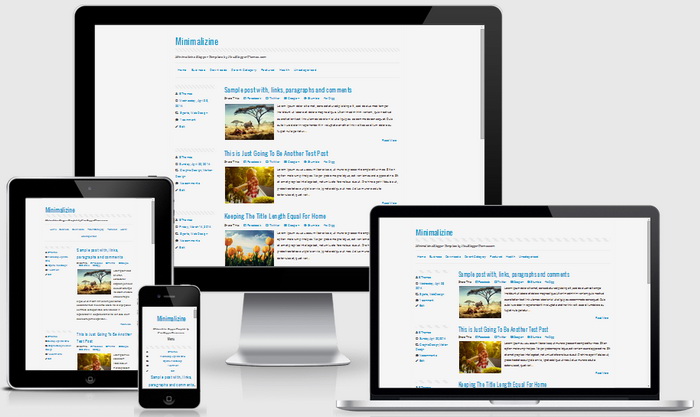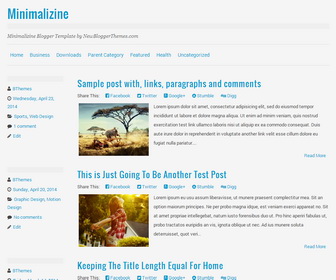
Minimalizine is a simple and responsive Blogger template with single column layout. It is a clean blogging theme, good for you who wants focused on the content. Minimalizine Blogger Template supports 3 widget areas in the footer, social media buttons and share links, top horizontal drop-down menu, custom fonts and icons and more.
How To Add Links to Top Navigation Menu
Find this in “Edit HTML”:
<div class='menu-testing-menu-container'>
<ul class='menunbt'>

<li><a expr:href='data:blog.homepageUrl'>Home</a></li>

<li><a href='#'>Business</a>
<ul class='sub-menu'>
<li><a href='#'>Internet</a></li>
<li><a href='#'>Market</a></li>
<li><a href='#'>Stock</a></li>
</ul>
</li>

...

</ul>
</div>
Replace “#” marks with real URLs and change anchor texts as you like.
How To Configure Social Buttons
Find this in “Edit HTML”:
<div class='widget minimalizine_social'>
<h4 class='widget-title'>Social Media</h4>
<ul id='social-buttonnbt'>
<li><a class='irnbt' href='http://twitter.com/#' id='button-twitternbt' target='_blank'>Twitter</a>
</li>
<li><a class='irnbt' href='http://www.facebook.com/#' id='button-fbnbt' target='_blank'>Facebook</a>
</li>
<li><a class='irnbt' href='https://plus.google.com/u/#' id='button-gplusnbt' target='_blank'>Google+</a>
</li>
<li><a class='irnbt' href='http://www.flickr.com/photos/#' id='button-flickrnbt' target='_blank'>Flickr</a>
</li>
<li><a class='irnbt' href='http://id.linkedin.com/in/#' id='button-linkedinnbt' target='_blank'>Linked In</a>
</li>
<li><a class='irnbt' href='http://pinterest.com/#' id='button-pinterestnbt' target='_blank'>Pinterest</a>
</li>
<li><a class='irnbt' href='http://dribbble.com/player/#' id='button-dribbblenbt' target='_blank'>Dribbble</a>
</li>
<li><a class='irnbt' href='https://github.com/#' id='button-githubnbt' target='_blank'>Github</a>
</li>
<li><a class='irnbt' href='http://vimeo.com/#' id='button-vimeonbt' target='_blank'>Vimeo</a>
</li>
<li><a class='irnbt' href='http://forrst.com/#' id='button-forrstnbt' target='_blank'>Forrst</a>
</li>
<li><a class='irnbt' href='http://zerply.com/#' id='button-zerplynbt' target='_blank'>Zerply</a>
</li>
<li><a class='irnbt' expr:href='data:blog.homepageUrl + "feeds/posts/default"' id='button-rssnbt' target='_blank'>RSS</a>
</li>
</ul>
</div>
Add your own social profile usernames replacing “#” marks.
Minimalizine Blogger Template Responsive View: