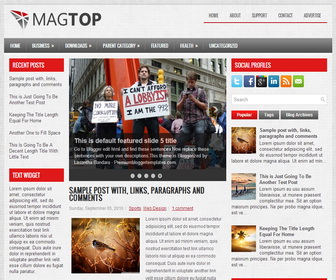
Configure Meta tags
Login to your blogger dashboard–> layout- -> Edit HTML.Now Scroll down to where you see below codes :
<meta content='DESCRIPTION HERE' name='description'/>
<meta content='KEYWORDS HERE' name='keywords'/>
Replace DESCRIPTION HERE,KEYWORDS HERE as below.
DESCRIPTION HERE:Write your blog description
KEYWORDS HERE:Write the keywords of your blog separated by comma.
How To Configure Favicon:
Login to your blogger dashboard–> layout- -> Edit HTML.Now Scroll down to where you see below code :
<link href='YOUR-FAVICON-URL' rel='shortcut icon' type='image/vnd.microsoft.icon'/>
Now replace “YOUR-FAVICON-URL” with your Favicon address/url.
Configure Featured Content Slider:
Login to your blogger dashboard–> layout- -> Edit HTML.Find <!– Featured Content Slider Started –>.Now scroll down slowly and you can see each featured slide codes between <div class=’fp-slides-items’> and </div> .
Now replace,
- “This is default featured post X title” with your featured post title.
- “#” with your featured post URL.
- “Go to Blogger edit html and find these sentences.Now replace these sentences with your own descriptions.This theme is Bloggerized by Lasantha Bandara – Premiumbloggertemplates.com.” with your slider description.
- Slider image address with your slider image.
for each featured slide.
How To Change Tab Names of Tab Widget
If you want to change your tab names of your tab widget then find this:
<ul class='tabs-widget tabs-widget-widget-themater_tabs-1432447472-id'>
<li><a href='#widget-themater_tabs-1432447472-id1'>Popular</a></li>
<li><a href='#widget-themater_tabs-1432447472-id2'>Tags</a></li>
<li><a href='#widget-themater_tabs-1432447472-id3'>Blog Archives</a></li>
</ul>
Now change the names “Popular“, “Tags” and “Blog Archives” as you like.




love this theme! made it my own. credits still exist. hope you don’t mind! Thanks for sharing. you’re a legened!