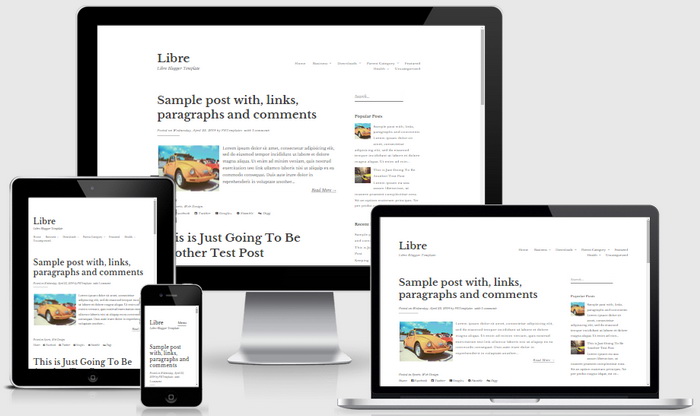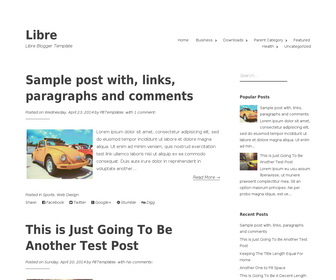
Libre Blogger template adds a stylish, classic look for your personal blog or long-form writing site. The main navigation bar stays fixed to the top while your visitors read, keeping your most important content at hand, while three footer widget areas give your secondary content a comfortable home. Hiero theme has a right sidebar, Google fonts, related posts with thumbnails, social buttons, post share buttons, multi-level navigation menu, auto post summaries and more.
How To Add Links to Top Navigation Menu
Find this in “Edit HTML”:
<ul class='menunbt' id='primary-menunbt'>

<li><a expr:href='data:blog.homepageUrl'>Home</a></li>

<li class='menu-item-has-children'><a href='#'>Business</a>
<ul class='sub-menu'>
<li><a href='#'>Internet</a></li>
<li><a href='#'>Market</a></li>
<li><a href='#'>Stock</a></li>
</ul>
</li>

...

<li><a href='#'>Uncategorized</a></li>

</ul>
Replace “#” marks with real URLs and change anchor texts as you like.
How To Configure Social Buttons
Find this in “Edit HTML”:
<div class='social-buttonsnbt'> <a href='https://plus.google.com/' rel='nofollow' target='_blank' title='Google Plus'><i class='fa fa-google-plus-square'/></a> <a href='https://twitter.com/' rel='nofollow' target='_blank' title='Twitter'><i class='fa fa-twitter-square'/></a> <a href='https://www.facebook.com/' rel='nofollow' target='_blank' title='Facebook'><i class='fa fa-facebook-square'/></a> <a href='http://instagram.com/' rel='nofollow' target='_blank' title='Instagram'><i class='fa fa-instagram'/></a> <a href='https://www.youtube.com/' rel='nofollow' target='_blank' title='Youtube'><i class='fa fa-youtube-square'/></a> <a href='http://www.pinterest.com/' rel='nofollow' target='_blank' title='Pinterest'><i class='fa fa-pinterest-square'/></a> <a expr:href='data:blog.homepageUrl + "feeds/posts/default"' rel='nofollow' target='_blank' title='RSS'><i class='fa fa-rss-square'/></a> </div>
Add your own profile links replacing social networks homepage URLs.
Libre Blogger Template Responsive View