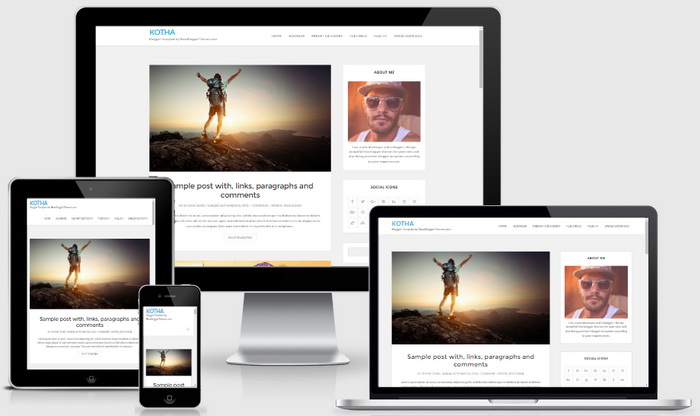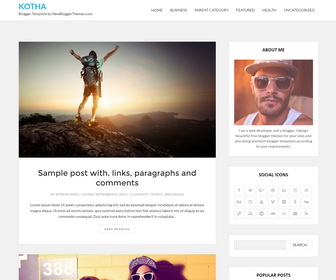
Kotha is a clean and beautiful, 100% responsive Blogger theme perfect for your personal, travel, lifestyle, food and recipes, storytelling Blog. If you want to focus or showcase your content in a timeless manner, Kotha is right choice for you. It follows the latest trendy design with a combination of pure elegance. With Kotha, you can get right to the point, presenting your content in a clean and minimal way. Kotha Blogger Template is template designer compatible, so you can change fonts (about 100 fonts) and colors (unlimited colors) very quickly without having any knowledge about theme coding. This blogger template has a 4 columns footer widgets area, right sidebar, Google web fonts, unlimited colors, icon fonts, background image support, related posts with large thumbnails, social and sharing buttons, top navigation menu, clean post summaries and more.
It is 100% Responsive: Check Mobile Friendly
It has search engine friendly data: Check SEO Friendly
Kotha Theme Features
- 100% Responsive (Mobile Friendly)
- Search Engine Optimized
- Unlimited Colors to Choose
- Hundreds of Fonts to Select
- Support for a Background Image
- Auto Post Summaries on Homepage
- Related Posts with Thumbnails
- 4 Columns Footer Widgets Area
- Top Multi-level Navigation Menus
- Beautiful Social Buttons
- Post Share Options
- Scroll to Top Button
- Custom About Me Widget
- Facebook and Twitter Meta Data
- Many More Features…
How To Configure Top Navigation Menu
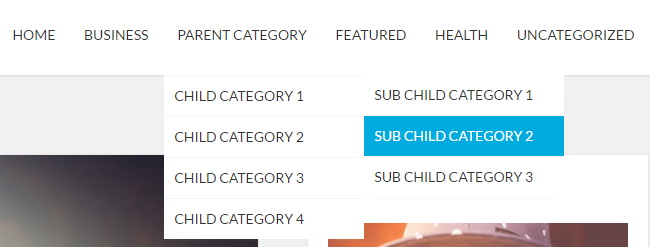
Find this in “Edit HTML”:
<ul class='menunbt'>

<li><a expr:href='data:blog.homepageUrl'>Home</a></li>

<li><a href='#'>Business</a>
<ul class='sub-menu'>
<li><a href='#'>Internet</a></li>
<li><a href='#'>Market</a></li>
<li><a href='#'>Stock</a></li>
</ul>
</li>

...

</ul>
Replace “#” marks with real URLs and change anchor texts as you like.
How To Configure Social Buttons
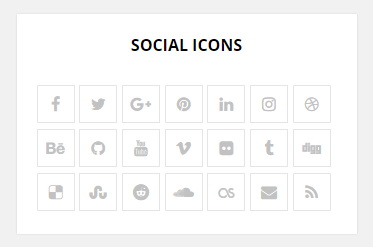
Find this in “Edit HTML”:
<div class='social-linknbt'>
<ul class='list-inline'>
<li><a href='https://www.facebook.com/' rel='nofollow' target='_blank' title='Facebook'><i aria-hidden='true' class='fa fa-facebook'/></a></li>
<li><a href='https://twitter.com/' rel='nofollow' target='_blank' title='Twitter'><i aria-hidden='true' class='fa fa-twitter'/></a></li>
<li><a href='https://plus.google.com/' rel='nofollow' target='_blank' title='GooglePlus'><i aria-hidden='true' class='fa fa-google-plus'/></a></li>
<li><a href='https://www.pinterest.com/' rel='nofollow' target='_blank' title='Pinterest'><i aria-hidden='true' class='fa fa-pinterest'/></a></li>
...
</ul>
</div>
Add your own social links replacing default social profile URLs.
Kotha Blogger Template Responsive View