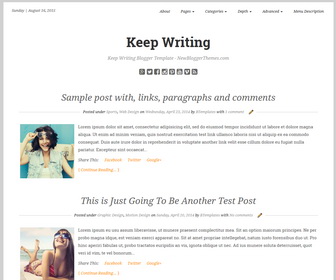
Founder is a simple and minimalistic blogger theme with clean typography. It is suitable for writers and authors. As a fully responsive blogger template, Keep Writing is displays well on phones, tablets, and laptops, and is optimized to load quickly. Keep Writing Blogger template has a bottom widgets area, Google web fonts, icon fonts, related posts with thumbnails, social buttons, post sharing links, top navigation menu, auto post summaries on homepage and more.
How To Add Links to Top Navigation Menu
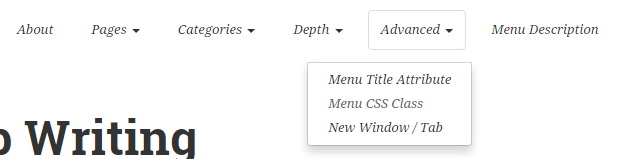
Find this in “Edit HTML”:
<div class='collapse navbar-collapse' id='navbar-ex-collapse'>
<ul class='nav navbar-nav navbar-right'>
   <li><a href='#'>About</a></li>
   <li class='dropdown'>
      <a aria-haspopup='true' class='dropdown-toggle' data-toggle='dropdown' href='#'>Pages <span class='caret'/></a>
      <ul class='dropdown-menu' role='menu'>
         <li><a href='#'>Home</a></li>
         <li><a href='#'>Blog</a></li>
         <li><a href='#'>Amazon Store</a></li>
         <li><a href='#'>Page Comments Disabled</a></li>
         <li><a href='#'>Page Image Alignment</a></li>
         <li><a href='#'>Page Markup And Formatting</a></li>
      </ul>
   </li>
   ...
   <li><a href='#'>Menu Description</a></li>
</ul>
</div>
Replace “#” marks with real URLs and change anchor texts as you like.
How To Configure Social Buttons
Find this in “Edit HTML”:
<div class='social-buttonsnbt'> <a href='https://plus.google.com/' rel='nofollow' target='_blank' title='Google Plus'><i class='fa fa-google-plus-square'/></a> <a href='https://twitter.com/' rel='nofollow' target='_blank' title='Twitter'><i class='fa fa-twitter-square'/></a> <a href='https://www.facebook.com/' rel='nofollow' target='_blank' title='Facebook'><i class='fa fa-facebook-square'/></a> <a href='http://instagram.com/' rel='nofollow' target='_blank' title='Instagram'><i class='fa fa-instagram'/></a> <a href='http://www.pinterest.com/' rel='nofollow' target='_blank' title='Pinterest'><i class='fa fa-pinterest-square'/></a> <a href='https://www.youtube.com/' rel='nofollow' target='_blank' title='Youtube'><i class='fa fa-youtube-square'/></a> <a href='https://www.vimeo.com/' rel='nofollow' target='_blank' title='Vimeo'><i class='fa fa-vimeo-square'/></a> <a expr:href='data:blog.homepageUrl + "feeds/posts/default"' rel='nofollow' target='_blank' title='RSS'><i class='fa fa-rss-square'/></a> </div>
Add your own social links replacing default social profile URLs.
Keep Writing Blogger Template Responsive View
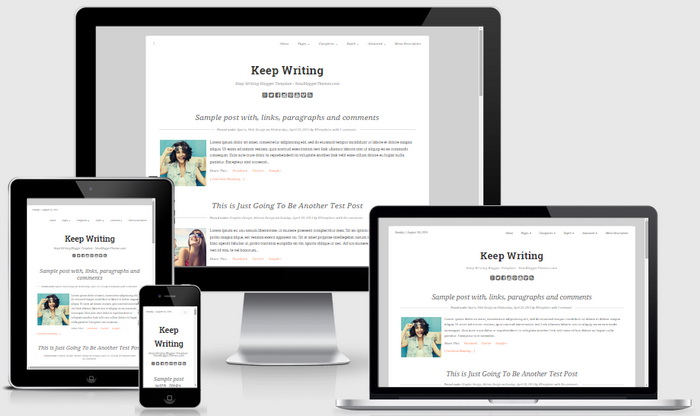




Nice templates for a writer blogger all options are available in this templates.