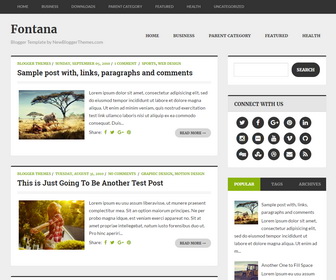
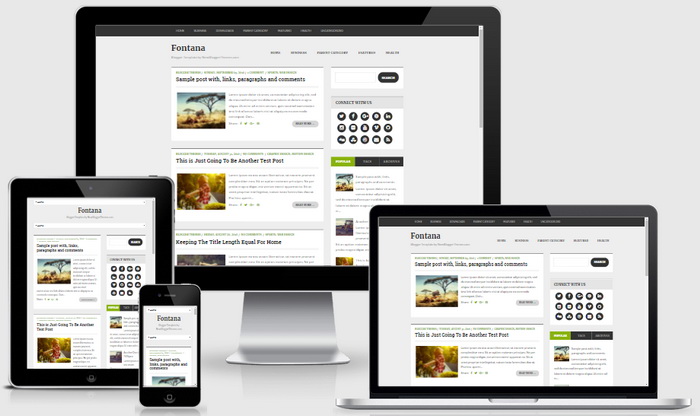
Fontana is a fully responsive, simple and elegant, 2 columns Blogger theme is powered by Twitter bootstrap. Fontana Blogger template has a right sidebar, mobile friendly menus, related posts with thumbnails, social and share icons, font icons, auto post summaries on homepage, Google web fonts and more.
How To Configure Top Navigation Menu
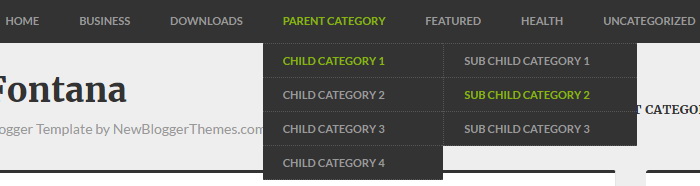
Find this in “Edit HTML”:
<nav class='top-navigationnbt' id='top-navigationnbt' role='navigation'>
<div class='clearfix container'>
<div class='sf-menu'>
<ul class='menunbt' id='menu-top-menunbt'>

<li><a expr:href='data:blog.homepageUrl'>Home</a></li>

<li><a href='#'>Business</a>
<ul class='sub-menu'>
<li><a href='#'>Internet</a></li>
<li><a href='#'>Market</a></li>
<li><a href='#'>Stock</a></li>
</ul>
</li>

...

</ul>
</div>
</div>
</nav>
Replace “#” marks with real URLs and change anchor texts as you like.
How To Configure Main Navigation Menu
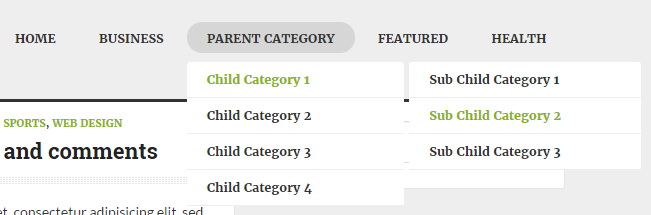
Find this in “Edit HTML”:
<nav class='main-navigationnbt' id='main-navigationnbt' role='navigation'>
<div class='clearfix sf-menu'>
<ul class='menunbt' id='menu-main-menunbt'>

<li><a expr:href='data:blog.homepageUrl'>Home</a></li>

<li><a href='#'>Business</a>
<ul class='sub-menu'>
<li><a href='#'>Internet</a></li>
<li><a href='#'>Market</a></li>
<li><a href='#'>Stock</a></li>
</ul>
</li>

...

</ul>
</div>
</nav>
Replace “#” marks with real URLs and change anchor texts as you like.
How To Configure Social Buttons
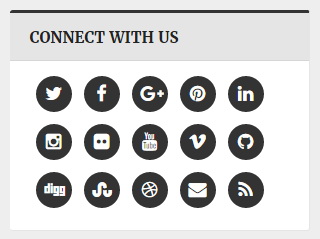
Find this in “Edit HTML”:
<div class='widget fontana-social-icons'>
<h2><span>Connect With Us</span></h2>
<ul>
	<li><a href='https://twitter.com/' rel='nofollow' target='_blank' title='Twitter'><i class='fa fa-twitter'/></a></li>
	<li><a href='https://www.facebook.com/' rel='nofollow' target='_blank' title='Facebook'><i class='fa fa-facebook'/></a></li>
	<li><a href='https://plus.google.com/' rel='nofollow' target='_blank' title='GooglePlus'><i class='fa fa-google-plus'/></a></li>
	<li><a href='https://www.pinterest.com/' rel='nofollow' target='_blank' title='Pinterest'><i class='fa fa-pinterest'/></a></li>
    ...
</ul>
</div>
Add your own social links replacing default social profile URLs.
Fontana Blogger Template Responsive View




new templaet