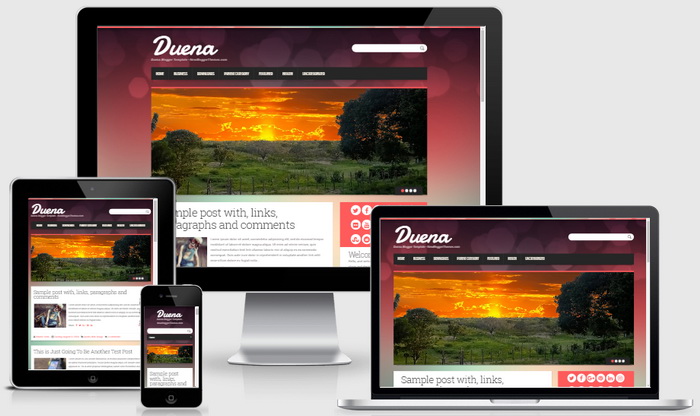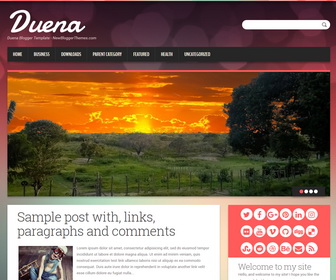
Duena is a clean and elegant, Bootstrap powered, fully responsive blogger template is designed specifically for personal blogs. Even though Bootstrap templates are mostly flat, the gradient on the background creates depth effect that makes content blocks float in the air. Red and its hues prevail in the theme design giving it some warmth and passion. This template fits perfectly into all browsers of tablets, phones and PCs. Duena blogger template has a slider, right sidebar, top navigation menu, related posts with thumbnails, social and share icons, auto post summaries, scroll-to-top button, Google web fonts and more.
How To Configure Navigation Menu
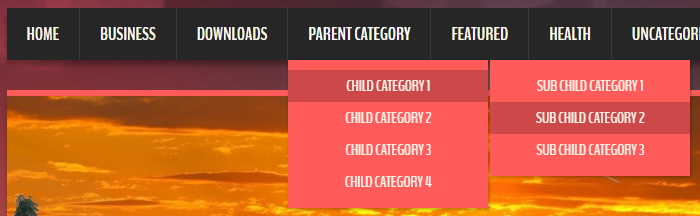
Find this in “Edit HTML”:
<nav class='main-navnbt' id='site-navigationnbt' role='navigation'>
<div class='navbar-innernbt'>
<ul class='sf-menu' id='topnavnbt'>

<li><a expr:href='data:blog.homepageUrl'>Home</a></li>

<li><a href='#'>Business</a>
<ul class='sub-menu'>
<li><a href='#'>Internet</a></li>
<li><a href='#'>Market</a></li>
<li><a href='#'>Stock</a></li>
</ul>
</li>

...

</ul>
</div>
</nav><!-- #site-navigation -->
Replace “#” marks with real URLs and change anchor texts as you like.
How To Configure Featured Content Slider
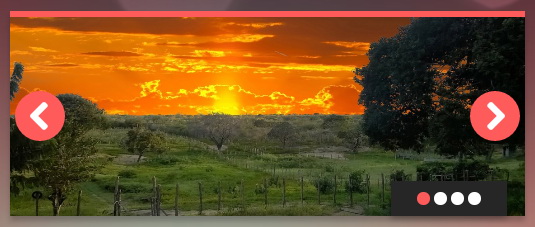
Find this in “Edit HTML”:
<div class='flexslider'>
<ul class='slides'>

<!-- slide 1 code -->
<li>
<a href='ENTER_SLIDE_1_LINK_HERE' title='Enter Slide 1 Title Here'>
	<img alt='Enter Slide 1 Title Here' src='https://2.bp.blogspot.com/-j8hzFe_Sz8I/V3ceY766bWI/AAAAAAAASjM/2HMG3eFGWWAiFPyWTL3xB065ZOucLKsPACLcB/s1600/slide-image-1.jpg'/>
</a>
</li>
<!-- slide 1 code end -->

...

</ul>
</div>
There are 4 slides in the slider. You can add or remove more slides if you want.
Now replace,
“ENTER_SLIDE_X_LINK_HERE”s with your real slide link,
“Enter Slide X Title Here” with your real slide title,
Slide image URL,
for each slide. (X = 1 or X = 2 or X = 3 or X = 4)
How To Configure Social Buttons
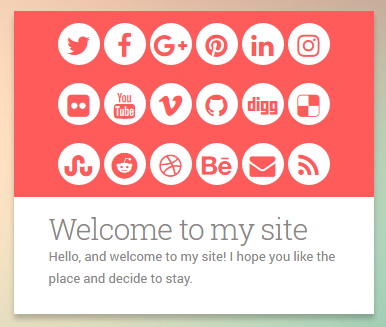
Find this in “Edit HTML”:
<div class='social-boxnbt'>
<a href='https://twitter.com/' rel='nofollow' target='_blank' title='Twitter'><i class='fa fa-twitter'/></a>
<a href='https://www.facebook.com/' rel='nofollow' target='_blank' title='Facebook'><i class='fa fa-facebook'/></a>
<a href='https://plus.google.com/' rel='nofollow' target='_blank' title='GooglePlus'><i class='fa fa-google-plus'/></a>
...
</div>
Add your own social links replacing default social profile URLs.
Duena Blogger Template Responsive View