How To Add Links Top Navigation Menu
Go to “Layout”. Click on “Edit” link of “Edit This Menu” widget.
Now add your links to that link list widget.
The Blogger collection
A fresh design for your stories. Preview it, download it, make it yours.
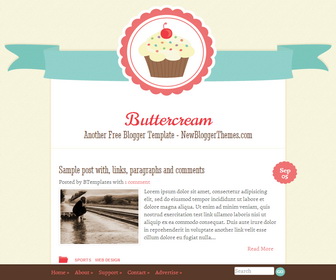
Get to know the design
Explore the theme information and any setup notes below.
Go to “Layout”. Click on “Edit” link of “Edit This Menu” widget.
Now add your links to that link list widget.
Follow our installation guide or get in touch with your theme name and blog URL.
Installation guide →Ask a question →Keep exploring
Gallery · Magazine
Magazine · Minimalist
Gallery · Magazine
Magazine · Minimalist
The conversation




THANKS FOR THIS NICE TEMPLATE…
why in the blog section which serves to show the publish date for example “September 05” on my blog to be “Undefined”??
why publish date of my article isn’t detected? I’m so confused…. o_O”
Go to “Settings” –> “Language and formatting”.
Select “Timestamp Format” from drop-down menu similar to Friday, June 6, 2014 format.
Click on “Save settings” button.