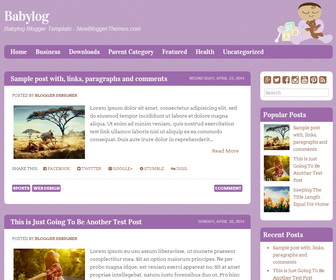
Babylog blogger template is a responsive, sweet, illustrated theme for baby blogs. Babylog blogger theme has minimal design, 2 columns, right sidebar, top drop-down navigation menu, social profile buttons and share buttons, related posts, Google fonts and more unique features.
How To Change Baby Image
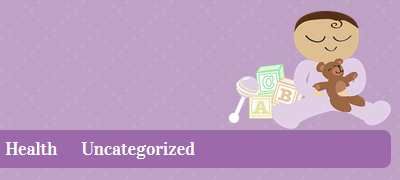
Find this in “Edit HTML”:
http://1.bp.blogspot.com/-PB8YBT7lOr0/VEW-hm5o7PI/AAAAAAAAMIo/7SW_9v_cgOE/s1600/purple-medium-brown.png
Replace it with your own image URL.
How To Configure Social Buttons
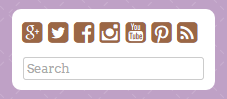
Find this in “Edit HTML”:
<div class='babylog-social-buttons'> <a href='https://plus.google.com/' rel='nofollow' target='_blank'><i class='fa fa-google-plus-square'/></a> <a href='https://twitter.com/' rel='nofollow' target='_blank'><i class='fa fa-twitter-square'/></a> <a href='https://www.facebook.com/' rel='nofollow' target='_blank'><i class='fa fa-facebook-square'/></a> <a href='http://instagram.com/' rel='nofollow' target='_blank'><i class='fa fa-instagram'/></a> <a href='https://www.youtube.com/' rel='nofollow' target='_blank'><i class='fa fa-youtube-square'/></a> <a href='http://www.pinterest.com/' rel='nofollow' target='_blank'><i class='fa fa-pinterest-square'/></a> <a expr:href='data:blog.homepageUrl + "feeds/posts/default"' rel='nofollow' target='_blank'><i class='fa fa-rss-square'/></a> </div>
Add your social profile URLs replacing social media networks homepages URLs.
How To Add Links to Top Navigation Menu
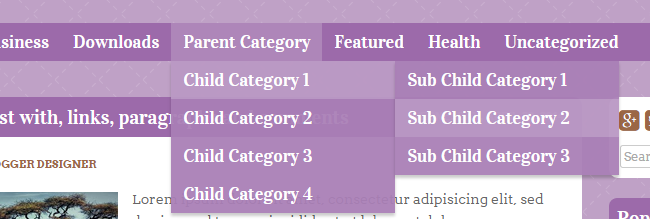
Find this in “Edit HTML”:
<ul class='menunbt'>

<li><a expr:href='data:blog.homepageUrl'>Home</a></li>

<li><a href='#'>Business</a>
<ul class='sub-menu'>
<li><a href='#'>Internet</a></li>
<li><a href='#'>Market</a></li>
<li><a href='#'>Stock</a></li>
</ul>
</li>

...

<li><a href='#'>Uncategorized</a></li>

</ul>
Replace “#” marks with real URLs and change anchor texts as you like.
How To Change Ducks Image
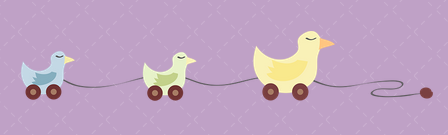
Find this in “Edit HTML”:
http://1.bp.blogspot.com/-WuqHFHRYntA/VEW-T372jjI/AAAAAAAAMEc/zIfEiazedus/s1600/duckies-2x.png
Replace it with your own image URL.
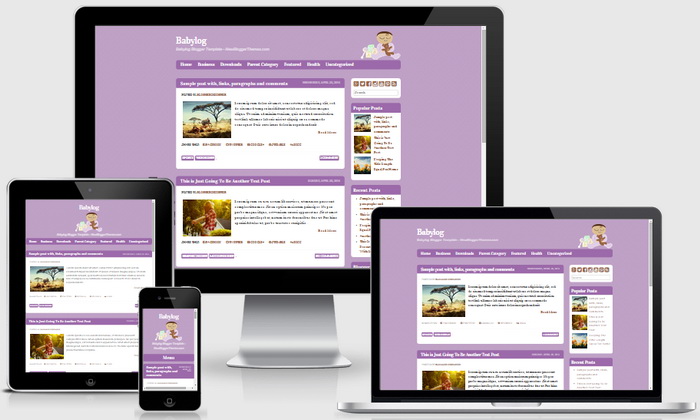
Babylog Blogger Template Responsive View:




Thanks Alot the theme is very nice and good
It’s Very nice. Thank you so much………….
nice template, thank you